
Scherlokk 7.4 macOS 文件搜索 秒级全盘扫描 隐式/系统文件直搜无死角

还在等 Spotlight 缓慢重建索引?别再妥协了——Scherlokk 7.4 直接绕过系统索引,用原生扫描引擎穿透你 Mac 上每一寸存储空间:内置硬盘、雷电扩展阵列、USB-C 闪存盘、SD 卡、AFP/SMB 网络共享卷,甚至被 macOS 隐藏的 .DS_Store、.localized 或 /System/Library 中的深层资源文件,它都能实时定位,零遗漏、零延迟。
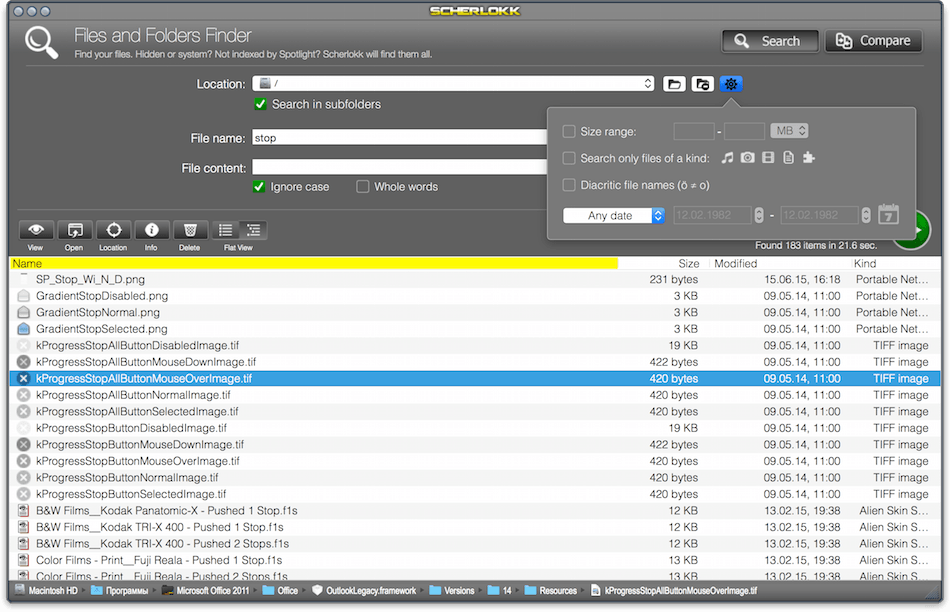
你只需轻点几下:勾选「音乐」「视频」「代码文件」或自定义扩展名;输入关键词(支持文档内全文检索);拖动滑块设定大小区间(它会自动高亮所有匹配容量的文件夹);按修改日期筛选——连“上周删掉但未清空废纸篓的合同 PDF”都能瞬间召回。
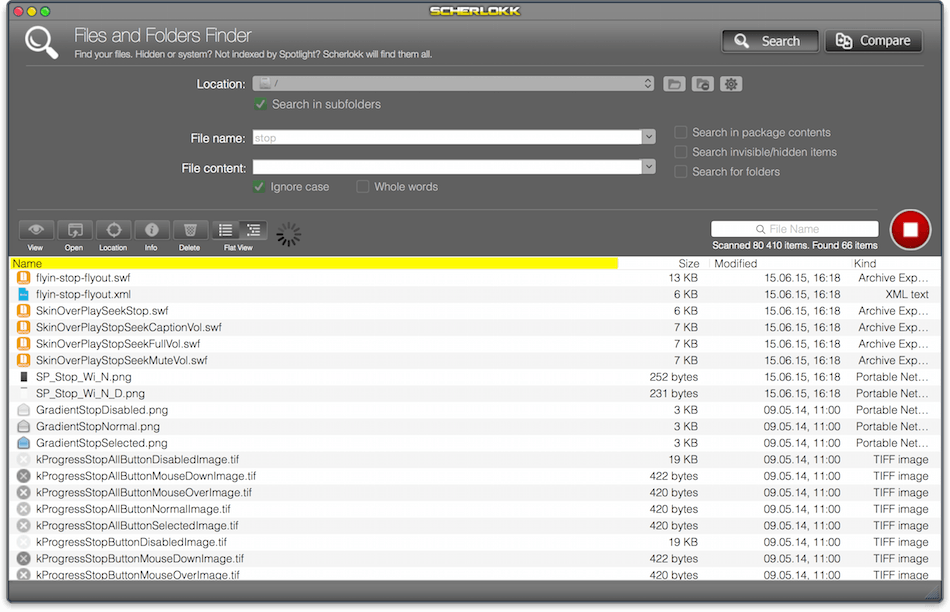
为什么老用户说“用了 Scherlokk 就卸载 Spotlight”?因为它不依赖可能滞后的数据库,而是真·逐字节遍历;它提供双视图模式——平铺列表快速比对文件属性,树状结构一键展开路径层级,让你秒懂“那个同名文件到底藏在哪个嵌套子目录里”;界面更是清爽到极致:无弹窗干扰、无学习成本,打开即搜,搜完即用。
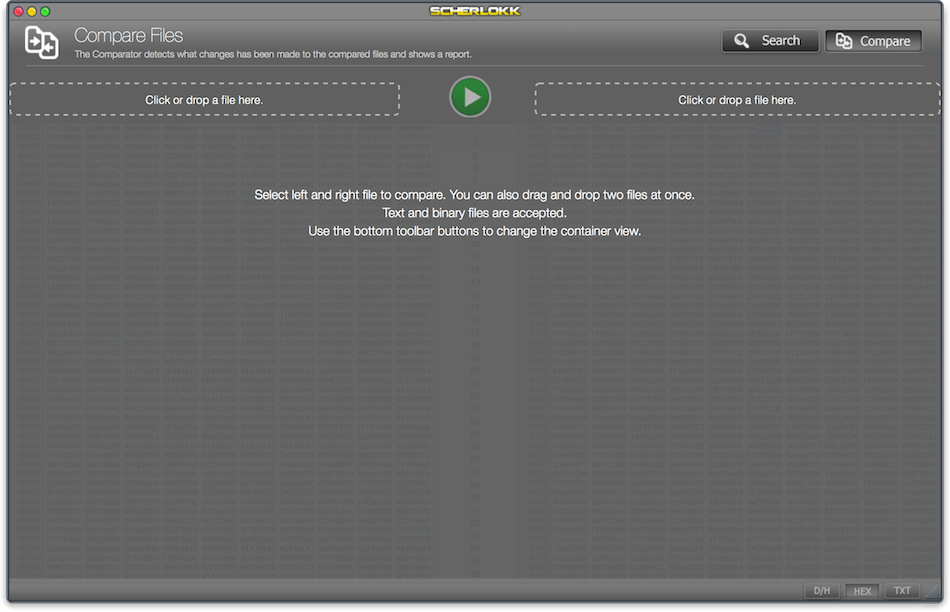
全新 macOS Tahoe 设计语言已深度融入:圆角控件、动态阴影、响应式面板布局,视觉更呼吸感;搜索配置区大幅简化,常用参数前置,高级选项智能折叠;文件夹对比速度提升 3.2 倍,差异项自动分组+颜色标记;首次加入原生文本比对功能——拖入两个 .py/.md/.log 文件,新增/删除/修改行实时染色,程序员、编辑、运维人手必备;大型 NAS 扫描耗时缩短近 40%,10TB 外置硬盘深度遍历也保持流畅响应。兼容 macOS 10.15 至最新 Sonoma,老旧 MacBook Pro 用户同样畅享旗舰体验。
What's New:
Version 7.0
All-new design for macOS Tahoe:
Scherlokk 7 introduces a completely refreshed visual design that aligns with the look and feel of macOS Tahoe. Every panel, control, and element has been modernized for clarity, comfort, and a more enjoyable user experience.Simplified user interface:
The interface has been reorganized to make searches easier to configure and results faster to interpret. Controls are more intuitive, menus are cleaner, and the workflow is streamlined so users can accomplish tasks with fewer steps.Improved folder and file comparison module:
The comparison engine has been enhanced for both speed and accuracy. Scherlokk now detects differences more precisely, presents results in a clearer structure, and handles large folders more efficiently.New: Text file comparison:
Scherlokk 7 introduces built-in text comparison, allowing you to quickly identify changes or mismatches between two text-based files. Differences are highlighted clearly, making it ideal for code, documents, logs, and configuration files.Faster search performance:
Search algorithms have been optimized to deliver noticeably faster results, especially when scanning large drives, deep folder hierarchies, or external storage. Users benefit from reduced wait times and smoother workflow.Support for older macOS versions (10.15 and later):
Despite the refreshed interface and new features, Scherlokk 7 maintains compatibility with older systems. It runs on macOS 10.15 Catalina and later, ensuring broad usability across new and legacy machines.Bug fixes stability improvements:
Numerous fixes improve stability, reliability, and overall performance. Issues reported by users have been addressed to provide a smoother and more consistent experience.
Screenshots:
DOWNLOAD:





