
iNet Network Scanner 4.0 download
iNet Network Scanner 4.0

iNet — Know Your Network. Now with an enhanced interface and Dark Mode, ready for upcoming macOS.
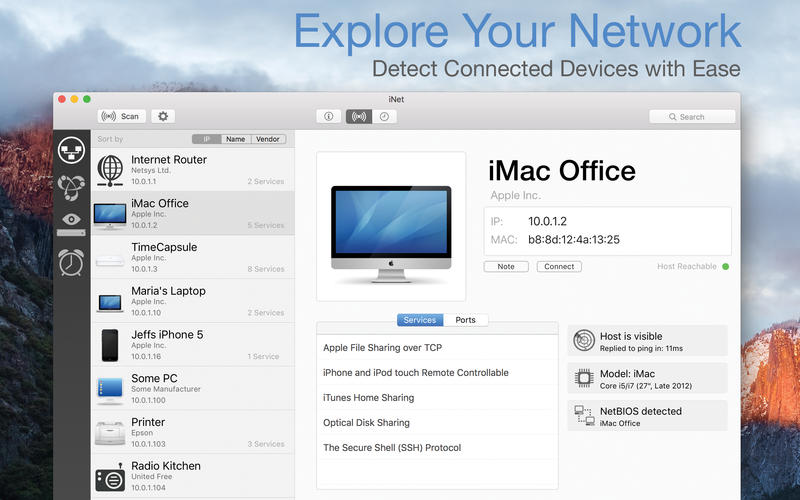
Ever wondered what devices are on your Wi‑Fi or which services are running on your local network? iNet shows it all—clear, instant, and easy to understand.
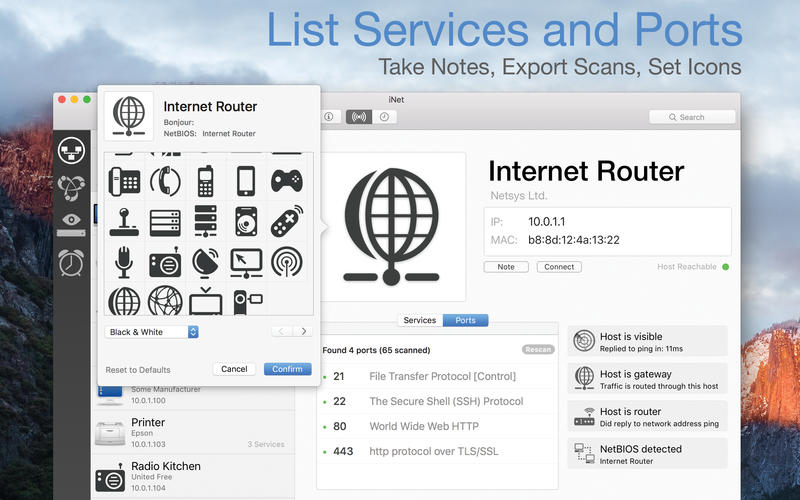
Whether you’re a tech expert or just want peace of mind, iNet helps you monitor, analyze, and manage your network with confidence. Discover connected devices, inspect open ports and services, and even wake sleeping Macs remotely. Rename devices, add custom icons, and set up favorites for quick access.
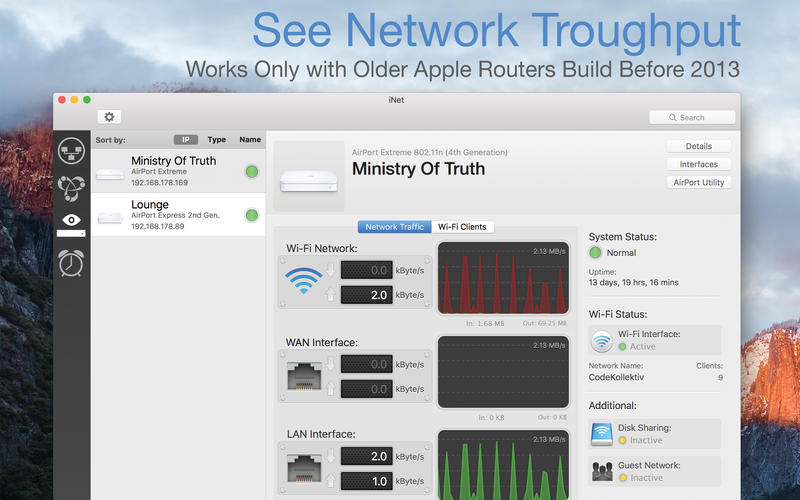
Network ScannerView all devices connected to your network (IP, MAC, and more)Rename and customize devices with your own names and iconsConfigure IP scan ranges and select network interfacesExport results (CSV or PDF)Connect via SSH, VNC, or HTTPBonjour MonitorReal-time overview of Bonjour servicesSee which services are running on specific devicesGet detailed information per service and domainWake on LANWake Macs and PCs over LAN or the internetSleep, shut down, or restart Macs remotelyRun SSH commands when neededCreate a favorites list for fast accessAirport MonitorLive status for Apple Airport base stationsReal-time traffic and WLAN quality graphsDevice-specific signal strengthFull base station details
Note: No support for the latest 802.11ac Airport models due to Apple removing SNMP.Help DocumentationBuilt-in help (English and German) with glossary of key terms
What's New:
iNet Network Scanner 4.0:
[Added] Adopted the user interface to fit better in the current macOS look and feel[Added] Darkmode[Enhanced] Scrólling through the icons now supports paginating and section headlines[Fixed] Overall modernizing of the code to be prepared for the coming macOS
Screenshots:
DOWNLOAD:





