
Little Snitch 6.4.1:Mac 平台老牌网络守门人,精准掌控每一处联网行为 macOS

二十多年来,Little Snitch 始终是 Mac 用户隐私防线的坚实守护者——任何应用试图联网时,它都会第一时间发出提醒。如今,它已稳居 macOS 首选网络监控工具与个人应用防火墙之位。通过 Little Snitch 网络监视器,你能清晰看见 Mac 正在与哪些远程服务器通信;所有连接权限,均由你亲手裁定。
智能连接拦截
每当有程序尝试建立网络连接,Little Snitch 即刻弹出直观提示,供你一键放行或即时拦截。未经明确授权,任何数据都不会悄然外泄。
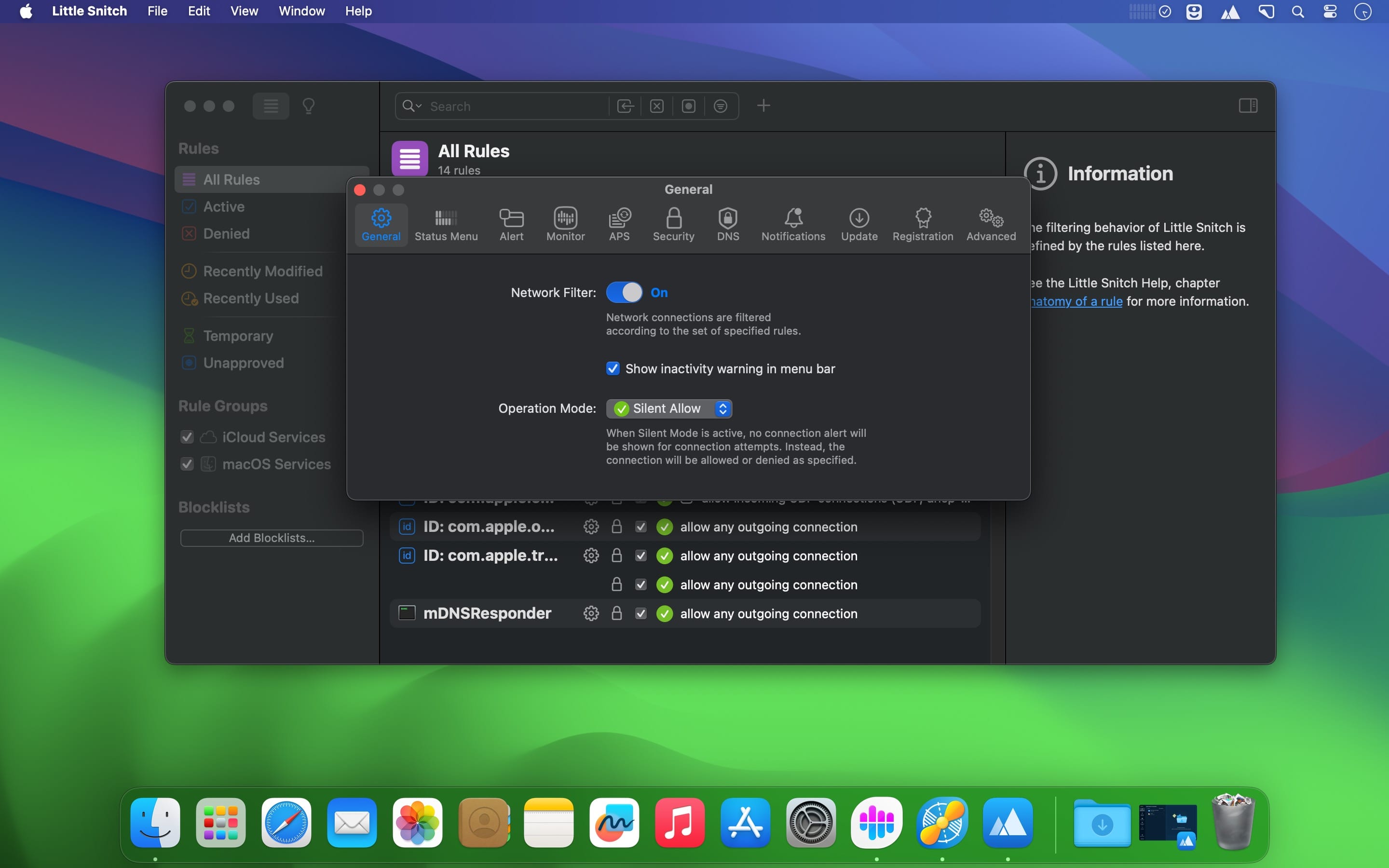
静默模式(Silent Mode)
开启后,新连接默认临时放行,避免频繁打扰;你可稍后从容查阅、统一审核并永久设定策略,兼顾效率与掌控感。
揭开 Mac 背后隐秘的网络足迹
- 追踪“追踪者”——实时掌握 Mac 向全球各地服务器发起的所有连接请求。
- 深度解构流量——细查每条连接的数据量、目标服务器地理位置、端口编号及所用协议。
- 毫秒级实时洞察——动态可视化当前全部网络活动,不遗漏任一瞬时交互。
- 一触即控——点击即可允许或阻断任意连接,操作极简却权限十足。
多维分层视图
按应用、域名或国家/地区灵活组织连接关系,轻松理清“谁在连谁?连向何方?”的复杂拓扑。
专业级流量分析
全新重构的交互式流量图表,不仅呈现当下活跃连接,更支持回溯长达 12 个月的历史通信记录。规律趋势、异常上传、隐蔽信标……一目了然。
智能语义搜索
支持按应用名、主机地址、所属国家/城市等多维度组合检索,内置灵活搜索语法,秒级定位目标连接。
核心状态一屏尽览
控制中心常驻菜单栏:实时显示活跃连接、最近被拦截的请求、运行模式切换按钮,以及快捷入口,关键信息触手可及。
黑名单管理,化繁为简
精选主题化黑名单库(如广告、跟踪、恶意软件等),一键启用;每日自动更新,确保防护时效性;同时全面兼容基于 IP 地址的自定义黑名单。
原生 DNS 加密保护
传统 DNS 查询极易暴露你的浏览意图——他人只需监听即可知你访问了哪些网站。Little Snitch 彻底终结这一隐患:内置 DoH(DNS over HTTPS)、DoT(DNS over TLS)和 DoQ(DNS over QUIC)加密能力,直连 Quad9 等可信加密 DNS 服务,从源头守护上网隐私与安全。
听见网络的声音
为特定连接设置声音反馈——即使视线未聚焦屏幕,也能通过音效感知 Mac 正在与哪类服务器通信。预置多款趣味提示音,部分音效还会随传输数据量动态变调,让网络变得“可听可见”。
你的 Mac,你做主——网络权限由你全权定义
- 精细授权——自由指定某应用能否联网、连向哪些服务器/域名、使用何种端口或协议。
- 策略分组——订阅云端规则集,或创建本地配置档案(Profiles),支持场景化一键切换。
- 规则智能管家——自动识别失效、冗余或被覆盖的旧规则,并主动推荐优化建议,告别手动清理烦恼。
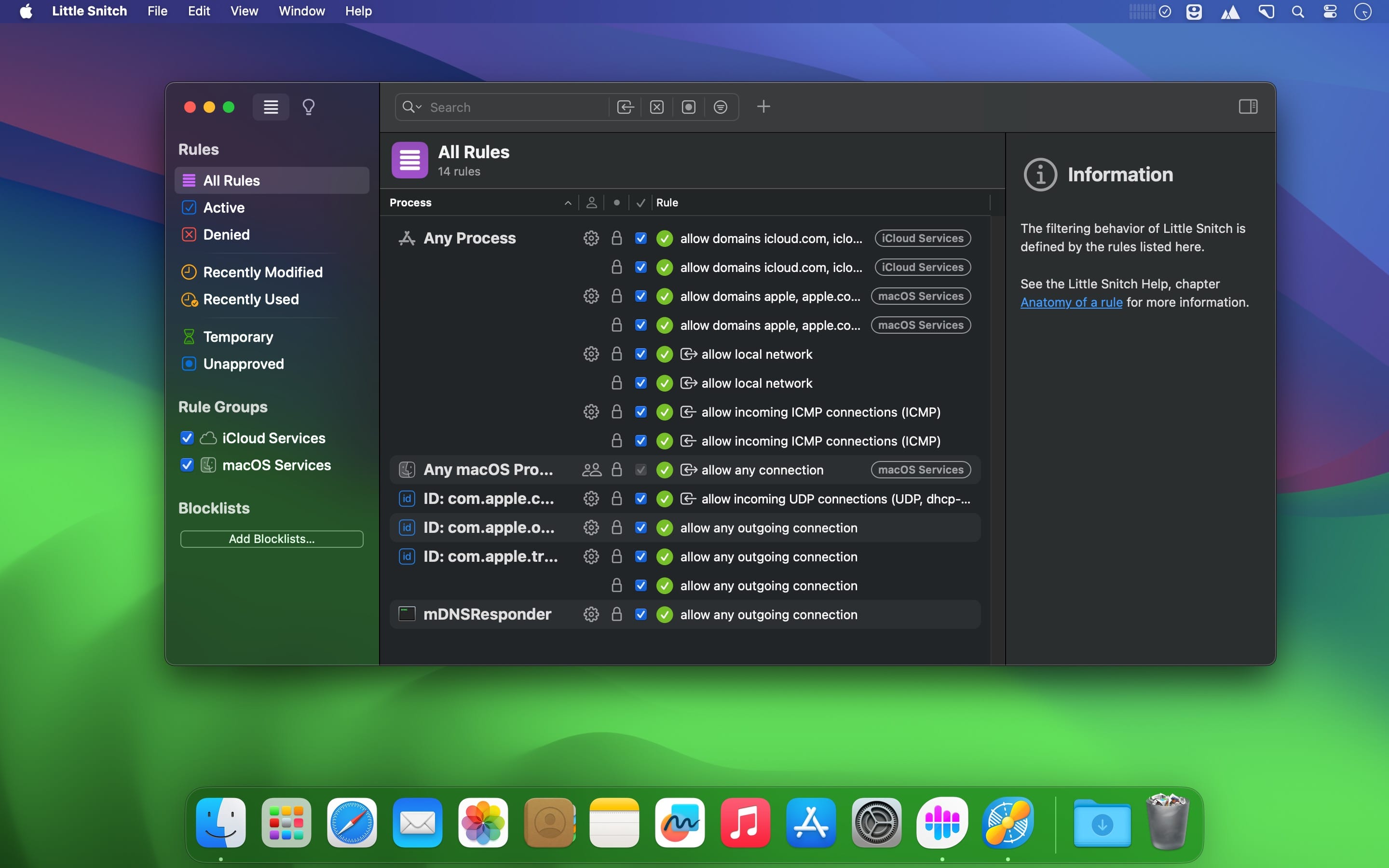
规则组管理
将规则按功能或用途归类为独立组别,既可本地存储,也支持远程订阅;开关切换仅需单击,策略部署高效有序。
查找从未如此轻松
全新内嵌快速筛选器,直接在搜索框中一键筛选“全部近期规则”或“仅显示拒绝类规则”,无需额外跳转。
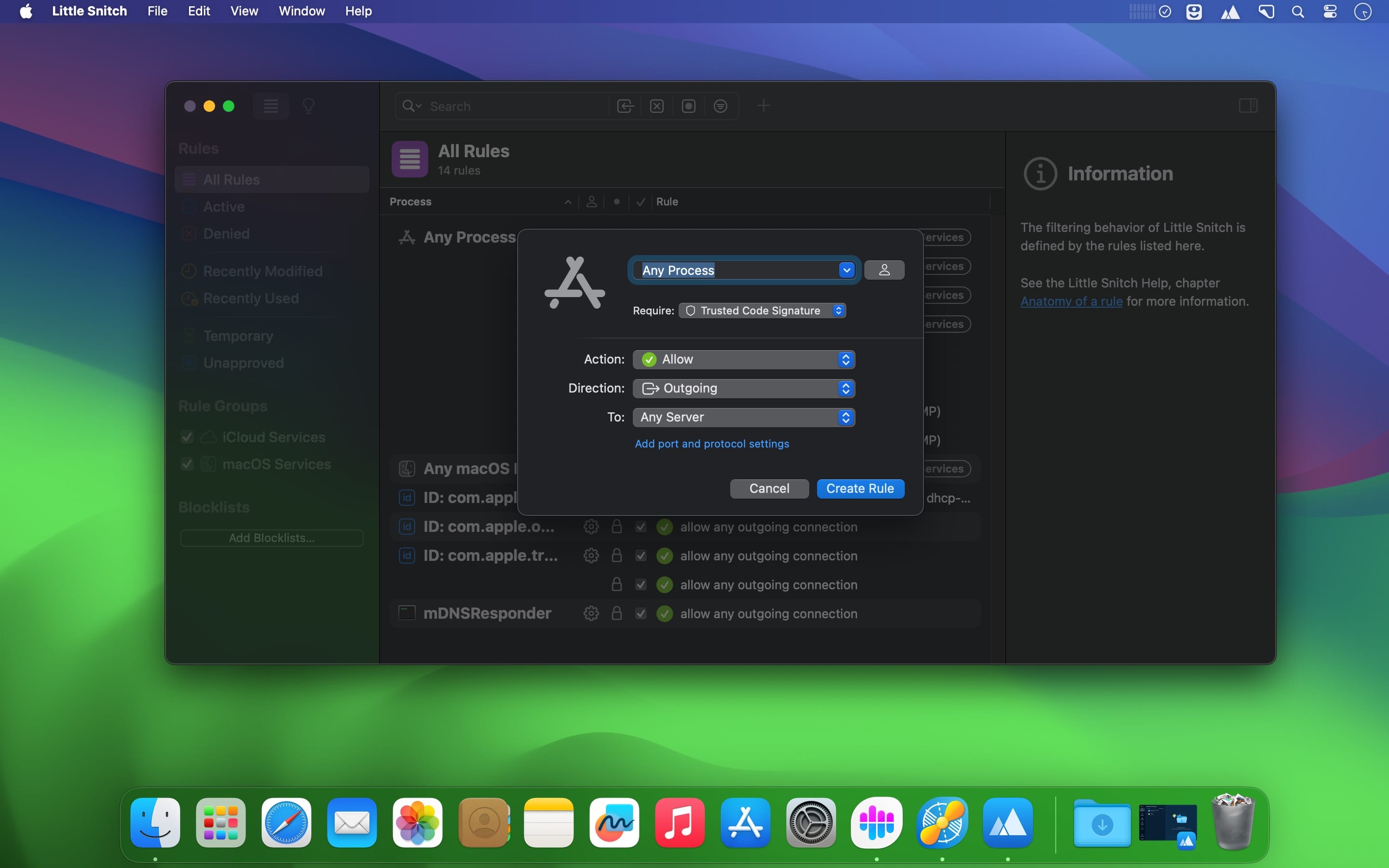
应用进程批量管控
支持为整个 macOS 应用生态或 Xcode 模拟器(Simulator)进程统一配置规则,大幅简化开发与测试环境下的网络策略管理。
What's New
New in Little Snitch 6
Blocklists
- Enhanced support for blocklists, similar to the features found in Little Snitch Mini.
- Conveniently choose from a curated list of blocklists, organized by topic (like Advertising, Tracking, Malware, etc.), allowing you to enable these blocklists with just a few mouse clicks.
- Automatic daily updates ensure that your blocklists are kept up to date when the maintainer adds new entries.
- Improved filtering performance when filtering network connections based on large blocklists.
DNS Encryption
- All DNS lookups can now be securely transmitted via encrypted connections to a DNS server of your choice, ensuring enhanced privacy when browsing the web.
- Configurable, system-wide DNS encryption.
- Can be enabled in Little Snitch Settings > DNS Encryption.
- Predefined configurations for the most popular DNS encryption services so you can get started with just a few mouse clicks.
Network Activity Monitoring
- Improved design of the Network Monitor user interface.
- Introducing a revamped traffic chart for clearer visualization and analysis of network activity.
- Versatile grouping options for connections in Network Monitor. Connections can now be grouped not only by process but alternatively also by domain/server or by country. So you can quickly see at a glance all apps to connect to a particular country or to a particular domain.
- All connections related to one app are now grouped under one entry in the connection list, including incoming connections and connections established via helper tools.
- Configurable traffic meter appearance: Choose between two types of traffic activity indicators – either a live meter showing the current activity (like in Little Snitch 5) and a new thumbnail chart showing a history of the last five minutes (like in Little Snitch Mini).
- Improved legibility of connection lines shown in the map.
- Display of named location labels in the map.
- Automatic updates of the Geolocation Database for enhanced accuracy and reliability.
- Improved display of App Extensions in the connection list.
- More powerful search and filter options.
Status Menu
- Revamped status menu, including an animated traffic chart, information about recent network activity and recently denied connections.
- Configurable traffic meter appearance: Like in Network Monitor you can now choose between two types of traffic activity indicators to be shown in the menu bar: Either a live meter showing the current activity and a new thumbnail chart showing a history of the last five minutes.
Creating and managing rules
- A new type of rules allows to show notifications in Notification Center whenever a certain kind of network activity occurs.
- Ability to create rules for “Any macOS Process” and “Any Simulator Process”.
- Local, editable rule groups, allowing you to organize rules by topic and enable or disable multiple related rules at once.
- Attach notes to newly created rules directly from within the connection alert.
- Rules now identify processes based on their cryptographic code signature, irrespective of their location in the file system. This makes rules resistant against moving or renaming apps. The previous, path-based identification is still available as an option.
- Bidirectional rules that match both incoming and outgoing connections from/to certain IP addresses or ranges.
- Improved Homebrew support. Rules for Homebrew executables are now independent of the version number, which is part of the executable path.
Sound Notifications
- Get an acoustic feedback whenever a certain kind of network activity occurs.
- Become aware of such network activity even when you are not actively watching the Network Monitor window or when you don‘t even watch your screen.
- Select from a fun variety of built-in notification sounds.
- Some of the sounds are modulated to also indicate the amount of data that is currently transferred.
Usage statistics for rules and blocklists
- See how often rules or blocklist entries have been used and when they were last used.
- Sort the rule list by “Last Used Date” or by “Usage Count”.
- The new “Unused” filter helps you quickly find rules that haven’t been used for quite a while.
Other new features and improvements
- Customization options to disable specific types of notifications from being shown in Notification Center.





