
PopClip 2026.8 macOS — 一触即达的智能文本操作助手
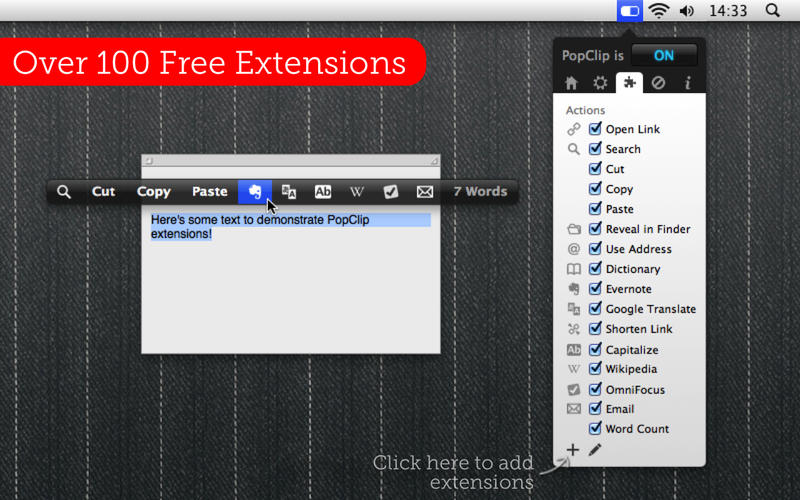
只需轻点选中文字,PopClip 就会即时唤出功能丰富的悬浮菜单——剪切、复制、粘贴只是基础,更多高效操作等你探索!它让日常文本处理变得前所未有的顺手自然。
使用方法超简单:
- 用鼠标或触控板选中任意一段文字
- 弹窗秒出,操作即刻开始!
核心亮点
- 原生级视觉设计,适配 macOS 深色/浅色模式,界面精致细腻,显示效果惊艳
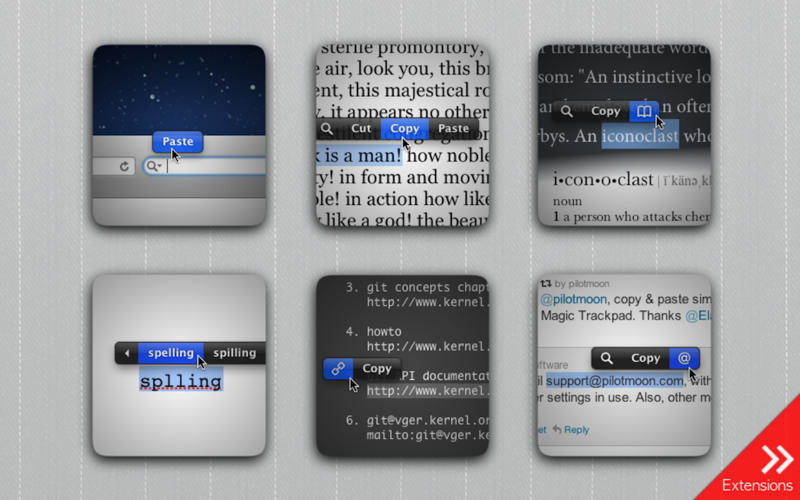
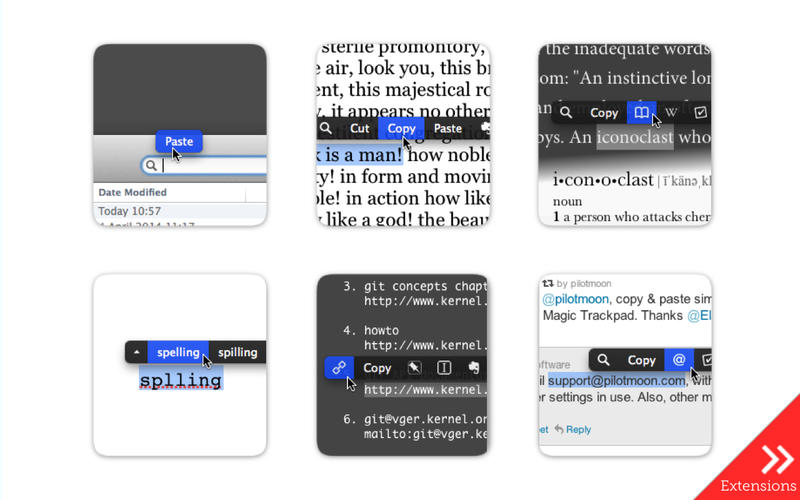
- 选中即搜:一键调用 Safari 或默认浏览器,直达关键词网络结果
- 智能识别链接:高亮网址无需手动复制,单击直达网页
- 内置词典与拼写检查:长按或点击即可获取释义、同义词及纠错建议
- 悬浮窗自由缩放:支持从紧凑迷你版到全屏扩展尺寸,随心调节
- 轻量无负担:安装包小巧、运行零卡顿、响应快如闪电——Mac 文本生产力的秘密武器
*** 温馨提示 若要启用部分高级功能(如系统级文本注入),需临时关闭 macOS 系统完整性保护(SIP)。
What's New
Version 2026.8
New
- A function key (F1, F2 …) can now be used on its own as the keyboard shortcut to show PopClip.
- The “View Source” command now opens a source viewer window with “Export…” and “Copy Snippet” buttons.
- Per-action settings menus now have an “Extension ▶” submenu, giving easier access to commands like View Source.
- Clicking the spinner while an action is running now shows a “Cancelled” indicator if it cancels the action.
When an AppleScript action fails because automation permission has previously been denied, PopClip now shows an alert explaining how to fix it. - Added Swedish localization.
Changed
- New tabs opened from within a browser open next to the current tab rather than at the end of the tab bar (in supported browsers — Safari and most Chromium-based browsers).
- Reverted to the original “keep on clipboard” behaviour when an action pastes text. This was changed in version 2026.7 to restore the previous clipboard contents, but after user feedback the original behaviour is back by default. Use defaults write com.pilotmoon.popclip
- KeepPastedTextOnClipboard -bool NO if you prefer the alternative.
Fixed
- Fixed: Getting stuck trying to open tabs in browsers.
- Fixed: In Chromium-based browsers, tabs opened in the background with Shift-click flashed into the foreground briefly.
- Fixed: Erroneously appearing from the keyboard shortcut while an action is still working.
- Fixed: PopClip bar not aligning centrally when neither Copy nor Paste is present in the bar (regression in 2026.7).
- Fixed: Laggy button highlight in keyboard mode.
- Fixed: The clipboard could be left holding the wrong contents if ⌘C was pressed while the PopClip bar was about to appear.
- Fixed: The settings sheet staying open after choosing Duplicate.
- Fixed: An extension could sometimes appear to install while adding nothing to the actions list.
- Fixed: Some extensions could have the wrong icon in settings.
- Fixed: The adjustments panel in the icon picker could be too tall in some languages.
- Fixed: Opening a link in the wrong browser process when tools like Playwright or Puppeteer are running multiple instances.
- Fixed: Improved compatibility with FilePane.
- Other bug fixes.





