
Mole 1.13.0 macOS 一站式Mac系统维护工具

Mole 是专为追求高效掌控的Mac用户打造的一体化系统维护平台——告别繁琐切换多个工具,真正实现性能优化、深度清理、健康监测与智能分析全功能集成。只需一个应用,即可轻松释放磁盘空间、提升运行流畅度,并让Mac长期保持最佳状态。
核心功能亮点
一键式深度清理与智能优化
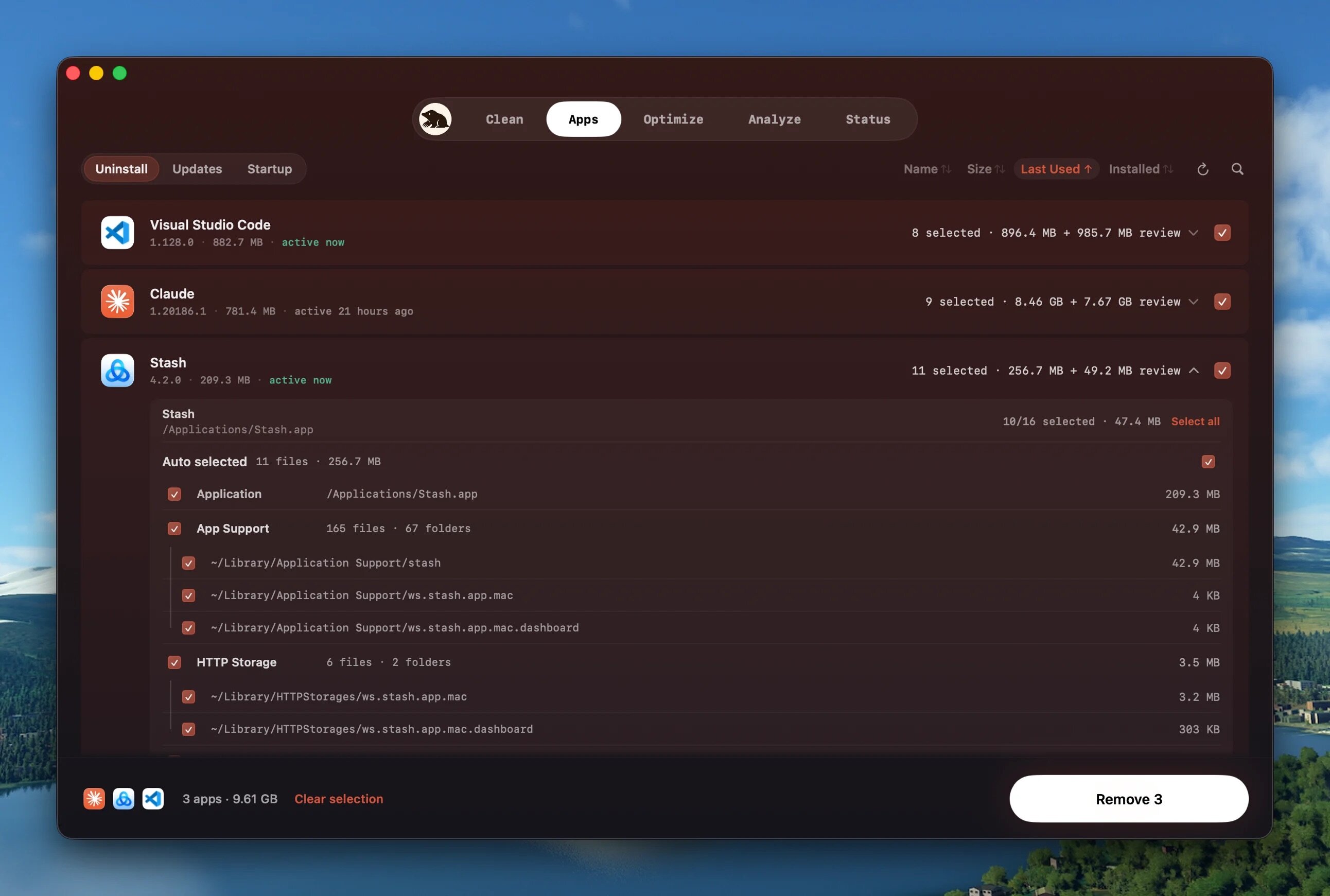
秒级清除各类冗余文件:系统缓存、日志记录、临时数据;彻底卸载残留应用组件;自动精简Dock启动项与后台干扰进程;所有常规系统维护任务,统统归入“单击即执行”流程。
本地优先,隐私零上传
全程离线运行,绝不上传任何文件、浏览历史或敏感数据至网络。每次清理前,均以清晰清单呈现待删除项及预估释放空间,确认无误后才正式执行——你的数据主权,始终由你掌控。
全维度实时性能洞察
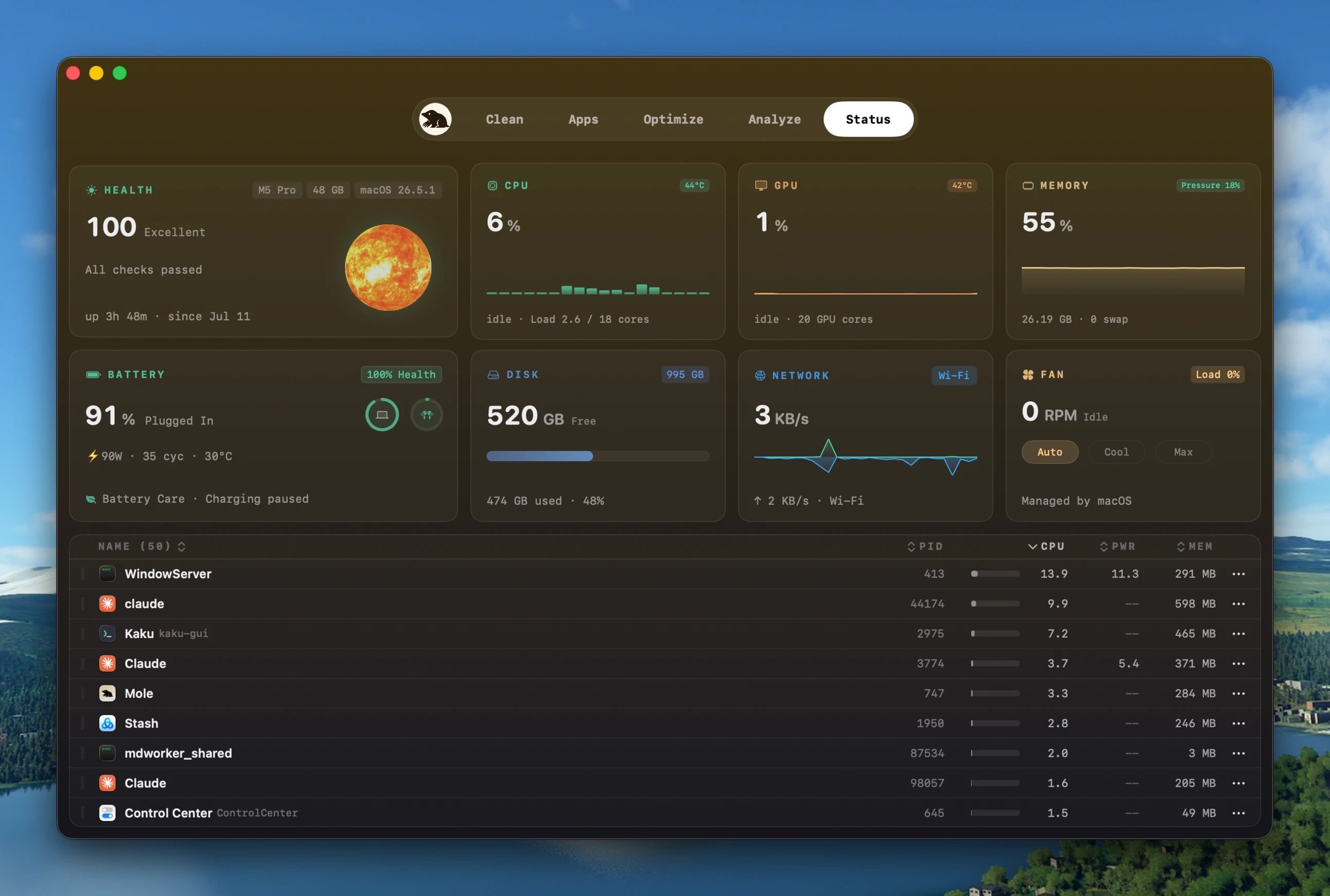
动态追踪CPU占用、内存使用、GPU负载、磁盘读写、网络流量、电池充放电状态及设备温度等关键指标;更配备交互式磁盘空间树状图,直观定位大体积文件与隐藏占用源,让空间管理一目了然。
安全驱动的智能扫描引擎
依托深度磁盘扫描权限与AI辅助识别能力,Mole能主动规避可疑文件、系统关键路径及用户重要文档,确保清理既全面又稳妥。不依赖经验猜测,只依靠精准判断——每一次维护都可靠、可溯、无风险。
最终成效
让Mac持续保持响应迅捷、存储充裕、系统稳健——在严守隐私底线与安全红线的前提下,达成真正的长效健康管理。

What's New
Version 1.13.0:
- Software updates: Chrome, WhatsApp, and Brave can now update inside Mole when a compatible package is available. Mole verifies the download before replacing the installed app, verified website packages never join Update All without confirmation, and installer handoffs stay explicit.
- Update reliability: App Store and installer updates remain pending until the app on disk changes. Update All refreshes the list so completed apps are not downloaded again after another update fails. Homebrew retries only unfinished items, with ordinary apps first, hidden updates near the bottom, and Homebrew last. Mole also recognizes Universal Purchase Mac updates such as MindNode without treating their iOS deployment target as a macOS requirement, and avoids false updates caused by Craft's iPhone/iPad release, Atlas prereleases, staged ChatGPT builds, and R's formatted bundle version.
- Uninstall: Shared media is shown for review without being preselected. Removing package-installed apps also clears their installers and background updaters, preserves unrelated Homebrew apps, and closes running apps cleanly. If an app is restored or reinstalled while its leftovers are being removed, Mole stops before touching the new installation.
- Clean and Optimize: WeChat, ChatGPT, browser, and Helium caches can clear without quitting their apps. Xcode device logs are covered, home-level dependency folders are no longer mistaken for one project, and every reviewed cache is checked again for path changes and active use before deletion. System-service cleanup preserves bundled helpers and anything still referenced by a launch item. Clean offers Scan Again after a scan, while system repairs leave Dock, iCloud, Safari, usage history, managed fonts, and active VPN tunnels alone.
- Status and Analyze: CPU core groups, memory use, and system health now follow macOS definitions; disk figures follow free-space changes, and snapshot cleanup reports real reclaimed space. Process details identify their service and startup source, aliases remain visible in Analyze, and the menu bar panel fits a 13-inch screen.
- Battery and everyday tools: Battery Care resumes charging correctly, Charge to 100% is reliable, and fan presets recover when macOS takes control. Clean Screen adds a persistent Never mode, while timed Keep Screen On sessions restore the right mode and remaining time.
- Result details: Clean, Uninstall, and Optimize now share one quieter result layout with readable grouped reasons, consistent status marks, localized labels, and details after every completed run.
- Onboarding and interface: Mole’s app icon, in-app mark, favicon, and website navigation now share the refreshed mole identity. Fresh installs open without a white flash, and the first-run screen keeps permission, trial, purchase, and license choices compact and aligned in every language. Startup matches the row height, section spacing, and content alignment of Updates and Uninstall. Refresh controls, everyday text, and update metadata are calmer, while startup-item removal, Analyze trash actions, and process termination share compact, restrained confirmations with clearer actions, outcomes, recovery details, and failure messages.
- Reliability: Closing the main window with Cmd-W now keeps Mole in the Dock in normal mode. In menu-bar-only mode, an open window remains reachable through Cmd-Tab and returns to the menu bar after closing. Activation, system-service startup status, duplicate leftovers, dialog hover isolation, and tab-bar alignment are also fixed. Thanks to 38.5 for thoughtful suggestions on Mole's security and activation experience.





