
Camo Studio 2.8.2 macOS 专业级摄像头增强工具,一键升级手机/相机为高清直播与录制设备
Camo — 让手边任意摄像头秒变专业级视频源
无需添置新硬件,Camo 即可充分释放你现有设备的影像潜力:无论是手机、笔记本自带摄像头、单反、运动相机,还是 Mac 的连续互通相机,都能快速输出电影感画质,轻松胜任线上会议、实时直播、课程录制等各类场景。新手可直接套用智能模板+自动优化,即刻获得惊艳效果;进阶用户则能调用全套专业参数,实现毫秒级精细调控。
为什么选择 Camo
- 专业级成像品质,零门槛上手——学生、自媒体人、企业讲师、医疗从业者皆可高效使用。
- 全平台兼容:全面支持 iPhone/Android 手机、Mac 内置镜头、DSLR 单反、GoPro 等运动相机,以及 macOS 连续互通相机功能。
- 覆盖多元工作流:从知识分享、客户演示、电商直播、教学录播,到高精度手术过程记录,一软多用。
开箱即用,深度可塑
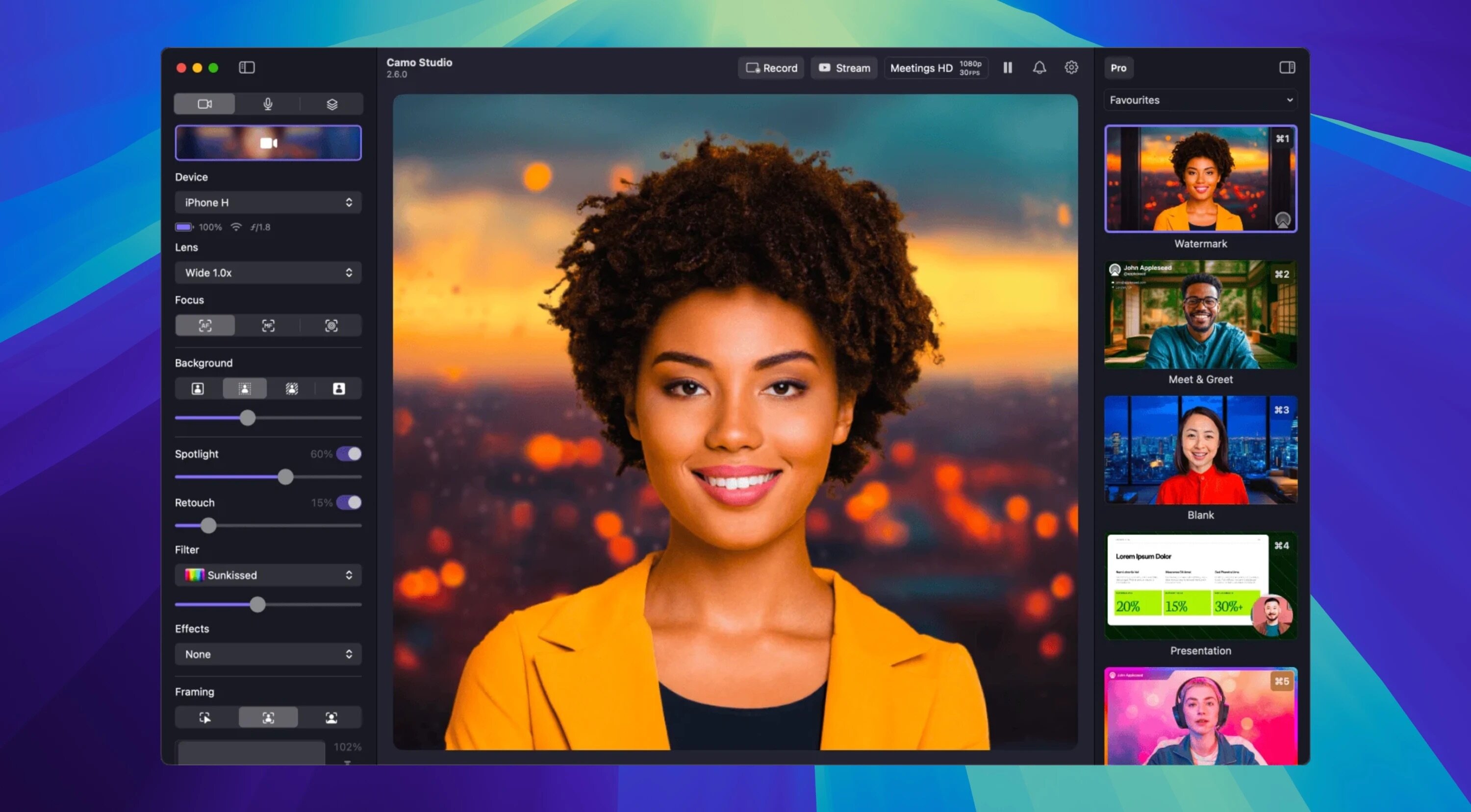
- 一键式场景配置:自动匹配最佳分辨率、构图比例与画面宽高比,3 秒完成初始化设置。
- 秒级场景切换:预设多种常用布景,或自定义专属画面组合(含多层元素),全程拖拽即得。
- 全参数手动调节:支持曝光补偿、白平衡微调、LUT 色彩映射、智能取景框缩放与位移等专业级控制。
智能场景构建系统
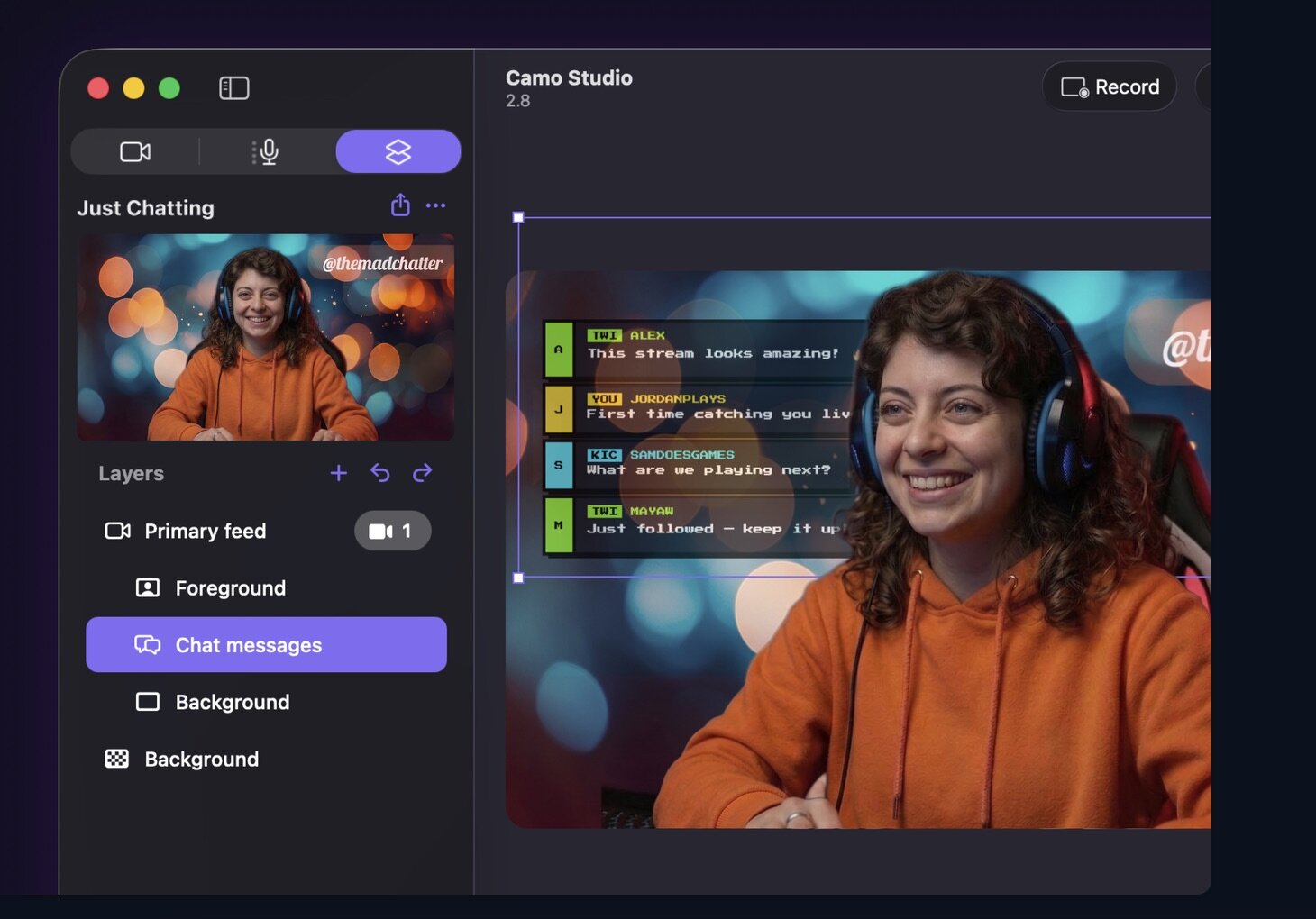
- 动态图文叠加:自由添加字幕条(Lower Thirds)、品牌标识、浮动提示、水印及说明性文字,提升信息传达力与观众沉浸感。
- AI 驱动背景处理:智能虚化/替换背景,同步优化面部光照与肤色还原,告别阴影过重或曝光失衡。
- 主动追踪构图:内置人体识别与运动预测算法,自动保持人物居中、姿态自然,走动时画面依然稳准聚焦。
灵活多样的采集方案
- 双模设备连接:iOS 与 Android 设备既可通过 USB 线缆直连,也支持低延迟无线投屏。
- 多角度拍摄支持:适配俯拍、侧拍、桌面平视等多种布光构图方式,兼容三脚架、悬臂、磁吸支架等任意外设。
- 资源中心统一管理:本地“图库”中随时调用、复用已创建的素材;“探索”板块提供海量免费模板、LUT 及场景组件,开箱即用。
原生集成轻量编辑器
- 所见即所得场景编辑:在 App 内直接组合文字、图片、图形叠加层,实时预览并一键保存为可重复调用的场景模板。
好视频,从来不需要昂贵设备——从你此刻正在使用的摄像头开始。
What's New
Version 2.8.2:
This release is all about reliability: screen capture layers now come back properly when you relaunch Studio or reconnect a display, your recordings and streams keep multichannel audio intact, and Studio can now recover on its own when a camera stops sending video. Let us know what you think by using the in-app feedback mechanism or via: camo.com/support. We'd love to help and hear from you.
Improvement
- Studio now spots when a camera has stopped sending video and restarts it automatically, so a frozen or blank feed recovers on its own
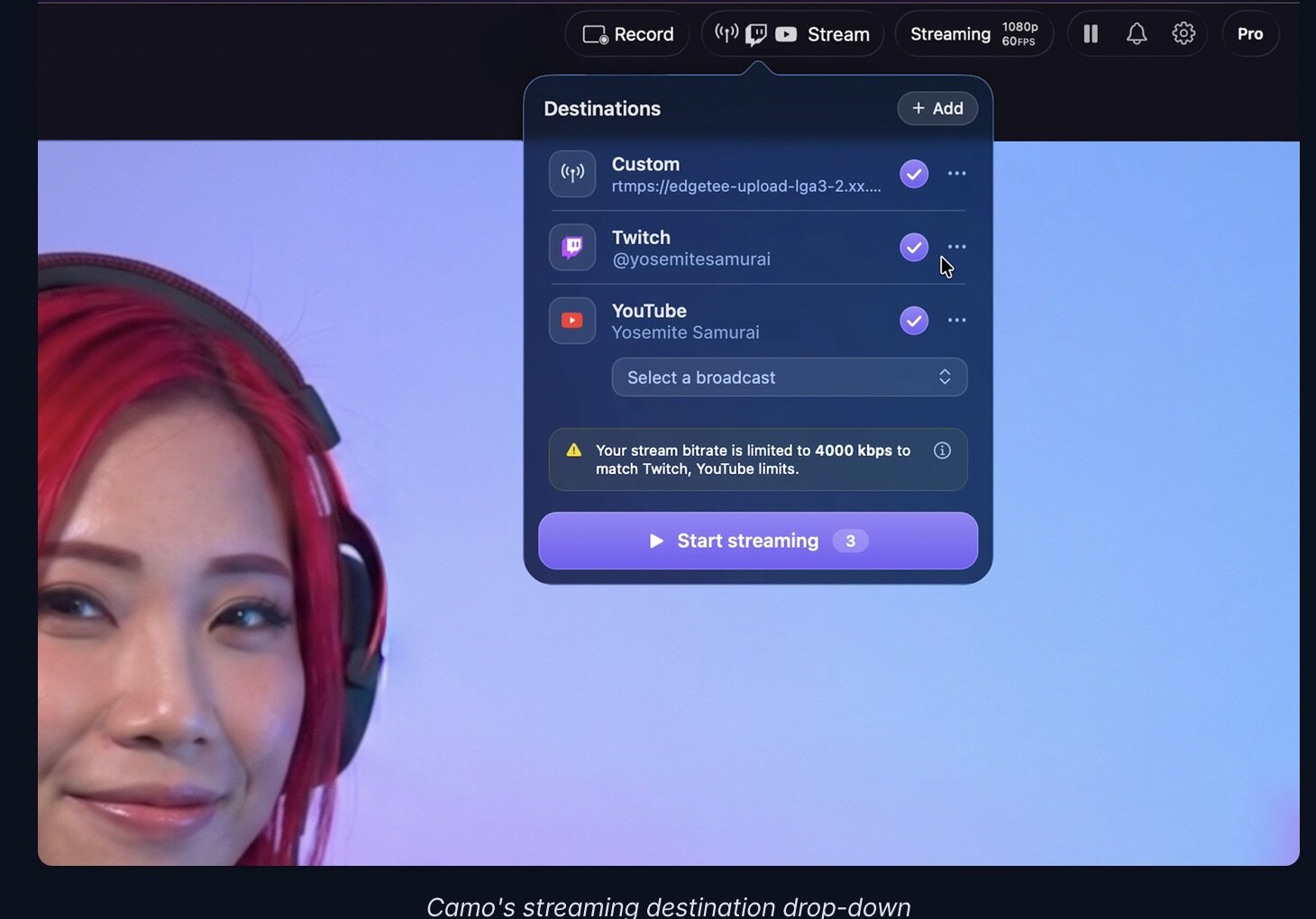
- Added a preference to only show stream panels while you're actively streaming
- Added a refresh option to the stream panel's right-click menu
- Duplicated layers now appear next to the layer you copied, rather than at the top of the list
- Improved handling of very large images added as layers, which could previously cause Studio to quit unexpectedly
- Updated uninstallation so the Camo microphone disappears from your other apps straight away, without needing a restart
Fix
- Fixed Studio hanging during bulk layer operations, such as duplicating several web or video layers at once
- Fixed screen capture layers not coming back after relaunching Studio, or after a display was disconnected and reconnected
- Fixed periodic audio clicks in recordings when your output device runs at 44.1 kHz
- Fixed multichannel audio interfaces being recorded and streamed as mono instead of in stereo
- Fixed YouTube live chat stopping updating part-way through a stream, and chat continuing to run after you've gone offline
- Fixed a camera feed becoming doubly cropped after switching a scene from widescreen to vertical and back
- Fixed a deleted device staying in the camera list until you relaunched Studio or switched camera
- Fixed the layers list not updating after some changes, such as renaming a text layer or pasting a layer
- Fixed Copy and Paste being missing from the context menu when more than one layer is selected
- Fixed an Android camera appearing untransformed on first launch after granting permissions
- Fixed briefly seeing the previous scene when changing scenes after an aspect ratio mismatch warning
- Fixed invalid web addresses being accepted when adding a web layer
- Fixed the chat Mention user option inserting a YouTube channel ID instead of the viewer's name
- Fixed black thumbnails for videos in the background gallery
- Fixed selected sidebar icons being invisible in light mode on macOS 15 and earlier
- Fixed several greyed-out buttons being hard to read in light mode, including Export Logs, Feedback, and the web layer Add button
- Fixed the hue slider in the colour picker not responding until the main picker had been clicked
- Fixed the click-to-focus tooltip getting in the way of the click-to-focus box
- Fixed scenes without a thumbnail not showing a placeholder in the layer sidebar header
- Fixed a full-screen button in the Help & advice window that did nothing
- Fixed some incorrect translations





