
Mountain Duck 5.3.2 macOS 云存储与远程服务器本地化挂载工具

Mountain Duck 是一款专为 macOS 打造的轻量高效工具,能将各类云存储(如 Google Cloud、Azure)及 FTP/SFTP/WebDAV 远程服务器一键挂载为本地磁盘卷,从此在 Finder 中像操作本机文件一样轻松浏览、拖拽、复制和管理远程数据。
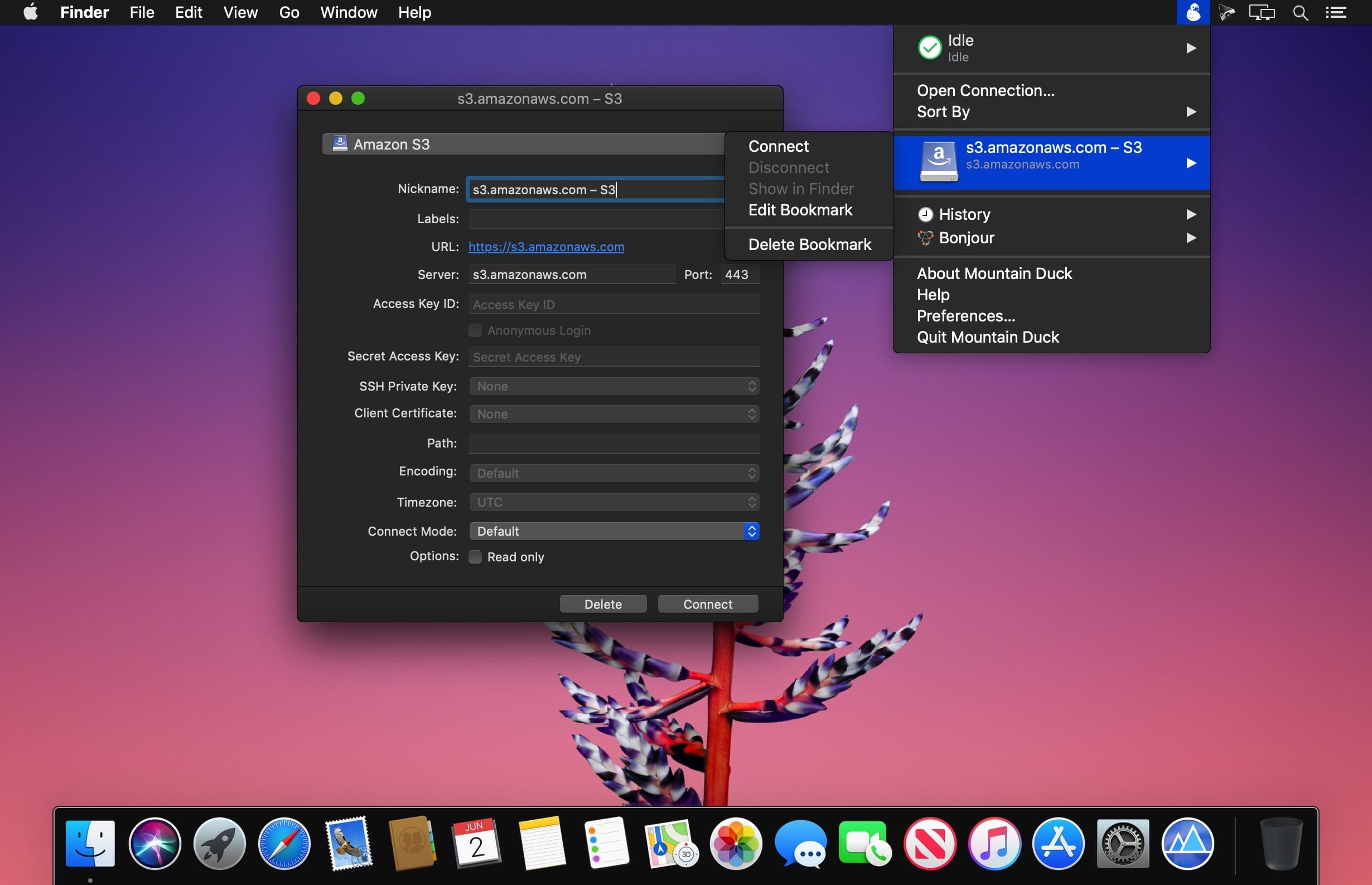
它常驻菜单栏,界面简洁无干扰,点击即连、右键即断,多账户切换行云流水,彻底告别反复登录不同网页后台或命令行操作的繁琐。
把远程服务变成本地磁盘——Finder 就是你的全能文件管家
- 当你同时运维多个云平台或企业级存储服务时,频繁切换不同控制台极易打乱工作节奏;而 Mountain Duck 让这一切归于统一:所有远程资源均可作为「书签」集中管理,挂载后即刻呈现为标准 Finder 卷标,双击打开、拖放传输、批量重命名,全部原生支持。
- 只需提前配置好各服务地址与凭证,后续每次访问都无需重复输入——直接从菜单栏选择对应书签,秒级挂载,所见即所得。
全协议兼容,一软通吃主流存储生态
- 不限连接数量,支持无限添加 FTP、SFTP、WebDAV、Amazon S3、Microsoft Azure、Google Cloud Storage、OpenStack Swift 等数十种协议与平台,真正实现“一个入口,全域通行”。
- 每个连接配置极简直观:填入服务器地址、账号密码(或密钥),勾选加密选项,三步完成,新手也能零门槛上手。
静默守护型菜单栏应用——需要时就在手边,不需要时绝不打扰
- 所有书签的启用、卸载、打开 Finder、删除等操作,均通过顶部菜单栏图标一键触发,无需启动独立窗口,保持桌面清爽。
- 内置连接日志面板,完整记录每次挂载时间、协议类型、响应状态;还可按需开启/关闭 Bonjour 局域网发现提示,兼顾效率与隐私。
- 对经常对接多套远程环境的开发者、设计师、IT 运维或内容协作团队而言,Mountain Duck 不仅是效率加速器,更是让云端资源真正“落地”的关键桥梁——挂载即用,所见即传,一切尽在 Finder 的熟悉体验中。


What's New
Version 5.3.2:
- Feature: Lock files on server when opening in "Integrated" connect mode (Windows, WebDAV)
- Feature: Set read-only permissions on files locked on server when opened "Integrated" connect mode (Windows, WebDAV)
- Feature: "Keep Offline on Local Disk" and "Delete on Local Disk" context menu items in "Integrated" connect mode (Windows)
- Feature: Suppress sleep mode during file transfers (Windows)
- Feature: Resolve *.localhost hostnames to loopback address
- Feature: Support hierarchical namespaces in Azure Data Lake filesystems (Azure)
- Bugfix: Open Microsoft Office files in read-only mode when locked on server (WebDAV)
- Bugfix: Password saved regardless of checkbox selection (Cryptomator)
- Bugfix: Skip client certificate selection with no issuers sent from server (WebDAV)
- Bugfix: Connect with Integrated Windows Authentication (IWA) connection profile (WebDAV)
- Bugfix: Failure to connect with default path set to vault (Windows, Cryptomator)
- Bugfix: Access denied error creating new folder in vault (Windows, Cryptomator)
- Bugfix: Command execution with credential_process configuration fails (S3, macOS) (#18256)
- Bugfix: Login failure connecting to AWS GovCloud (S3) (#18336)
- Bugfix: Failure comparing large files with no checksum available (Backblaze B2) (#18363)





