
PDF Squeezer 4.8.4 macOS 专业级PDF智能压缩工具
PDF Squeezer 是专为 macOS 打造的高效 PDF 压缩利器——无需复杂操作,拖拽文件即刻开启智能瘦身。它能在显著减小体积的同时,完整保留文字清晰度、图像细节与排版结构;更会深度清理冗余元数据、隐藏对象和无效资源,只留下真正需要的内容。
多年来深受 Mac 用户信赖,PDF Squeezer 不仅帮你腾出宝贵磁盘空间,也让邮件附件、云分享、协作传输变得更轻快、更可靠。所有压缩后的 PDF 均严格遵循行业标准,兼容 Adobe Acrobat、预览、Safari 等任意主流阅读器,发送前无需二次验证。
核心亮点
- 原生 macOS 应用:深度适配 macOS 系统特性,支持 Metal 加速与原生菜单栏交互
- 极简拖放体验:直接将 PDF 文件拖入窗口,或拖到 Dock 图标/程序坞图标上即可启动压缩
- 批量高效处理:一次导入数十个文件,自动并行压缩,省时省力
- 智能算法驱动:融合多层级优化策略(如图像重采样、字体子集化、流对象合并),实现“小而精”的压缩效果
- 无缝自动化集成:全面支持快捷指令(Shortcuts)、Automator 工作流及终端命令行调用,轻松嵌入日常效率流
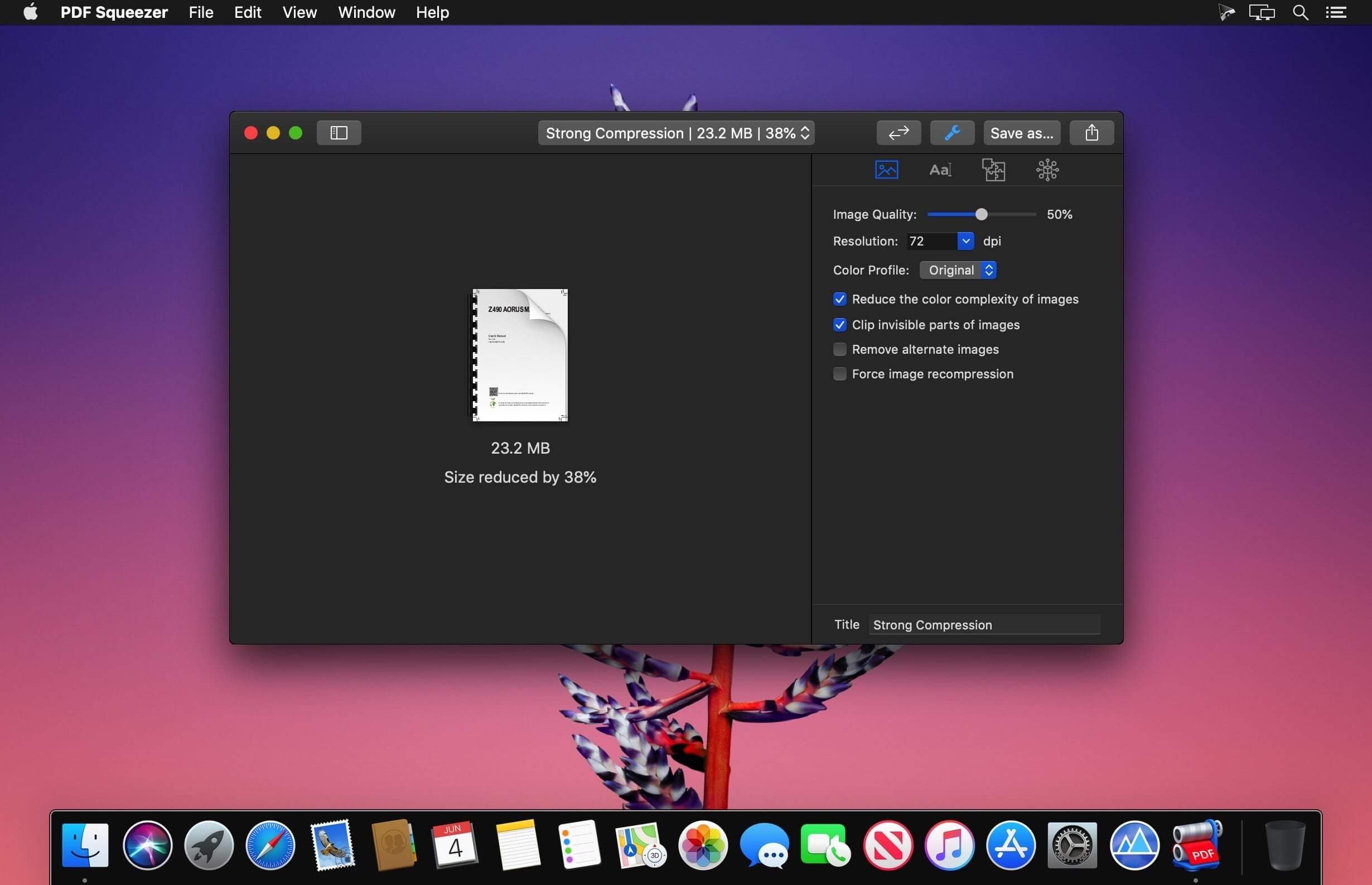
- 灵活压缩配置:内置“网页优化”“打印精简”“归档保留”等多套预设方案,也支持自定义分辨率、质量阈值与内容过滤规则
- 智能文件夹扫描:一键压缩指定文件夹及其全部子目录,自动识别并处理其中所有 PDF
- 加密 PDF 兼容:借助 Watchdog 模块,可安全处理带密码保护的文档(需输入密码后执行压缩)
- 详尽文档洞察:实时查看标题、作者、创建时间、关键词、嵌入图像数量、字体列表等完整元信息
- 实用扩展功能:支持从 PDF 中批量导出全部图像、提取文本、生成缩略图预览等
- 可视化对比模式:左右分屏同步展示原始文件与压缩结果,直观评估画质、体积与结构差异
- 配置共享能力:可将个人调优的压缩方案导出为 .profile 文件,方便团队统一标准或跨设备复用
- 沉浸式全屏视图:启用后自动隐藏界面干扰元素,专注比对前后效果
- 全版本 PDF 支持:完美兼容 PDF 1.0 至最新 PDF 2.0 格式规范
- 空间节省统计:自动记录累计释放的磁盘容量,并以图表形式呈现压缩成效
PDF Squeezer 4 全面支持 Intel 处理器与 Apple Silicon 芯片的 Mac 设备,包括 M1、M2、M3 及最新 M4 芯片机型。轻巧不妥协——让每一次 PDF 压缩,都成为流畅、安心、有据可依的体验。
What's New
Version 4.8
- NEW: One can now delete single pages in the comparison mode to save more file size by deleting pages that are not needed.
- FIX: When converting the color profile of certain files, the application could crash.
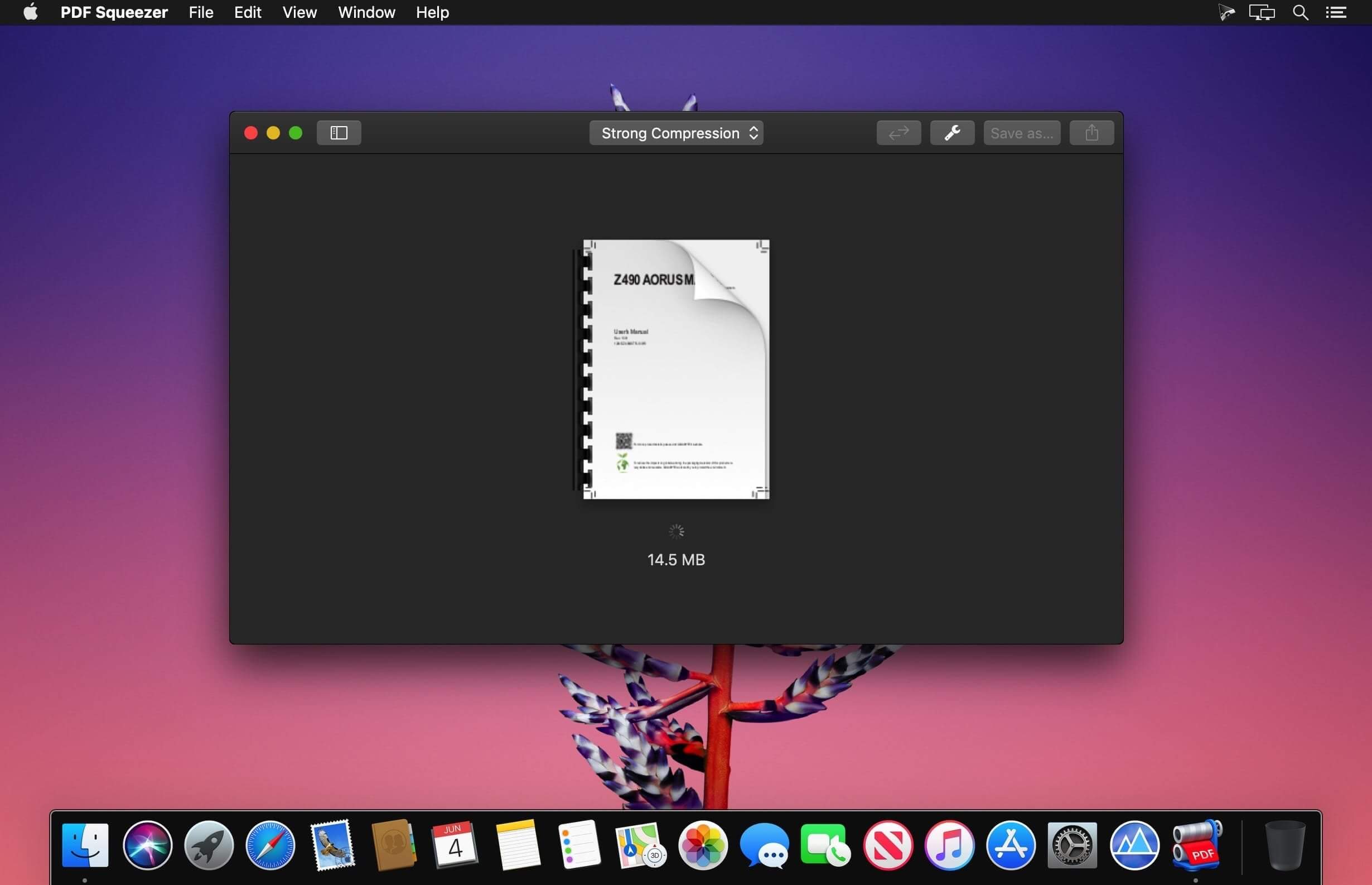
- NEW: The app now displays a progress indicator and percentage, so you can easily see how much of the PDF compression is complete.
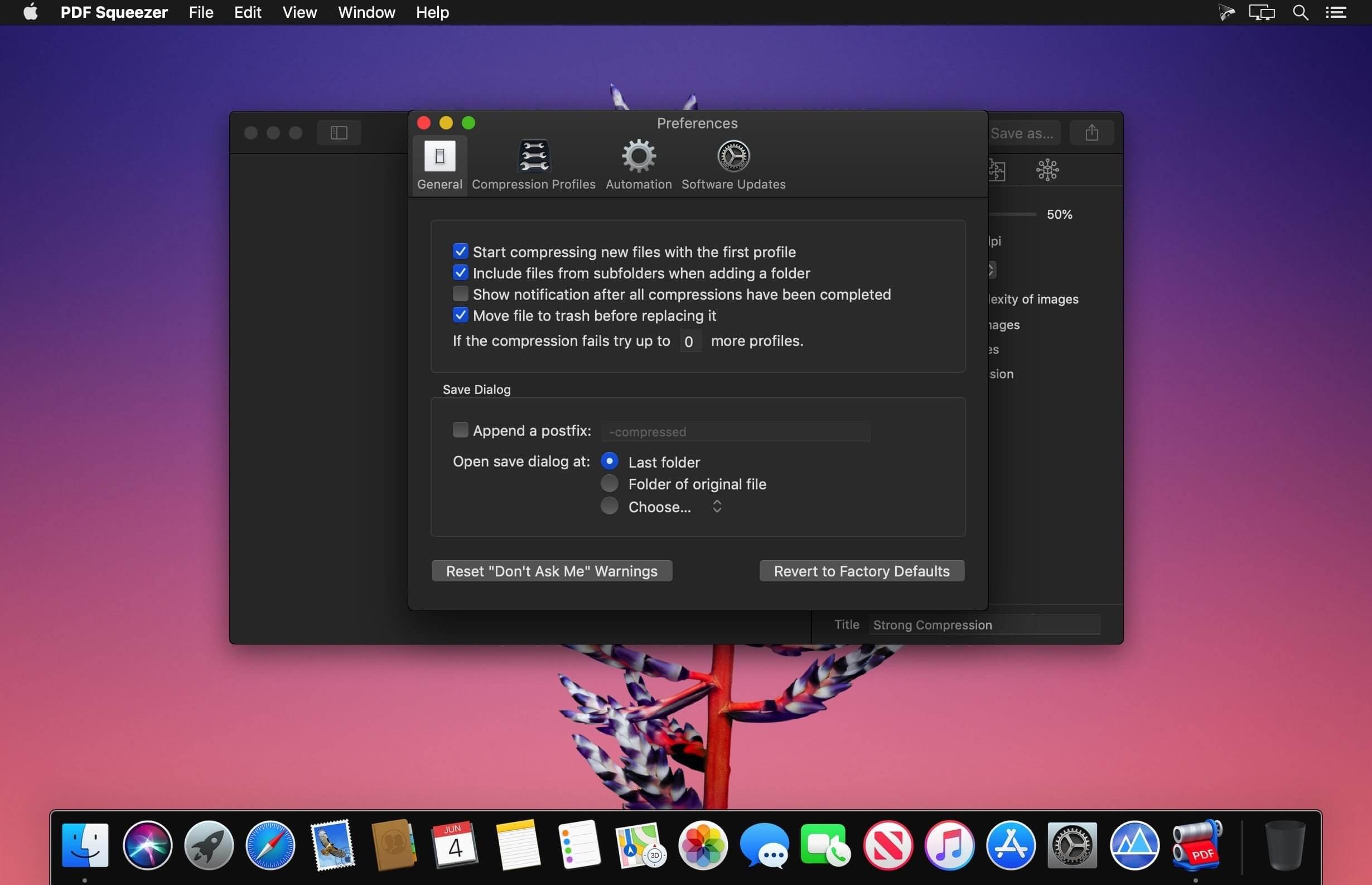
- NEW: A new option has bee added that moves the original file to the trash if you save it with a new name.
- FIX: Some missing user interface translations have been added.
- NEW: The app now displays more details on what is currently done, for example optimizing images, or removing redundant resources.
- NEW: An option to use the old compression engine has been added to the app settings. This should only be used if you continue to have issues with some PDF files and the new engine.
- Please report any issues you encounter so I can fix them.
- FIX: Compressing multiple files at once could crash the app.
- FIX: Sometimes, the color profile was altered even though it should have remained unchanged, resulting in a color shift.





