
RightFont 10.2.0 macOS 专业字体管理工具,一键预览、智能分类、跨设计软件实时调用

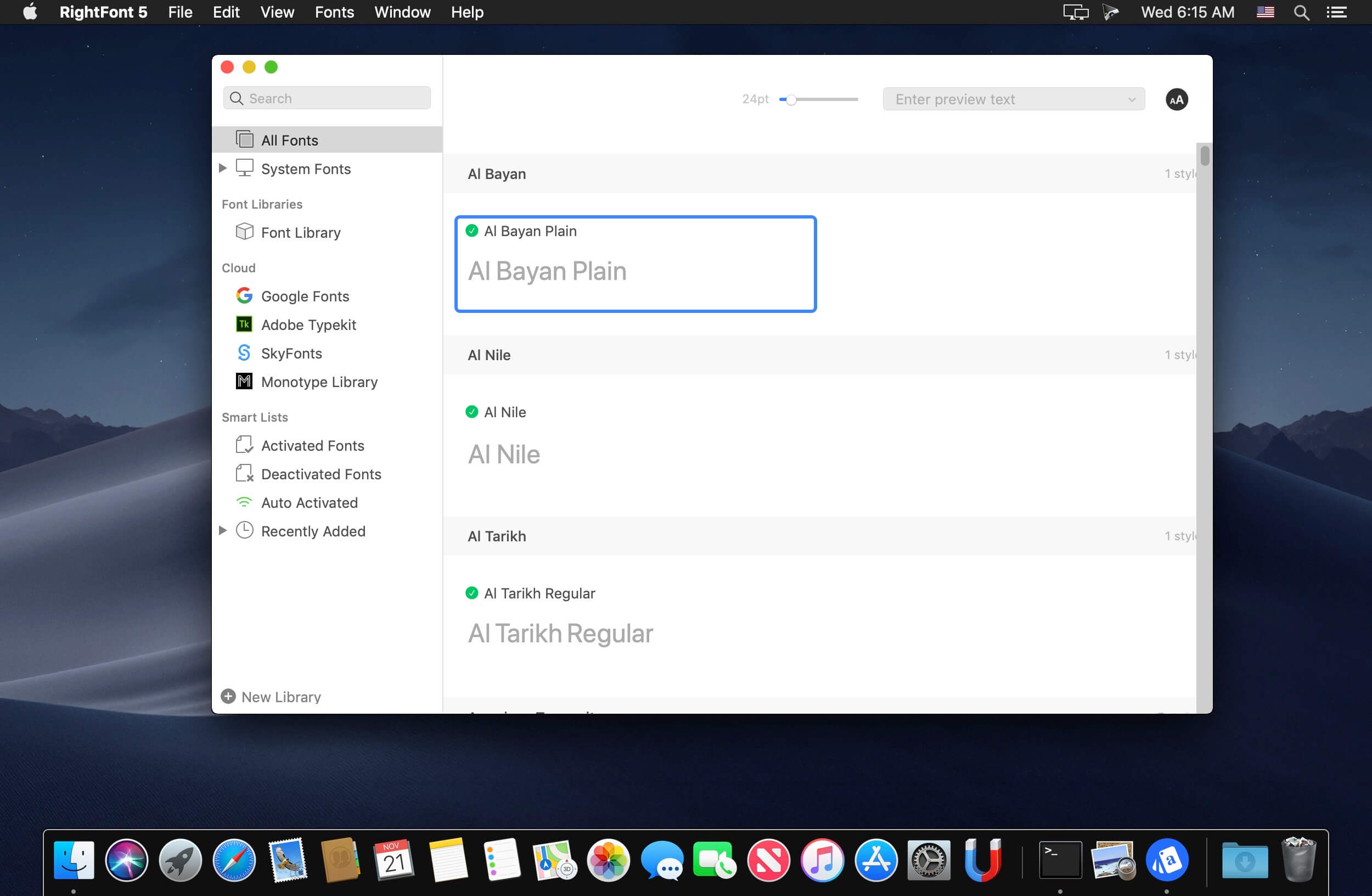
RightFont 是专为 macOS 打造的高效字体管理中心,助你轻松预览、归类、同步并即刻调用字体——无论是 Adobe Creative Cloud 全家桶(Photoshop、Illustrator、InDesign、After Effects 等),还是 Sketch,都能无缝衔接。
- 常驻菜单栏,随时唤出字体管理面板,操作零延迟
- 单击即可收藏心仪字体,打造专属高优先级字库
- 自由创建与编辑多组字体清单,按项目、风格或用途精细化分组
- 深度集成主流设计软件:在 Photoshop、Illustrator、Sketch 等应用中,直接从 RightFont 调用字体,无需手动安装或重启
- 边输入边响应——毫秒级字体搜索,所见即所得
- 实时调节预览文字内容、字号与行距,所见即所用,大幅提升字体筛选效率
- 支持多维筛选:按字体类型(无衬线、衬线、手写体等)、字宽(Condensed、Extended)、字重(Thin 至 Black),甚至自动区分 Google Fonts 和 Adobe Fonts(原 Typekit)资源,一目了然
- 开箱即用的协同体验:双击设计稿中的文本图层,即可在 RightFont 中快速切换字体,全程无需离开当前软件
全新界面重构
RightFont 5 全面焕新 UI 架构,在极简交互与强大功能间取得精准平衡,让设计师与团队真正实现“所想即所得”,显著提速创意流程。
字体资源库正式上线
备受期待的「字体库」功能在 RightFont 5 中首次落地——你可将全部字体及自定义清单集中存入统一库中,并自由迁移位置,便于团队共享、异地备份或跨设备同步。
深度适配 macOS Mojave
全面兼容 macOS Mojave 系统,原生支持深色模式、Touch Bar 快捷控制、彩色 SVG 字体渲染等多项新特性。
性能飞跃式提升
RightFont 5 在字体导入与渲染环节实现大幅优化,整体速度较 4.0 版本提升达 2 倍,海量字体加载也流畅如初。


What's New
Version 10.0
New:
- Add Folders to browse and organize fonts directly from existing folders.
- Completely redesigned Import Fonts workflow with new options, including Create Sets from folders and Create new libraries during import.
- New Preview Text Editor to save, edit, and quickly switch between custom preview presets.
- Fully customizable List View with support for adding/removing columns and reordering columns.
- Font preview in Inspector can now be edited directly.
- Added a new Font Sizes tab for Waterfall preview.
- Added a new OpenType Features tab in Font Inspector.
- Added Nested Tags for better font organization and management.
- Deeply integrated with the new macOS 26 design language for a more modern and native experience.
- Added support for Apple Creator Studio apps.
- Added support for After Effects 2026.
- Added support for Unicode 17.
Improved:
- Improved performance when loading large font libraries.
- Significantly faster Google Fonts importing and synchronization.
- Google Fonts now syncs variable fonts by default, significantly reducing storage usage.
- Enhanced font activation reliability across Adobe Creative Cloud apps.
- Improved preview rendering performance and scrolling smoothness.
- Improved search responsiveness and filtering accuracy.
- Enhanced duplicate font detection during import.
- Improved metadata parsing for OpenType and variable fonts.
- Updated multiple interface components for a cleaner and more consistent experience.
- Improved synchronization stability and background processing performance.
- Enhanced compatibility with the latest macOS releases.
- Added right-click menu options to switch between Color and Monochrome icon styles for Google Fonts and Adobe Fonts libraries.
Fixed:
- Fixed an issue where some fonts failed to activate correctly.
- Fixed preview rendering issues with certain variable fonts.
- Fixed occasional crashes during large batch imports.
- Fixed incorrect sorting behavior in List View.
- Fixed Waterfall preview update issues.
- Fixed several Inspector layout and display glitches.
- Fixed duplicate font detection issues in specific edge cases.
- Fixed minor UI bugs and improved overall stability.





