
A Better Finder Rename 12.35 macOS 批量智能重命名工具,所见即所得,安全高效

macOS 自带的 Finder 不支持批量重命名——面对几十上百个文件,你只能一个一个手动修改,费时又易出错。A Better Finder Rename 12 则专为 Mac 打造,让你用一套规则,瞬间统一处理整个文件列表。更关键的是:所有新文件名都在执行前实时预览,确认无误再操作,真正实现“零误改、零风险”。
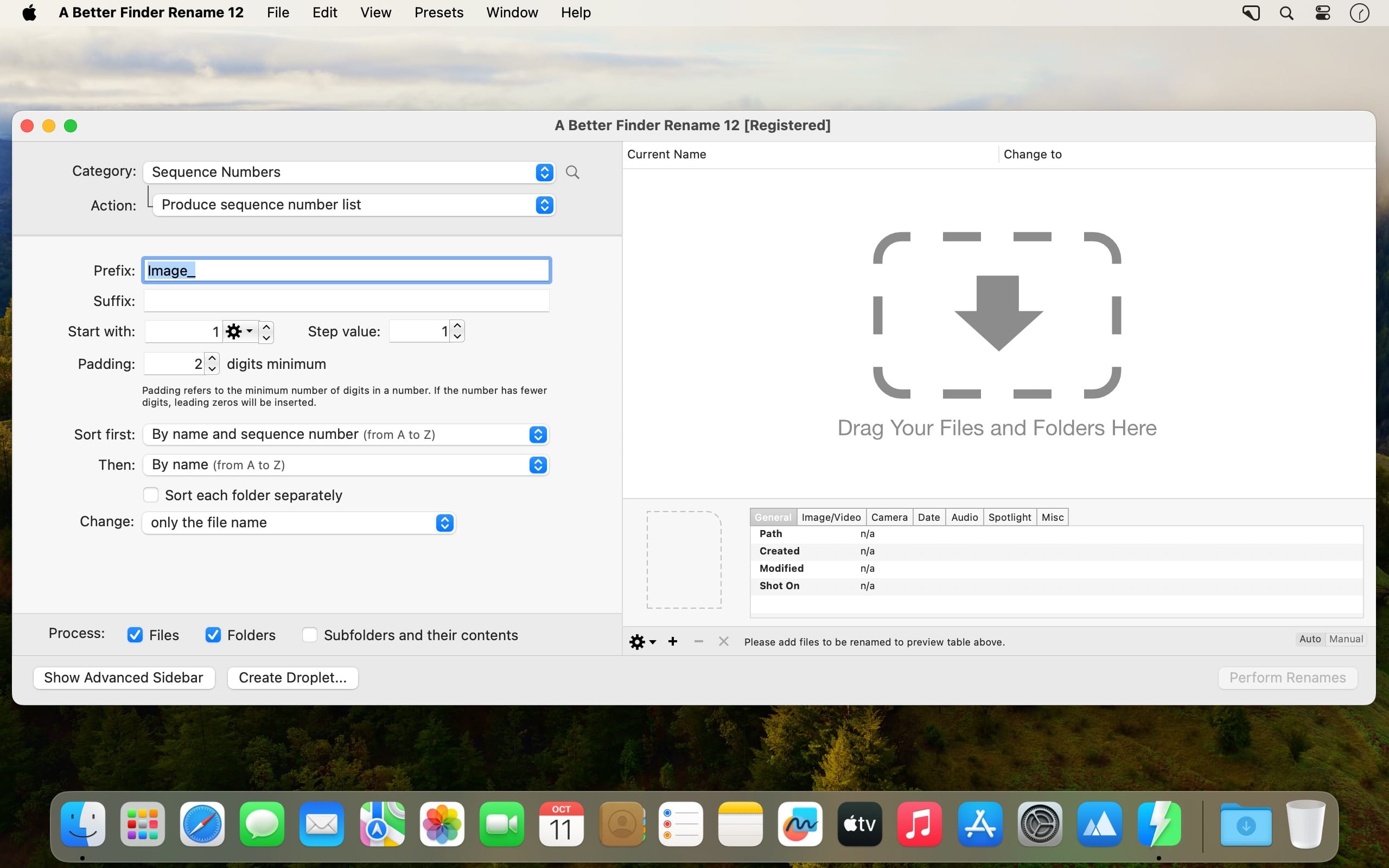
- 左侧面板构建重命名逻辑,右侧面板即时呈现每份文件的全新名称,边调边看,一目了然。
- 单步规则不够用?打开「多步骤面板」,多个动作可按顺序一次性串联执行,无需反复操作。
- 内置动作按功能精细分类:文本编辑、字符增删与替换、位置定位与区间选取、格式转换、长度截断、日期时间插入、路径组件提取等,覆盖全部常见场景。
- 每个动作均提供丰富参数选项,灵活微调——无论是大小写转换方式、编号起始值,还是时间格式精度,都能精准匹配你的命名习惯。
- 不仅支持文件,文件夹同样可批量重命名;启用「递归应用」后,同一模板还能自动穿透所有子目录逐层生效。
- 常用任务一键固化为「拖放式小工具(Droplet)」——把文件或文件夹拖到图标上,即刻全自动完成预设重命名流程。
What's New
Version 12.35
The new version:
- newly created Re-arrange using regular expression actions now use the modern regular expression engine by default; existing presets and droplets keep the engine they were saved with
- the modern re-arrange action now requires the pattern to match the entire file name and builds the new name from the substitution alone, exactly as the legacy engine and the help describe
- both modern regular expression actions accept 1 to 9 as aliases for $1 to $9
- the preview table shows one capture group column per group in the pattern, keeps those columns at equal widths, and restores the previous column layout when leaving regular expression mode
- adds support for the <CameraMake> and <CameraModel> tags for DJI videos (Osmo Action, Mavic and others), which store the camera model outside the standard metadata fields
Improvements & Bug Fixes
- the modern replace action now ignores zero-length matches, as the legacy action always did
- fixes the <CameraModel> tag coming up empty for video files
This is the first version to require macOS 15 Sequoia or later. Version 12.34 remains available for macOS 13 Ventura and macOS 14 Sonoma.





