
Camo Studio 2.9.0 macOS 专业级摄像头增强工具,一键升级手机/相机为高清直播摄像机
Camo — 让你手头的任意摄像头,秒变专业视频拍摄设备
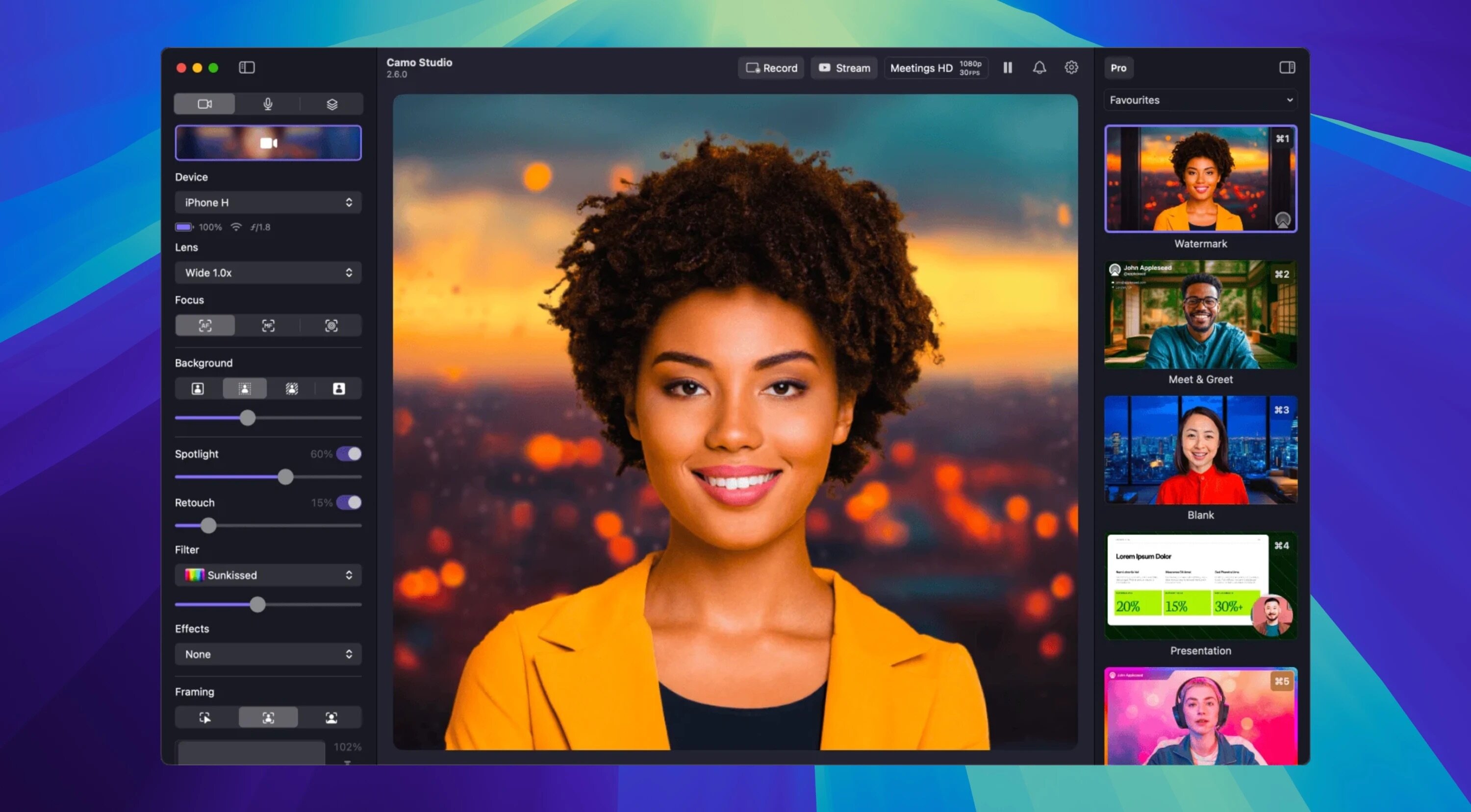
无需添置新硬件,Camo 即可充分释放你现有手机、笔记本摄像头、单反、运动相机甚至 Mac 的 Continuity Camera 的潜力,为线上会议、实时直播、课程录制等场景提供影院级画质。开箱即用:选择智能模板+AI自动优化,3秒出片;进阶创作:调用完整专业工具链,实现帧帧可控的精细化调节。
为什么选择 Camo
- 专业级成像效果,零门槛上手——学生党、自媒体新人、企业培训师、医疗影像专家都能轻松驾驭。
- 全设备兼容:iPhone/Android 手机、Mac/iPad 内置镜头、佳能尼康等 DSLR、GoPro 类运动相机、苹果生态 Continuity Camera 全支持。
- 覆盖多元工作流:知识类教程制作、B2B 销售演示、Twitch/YouTube 直播、精品课录播,甚至手术室实操记录等严苛场景也游刃有余。
极简入门,深度掌控
- 一键式预设配置:自动匹配最佳分辨率、构图比例与画面宽高比,点击即用,告别繁琐调试。
- 场景秒切功能:内置多套常用布景方案,也可自定义组合灯光、背景、文字等元素,5 秒内完成专属场景搭建。
- 毫秒级精细调控:当需要精准表达时,可手动调节曝光、白平衡、色彩曲线、LUT 色彩映射、智能构图区域等全部参数。
智能场景构建系统
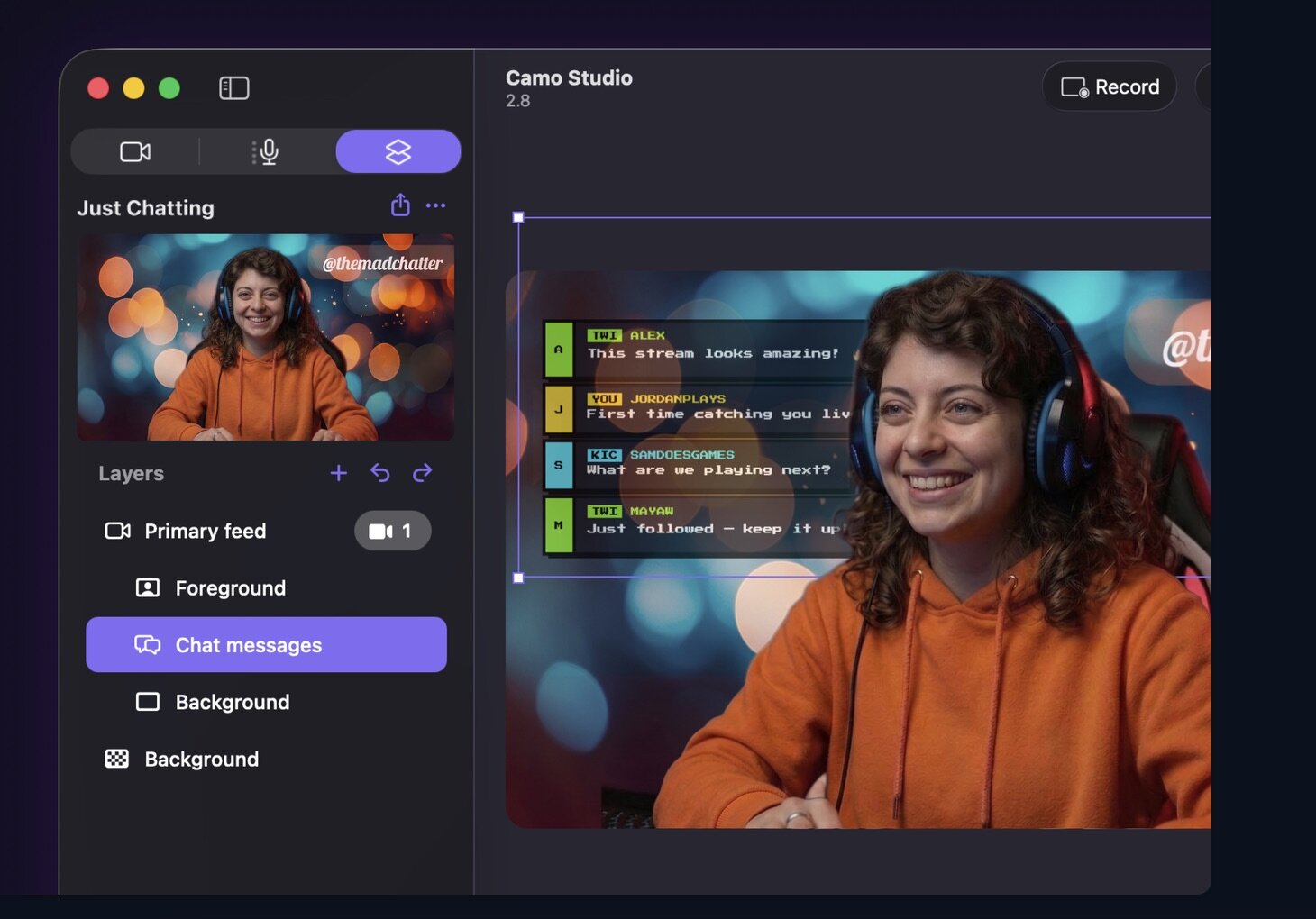
- 动态图文叠加:自由添加字幕条(Lower Thirds)、品牌水印、说明性文本与定制 Logo,提升信息传达力与观众沉浸感。
- AI 智能背景处理:一键虚化、替换或柔化背景,同步智能补光与肤色校正,让光线不理想环境也能呈现自然质感。
- 人像追踪构图:搭载先进视觉算法,自动识别人物并实时调整画面中心,走动、转身、手势操作全程稳稳锁定主体。
灵活多样的采集方式
- 双模连接支持:iOS 与 Android 设备既可通过 USB 稳定有线投屏,也支持低延迟无线串流。
- 多角度拍摄自由:支持俯拍、侧拍、斜角特写等构图需求,兼容三脚架、桌面支架、吊臂等各类外设 rigs。
- 资源高效复用:通过「图库」统一管理常用素材(贴纸、背景、LUT),在「探索」中直接获取设计师精选的免费场景模板。
原生集成剪辑模块
- 所见即所得编辑:在 Camo 内直接拼接文字、图片、图形叠加层,实时预览并保存为可重复调用的场景工程文件。
好视频,从你已有的设备开始——无需升级硬件,立刻开启专业影像创作。
What's New
Version 2.9.0:
Introduced dual-format streaming and recording, letting you stream and record landscape and portrait at the same time, each with its own independently arranged canvas
Feature
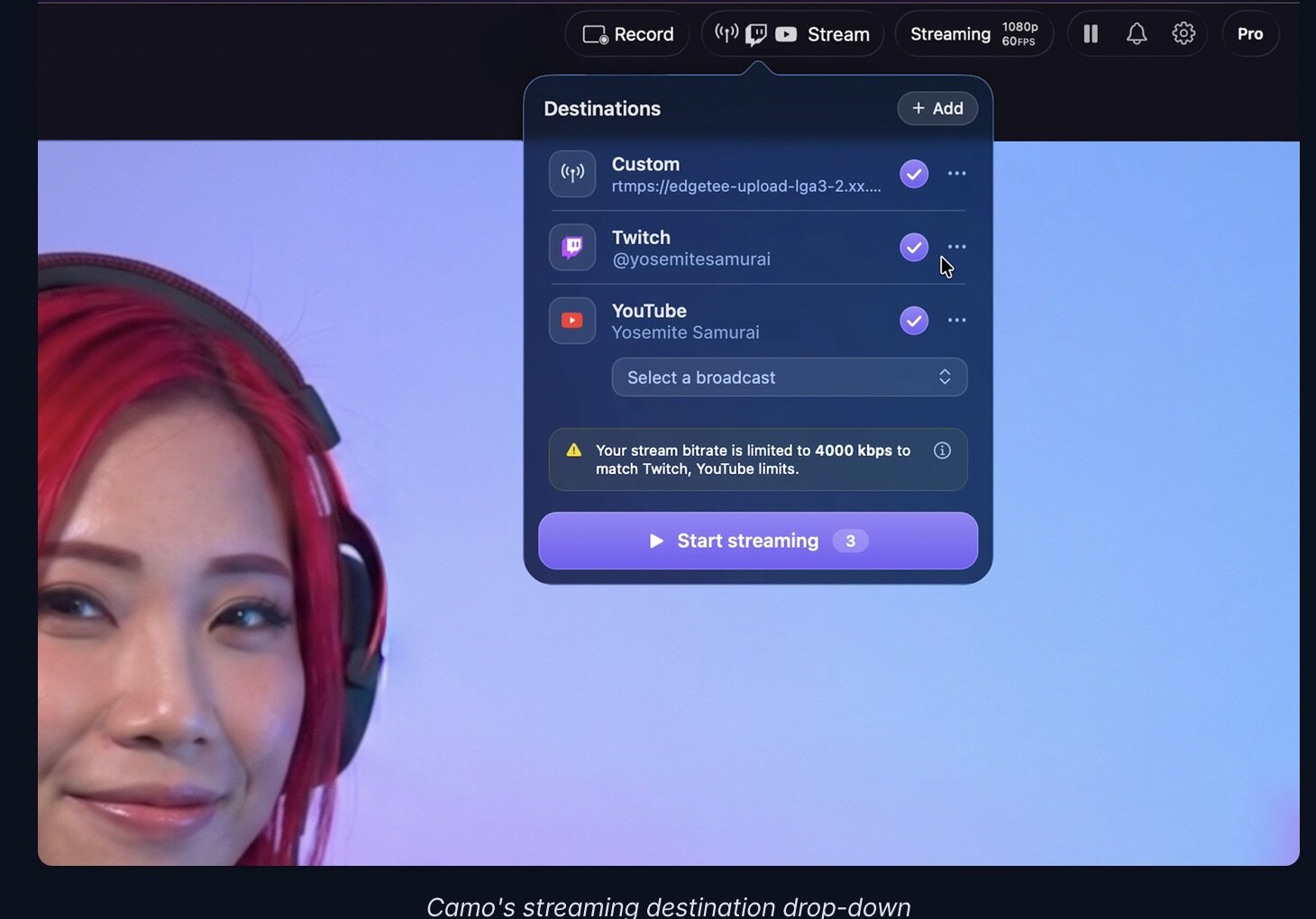
- Added Facebook streaming, with a title, description and audience you choose before you go live
- Added Instagram streaming
- Introduced layer masks, so you can mask a layer with a shape or another layer
- Introduced stacks, which group layers together and position and resize their contents automatically
- Introduced isolated recordings, which record each of your sources to its own file alongside the main recording
- Added audio noise reduction to clean up background noise from your microphones
- Added the ability to control Camo Studio from AI agents such as Claude
- Added gradient fills for layers
- Added the ability to import your scenes from OBS
Improvement
- Improved the sound of your streams with higher-quality audio
- Improved the preview's smoothness when using several cameras at once
- Improvement Updated text layers to scale from their corner handles, with the edges resizing the layer's frame
Fixed
- streaming to some custom RTMP servers, including Restream, never starting
- screen capture staying at 1080p after switching to a 4K profile
- Studio taking up to 10 minutes to launch when a USB camera stopped responding
- audio gradually drifting out of sync with video during long recordings with some USB microphones
- the Camo Studio window opening on its own when selecting Camo in another app such as Zoom
- the web layer preview getting stuck loading after an invalid URL warning
- an incorrect message when dragging images into backgrounds
- undoing and then redoing the addition of an image or video layer leaving the layer empty
- several layout quirks in the sidebars and toolbar on macOS 27
- a crash when quitting Studio with the Web Layers add-on installed
- a rare crash when your audio devices changed
- a rare crash when changing a camera's format
- a crash when rearranging layers in the sidebar
- a rare crash when drawing the preview





