
A Better Finder Rename 12.36 macOS 批量智能重命名工具,所见即所得,安全高效

macOS 自带的 Finder 不支持批量重命名——面对几十上百个文件,你只能手动逐个修改,费时又易出错。A Better Finder Rename 12 则专为 Mac 打造,让你用一个统一规则,瞬间完成整批文件的智能重命名。更关键的是:所有新文件名都会在操作前实时预览,确认无误再执行,真正实现“零误改、零风险”。
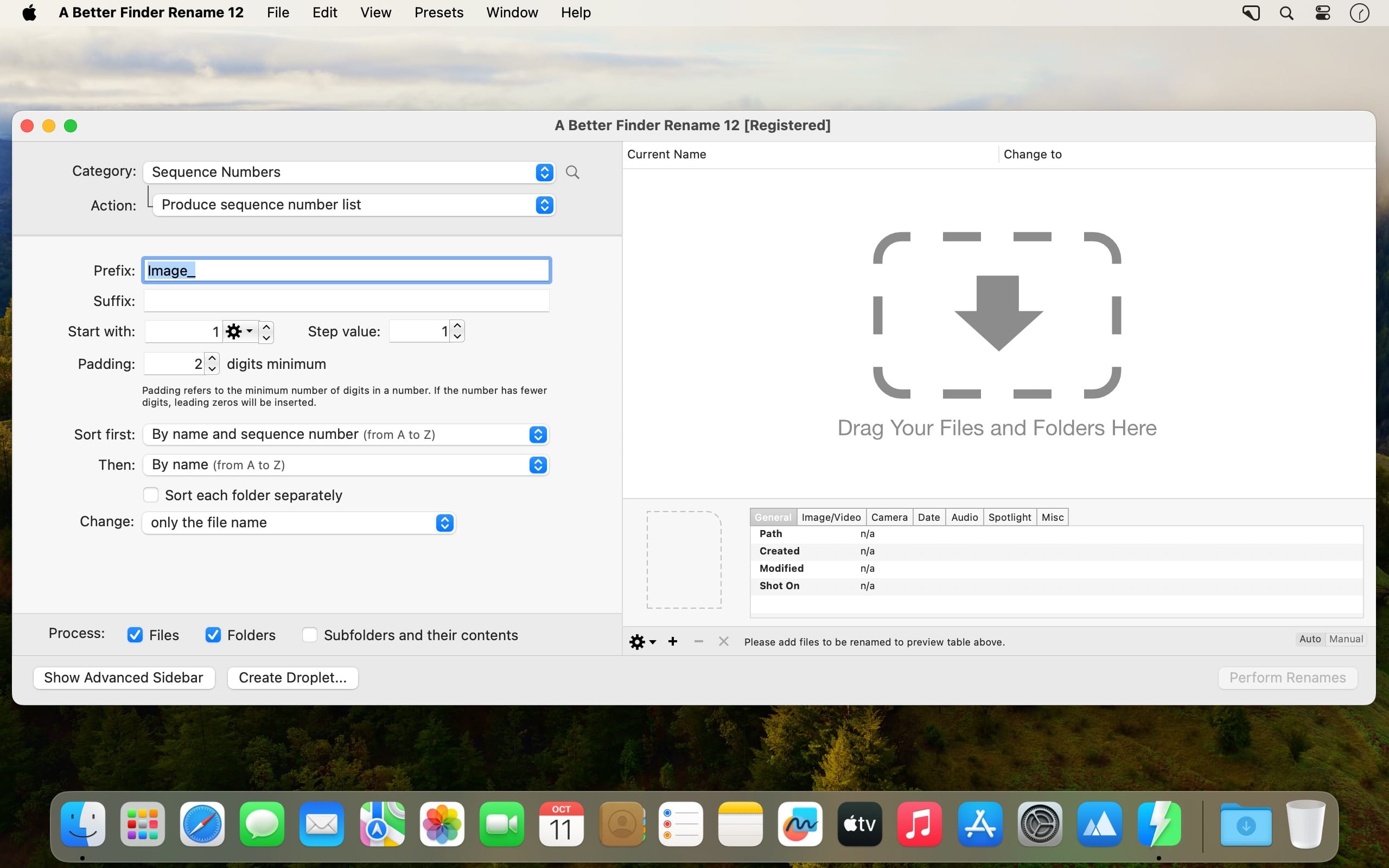
- 左侧面板构建重命名逻辑,右侧面板即时呈现每项文件的全新名称,所见即所得,调整一步到位。
- 复杂需求?打开「多步操作」抽屉,一次性串联多个动作(如先删空格、再加序号、最后插入日期),全程仅需单次运行。
- 内置操作按功能精细归类:文本处理、字符增删与替换、位置定位与范围截取、大小写转换、长度截断、日期时间注入、路径组件提取等,覆盖全部常见场景。
- 每个操作都提供独立参数配置——比如“插入日期”可自选格式(YYYY-MM-DD 或 MM/DD/YY)、时区及偏移天数,让命名风格完全贴合你的习惯。
- 不仅限于文件:文件夹同样支持批量重命名;开启「递归应用」后,同一套模板还能自动穿透所有子目录,层层生效。
- 常用任务一键固化为「拖拽式应用(Droplet)」——把文件或文件夹拖到图标上,即刻全自动执行预设流程,省去重复设置。
What's New
Version 12.36
The new version:
- both regular expression actions now show a short message under the pattern field explaining why a pattern does not compile, such as an unmatched parenthesis or bracket, a trailing backslash or a quantifier with nothing to repeat
- regular expression patterns are compiled once per preview rather than once per file, which speeds up previews over thousands of files
Improvements & Bug Fixes:
- fixes the Replace regular expression action treating backslash escapes as capture groups since version 12.34: a backslash once again escapes the following character, so a substitution such as $1$2 inserts two zeros rather than the whole match twice
- fixes tags in the tag library occasionally showing the wrong name after a second click on a selected row
- in-app news windows now appear at most once every 180 days and no longer open blank





