
Path Finder 26.1.10 macOS 文件管理增强工具
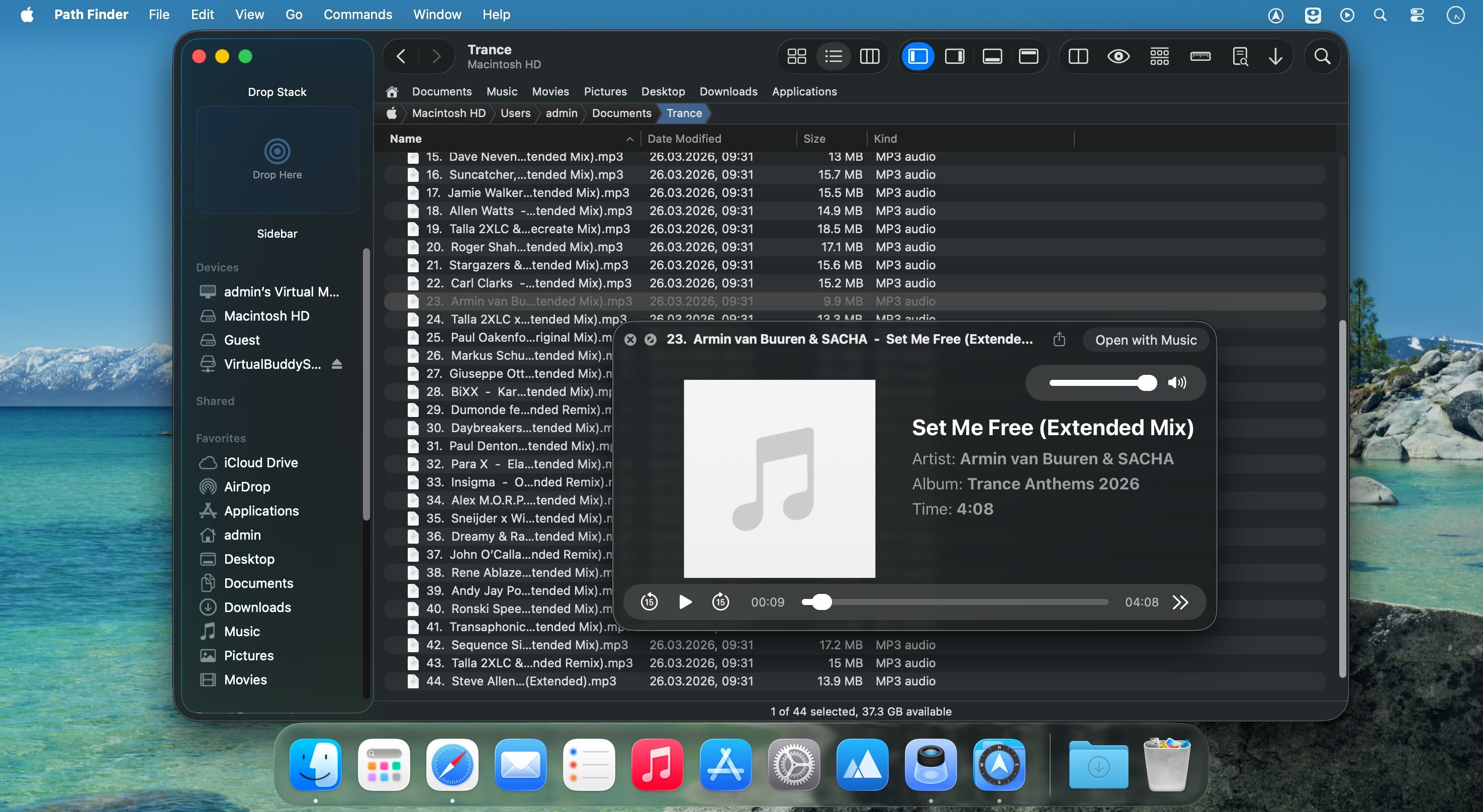
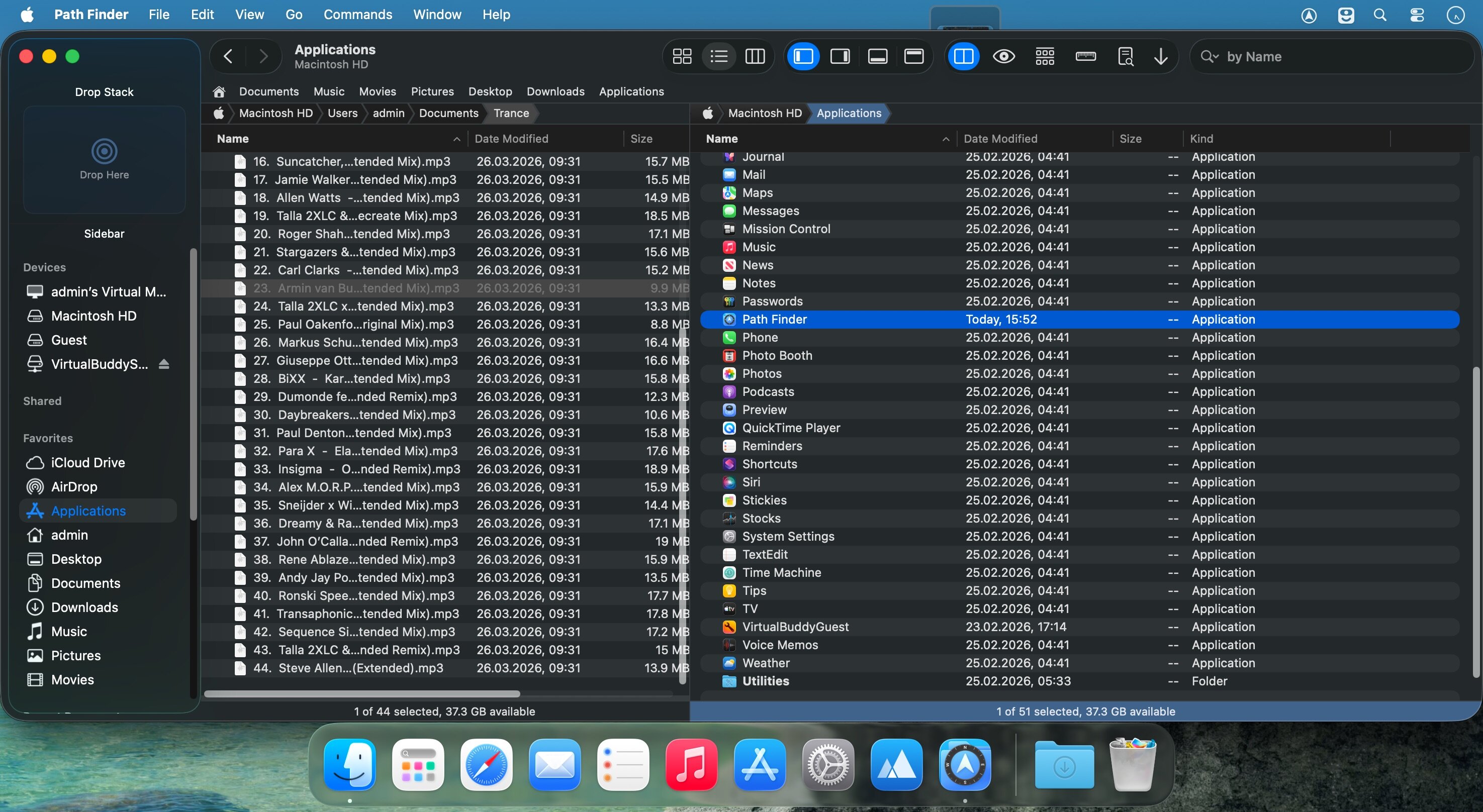
Path Finder 是一款专为 macOS 用户打造的高级文件管理应用,它突破系统原生访达(Finder)的限制,赋予你对整个文件系统的深度掌控力。无论是日常浏览、批量操作,还是专业级任务处理,它都能通过灵活的双栏界面、丰富的内置工具和高度可定制的工作流,精准适配你的使用习惯。尤其适合开发者、设计师、数据分析师等高频处理海量文件、多协议网络存储(如 SMB/NFS)、以及跨平台外接磁盘(如 NTFS、exFAT)的进阶用户。
核心功能
- 双栏并行浏览 — 左右分屏实时查看不同路径,拖拽或一键即可完成跨位置文件复制与移动
- 隐藏文件全权管理 — 直接显示、编辑、重命名乃至删除系统级隐藏文件(如 .git、.DS_Store、.htaccess)
- 纯键盘高效导航 — 支持完整快捷键体系,无需触碰鼠标即可完成打开、切换、预览、标记等全部操作
- 智能文件夹比对与同步 — 可视化对比两个文件夹差异,支持双向同步、单向镜像及安全合并,保留版本逻辑
- 批量智能重命名 — 基于规则(序号、日期、正则替换、大小写转换等)批量处理数百个文件名,所见即所得预览
- 底层级精准检索 — 在本地卷、Time Machine 备份盘、NAS 网络存储甚至加密卷上执行毫秒级全文/元数据搜索与动态过滤
- 军工级安全擦除 — 彻底覆写文件数据,确保无法恢复,兼容 APFS、HFS+、NTFS、exFAT 等所有主流卷格式
- 跨平台磁盘友好模式 — 自动抑制 macOS 特有元数据(如 .DS_Store、._AppleDouble)写入非 macOS 设备,保护 Windows/Linux 设备兼容性
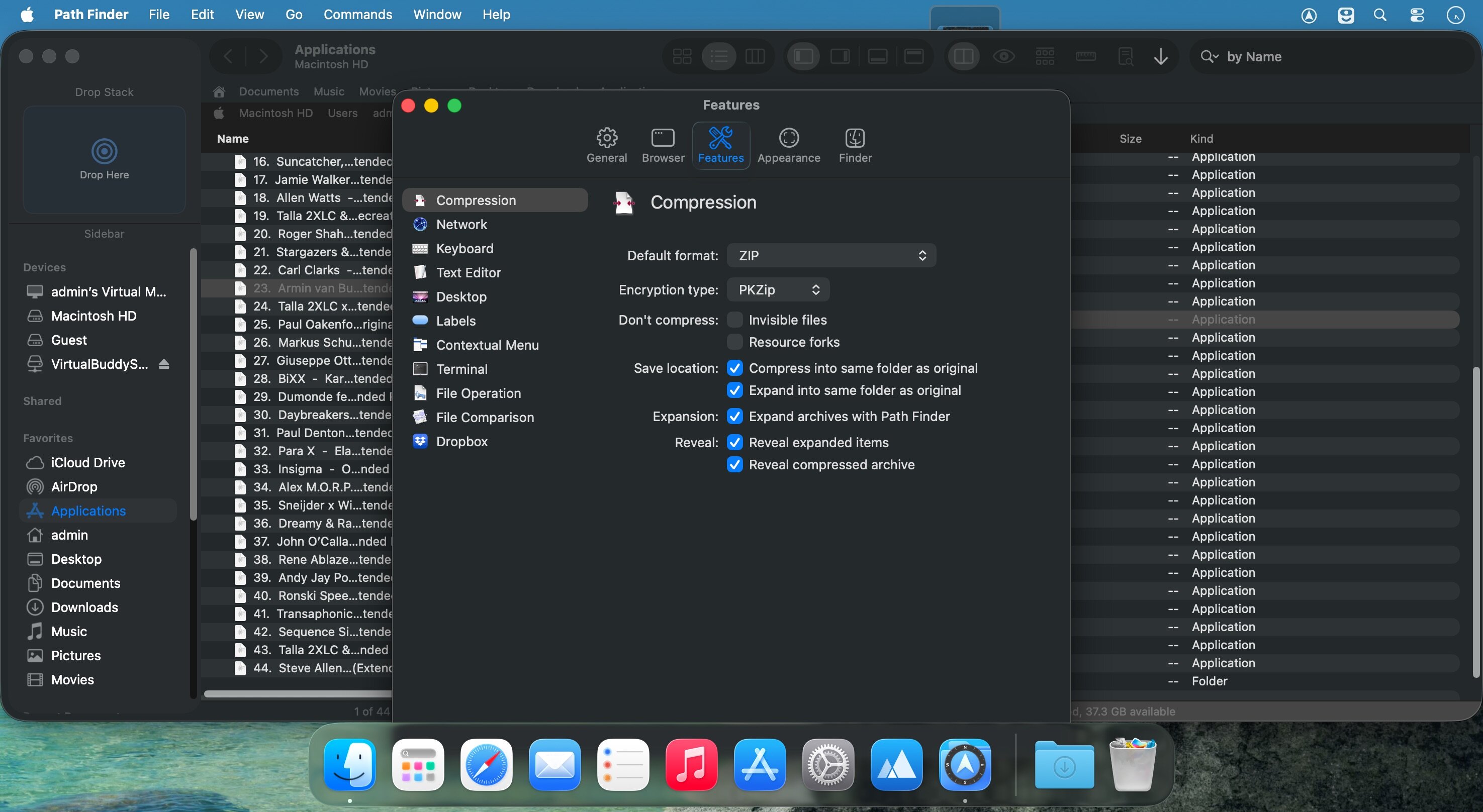
- 开箱即用的生产力套件 — 内置原生终端、轻量文本编辑器(支持语法高亮)与图像预览/基础编辑器,免切换应用
- 场景化书签与标签页模板 — 自定义常用路径集、保存多标签页布局,搭配可编辑的路径导航栏,3 秒直达工作区
What's New
Version 26.1.10:
- Disable file trashing, deletion, move, move to another pane, going to enclosed folder, opening selection while a file is in the renaming mode.
- Add "backspace" as a custom assignable command key shortcut in the Icons View.
- Preserve items selection when moving to the Trash or deleting items with contextual menu commands.
- Move rename editor to the next/previous item on tab/shift+tab in the Icons View and the List View.
- Prevent infinite loop expanding circular aliases with option-expand in the List View.
- Prevent asynchronous file data reloading while the List View expansion/collapse animation is in progress.
- Cancel pending rename mode on selection change or contextual menu invocation.
- Cancel tag editing with the ESC key if nothing typed in.
- Added automatic and immediate synchronization of user tags in Path Finder and Finder (and other applicable applications).
- Allow synchronize folders action only if right items selection exists.
- Disable "Double-click when clicking icon" when dragging items in the List View.
- Fixed List View drag & drop folder selection.
- Fixed Columns View spring-loaded folder drag & drop.
- Fixed restoring initial drag & drop location after cancelling in all three view types.
- Fixed some minor UI and compatibility issues on macOS 27 Golden Gate.
- Fixed copying items with option + drag'n'drop in the same folder.
- Fixed entering rename mode in the Icons View on cancelling dragging session with the ESC key.
- Fixed the Icons View selection emphasized state in inactive windows and views.
- Fixed potential renamer "ghost" window bug.
- Fixed tags database update when a new tag is used.
- Fixed the List View rename with long file name and multiple lines.
- Fixed garbled text, animation and crash/exception in the ListView when files change.





