
Rectangle 2.0.4 macOS 窗口管理增强工具,快捷布局、精准控制、开箱即用
Rectangle 是一款专为 macOS 打造的高效窗口管理工具——操作更迅捷、逻辑更符合直觉、自定义程度极高。它借鉴了 Windows 系统中广受好评的“窗口贴靠”机制,支持通过键盘快捷键一键排布窗口,也允许你直接拖拽窗口至屏幕边缘或角落,实现智能对齐与自动缩放。
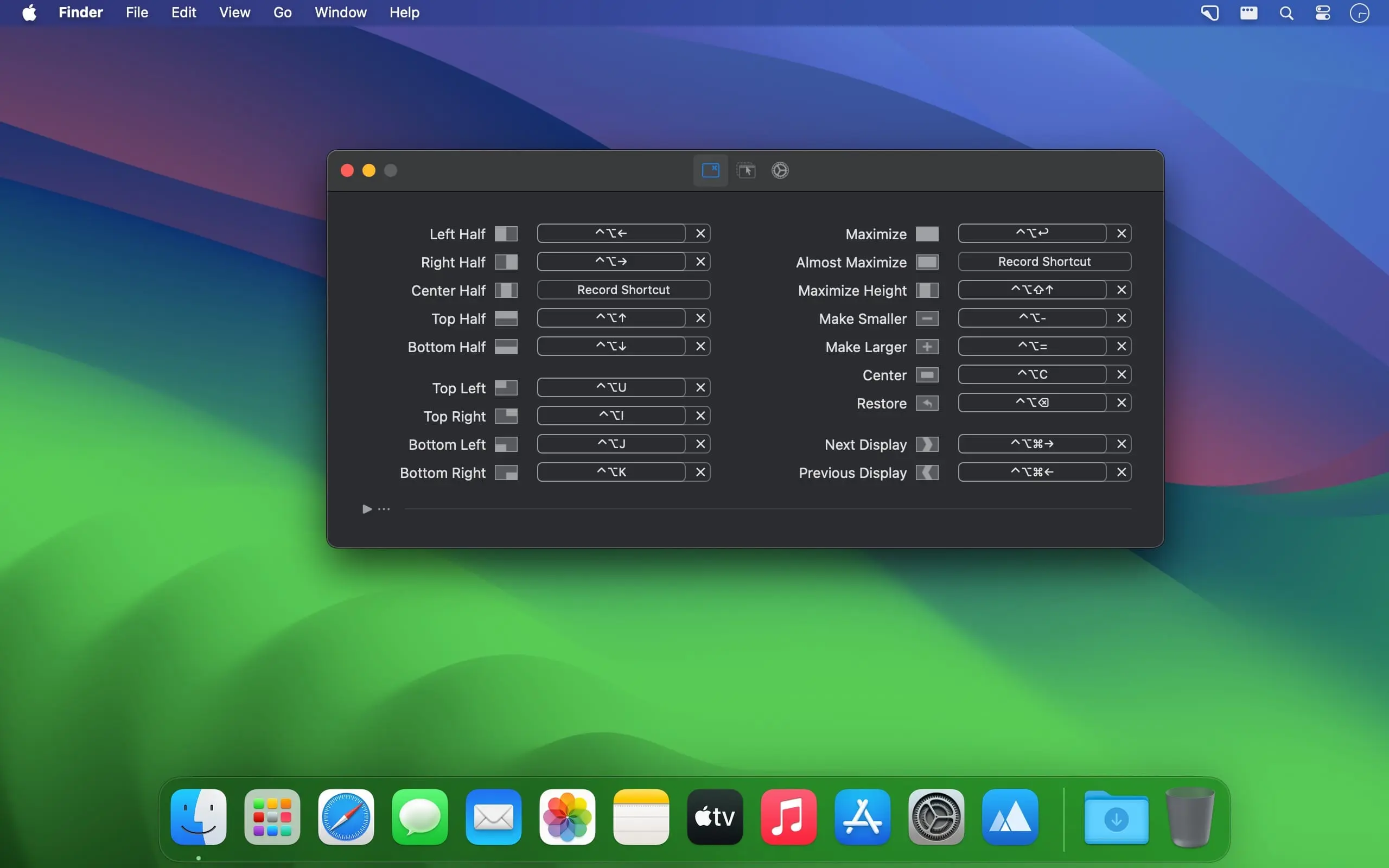
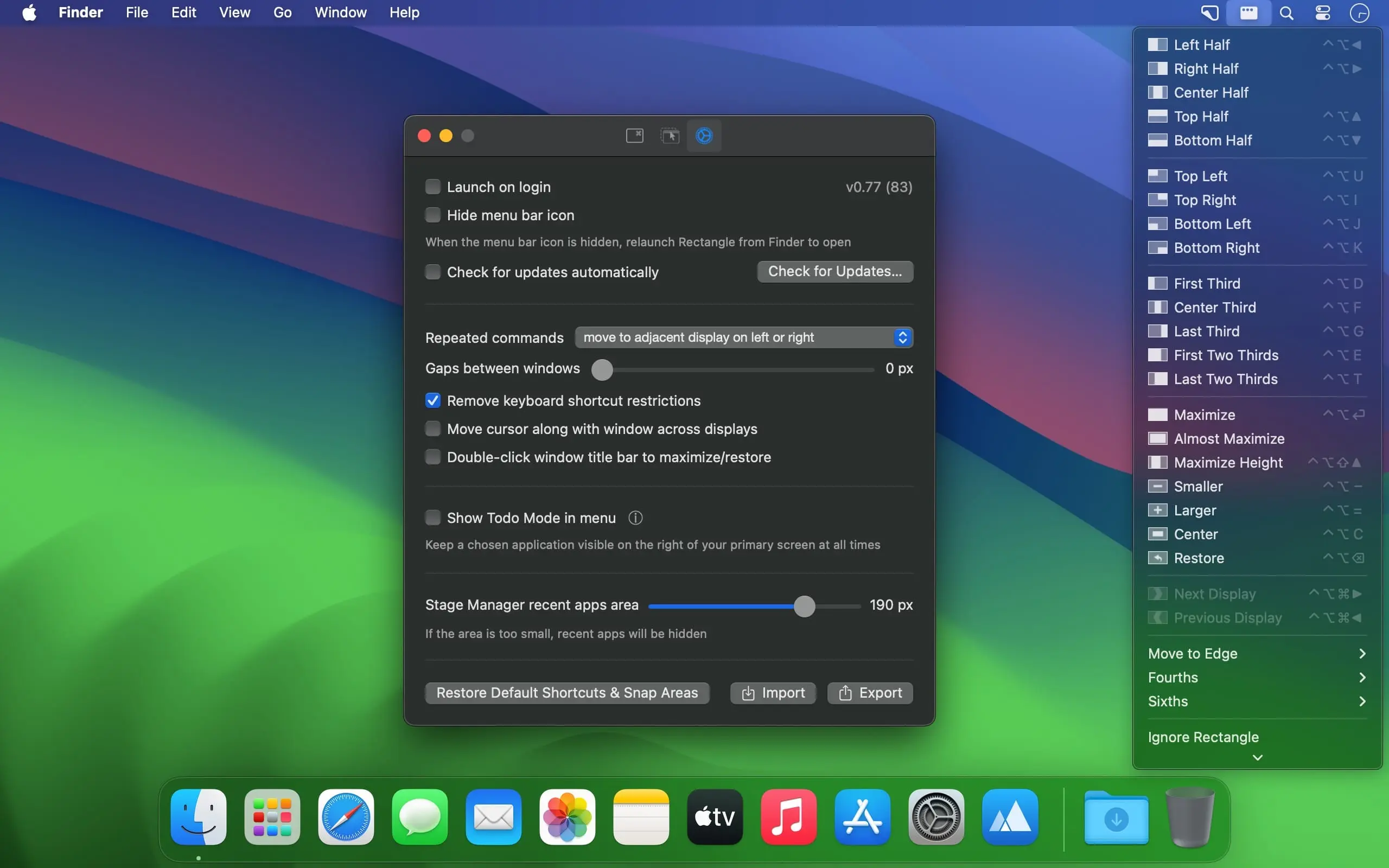
轻松将窗口移至屏幕左/右半区、四角区域;快速设为屏幕宽度的三分之一或三分之二;一键最大化;跨显示器自由迁移……所有操作均可按个人习惯重新绑定快捷键,打造真正适配你工作流的专属方案。点击菜单栏中的 Rectangle 图标,即可即时查看全部可用指令列表。
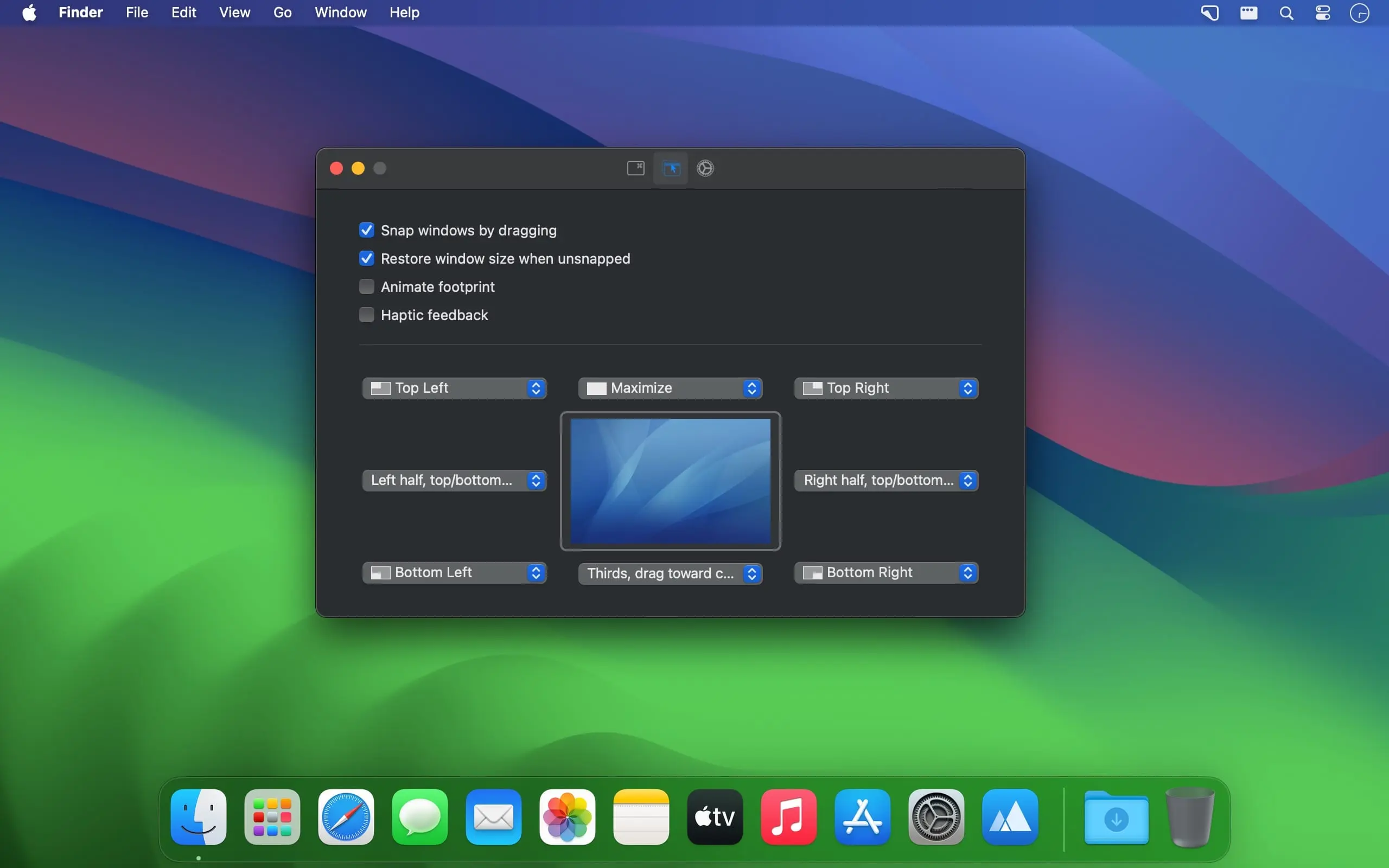
内置的“智能贴靠”功能会实时响应你的拖拽动作:将窗口拖至屏幕顶部,自动全屏展开;拖向任意边框或角落,则按预设布局精准停靠。松手后,窗口可选择恢复原尺寸与位置,也可随时通过快捷键一键还原,兼顾效率与灵活性。
作为经典开源工具 Spectacle 的现代化演进版,Rectangle 在继承其轻量、稳定基因的同时,全面升级功能体验。它完全免费、持续开源,并深度适配最新 macOS 版本。一旦融入日常使用,Mac 上的窗口调度将变得前所未有的流畅、精准且省心。
What's New
Version 2.0.4
New Additions
- An option to snap before hitting the screen edges when dragging to snap.
- A repeated commands option for switching sides on half actions.
- Full-height vertical sixth window actions.
- Mouse buttons can be used in keyboard shortcut fields.
- Updated localizations.
Performance & Bug Fixes
- Optional window animations and snap-preview material animations are now smoother.
- Simple window placement is now more efficient.
- Drag-to-snap window detection has been updated for Emacs 28.
- The screenEdgeGapTopNotch can now be set to 0 by Terminal command to be removed on screens with a notch.





