macshot 4.4.0 macOS 一站式原生截图录屏与智能标注工具
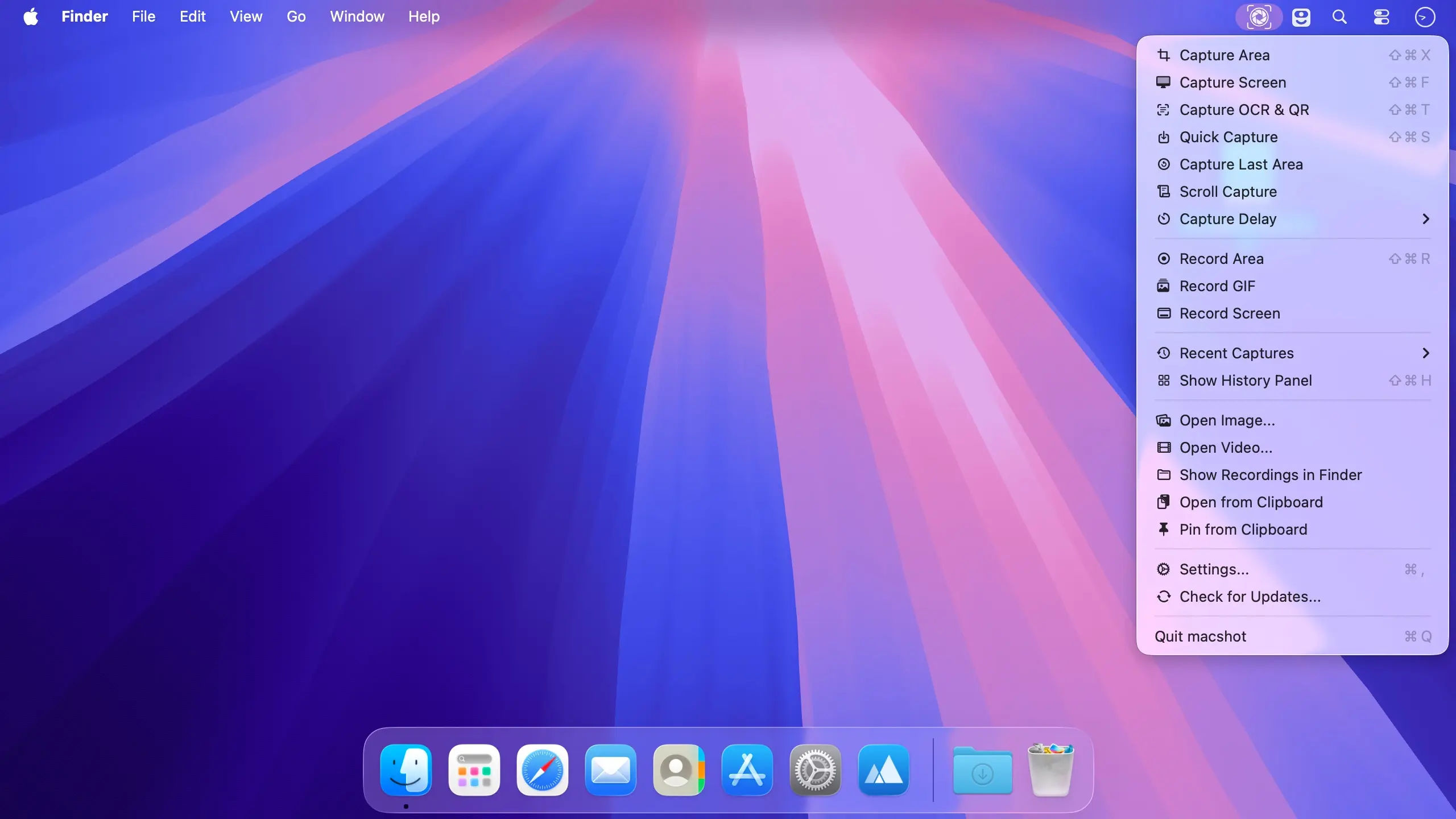
macshot 是一款专为 macOS 打造的原生截图与屏幕录制应用,集捕捉、标注、编辑、加密与分享于一体——全程无需切换应用。只需一键触发全局快捷键,即可快速框选区域、吸附窗口或全屏抓取,即时添加批注并复制到剪贴板。开源免费,零订阅,完全基于 Swift 与 AppKit 构建,拒绝 Electron 等跨平台框架带来的臃肿与卡顿。
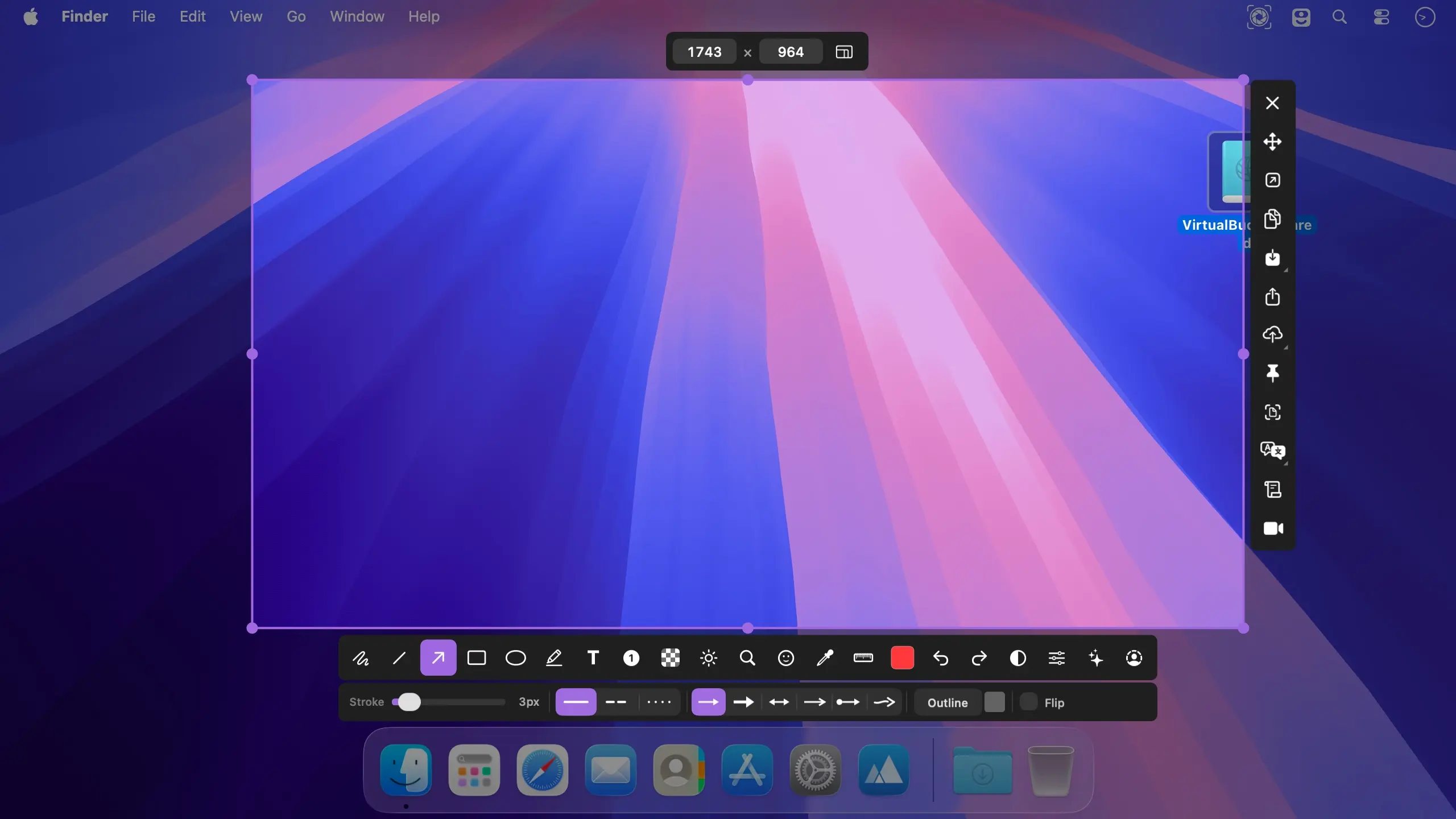
精准捕捉,随心标注
按下全局热键瞬间冻结当前画面,支持任意区域选取、窗口智能吸附或整屏捕获;完美兼容多显示器环境,甚至可自动拼接跨屏内容为单张长图/宽图。
- 极速截取:一次按键,任选区域、窗口或全屏,响应即刻完成。
- 所见即所改:内置 19+ 标注工具(箭头、马赛克、文字、形状等),点击任意已添加标注,实时调整线条粗细、样式、颜色及填充效果。
- 自由编辑不中断:支持无限次撤销/重做;旋转、缩放、拖动标注元素全程无需切换工具。
- 智能滚动截长图:选定区域后滚动网页或文档,macshot 借助 Apple Vision 实时拼接为一张高清纵向/横向长图,并提供所见即所得预览。
流畅录屏,开箱即用
不退出当前工作流,直接在 macshot 内完成任意区域或全屏录制。
- 双格式输出:录制视频保存为最高 120fps 的 MP4 文件,或导出为轻量 GIF 动图。
- 音画同步更专业:可同时录制系统声音、麦克风输入,并高亮显示鼠标轨迹与点击动画。
- 音频精细调控:在合成界面单独调节各音轨音量,实现人声与背景音的平衡配比。
- 剪辑一步到位:内置简易时间轴编辑器,支持裁剪片段、设置起止点并一键导出。
隐私保护,视觉升级
轻松隐藏敏感信息,让每张截图都干净得体、专业可信。
- 智能打码:支持像素化、高斯模糊、色块覆盖、智能擦除四种模式;其中“擦除”模式能自动识别并融合周围纹理与色彩,不留痕迹。
- 自动脱敏:内置 PII(个人身份信息)识别引擎,可精准定位并隐藏邮箱、手机号、身份证号、API 密钥等;同时支持人脸与人体轮廓检测并一键模糊。
- 美学润色:提供 30 款质感渐变背景(含前沿网格渐变),还可一键添加 macOS 风格窗口边框——含红黄绿交通灯控件、自然阴影、自定义内边距及圆角半径。
文字提取,高效分发
让截图“开口说话”,一键转文本、翻译、搜索、上传,无缝衔接协作场景。
- 高精度 OCR:调用 Apple Vision 引擎识别图像文字,自动判断语种,中英日韩等多语言准确率优异。
- 即用即译即搜:识别结果一键复制至剪贴板;支持 30+ 语种互译;亦可直接调用 Google AI 进行语义级网络搜索。
- 秒传直达:截图/录屏可直传 Google Drive、imgbb 或任意兼容 S3 协议的云存储(如 Cloudflare R2、AWS S3、MinIO),生成链接自动复制到剪贴板,分享快人一步。
轻盈纯粹,深度原生
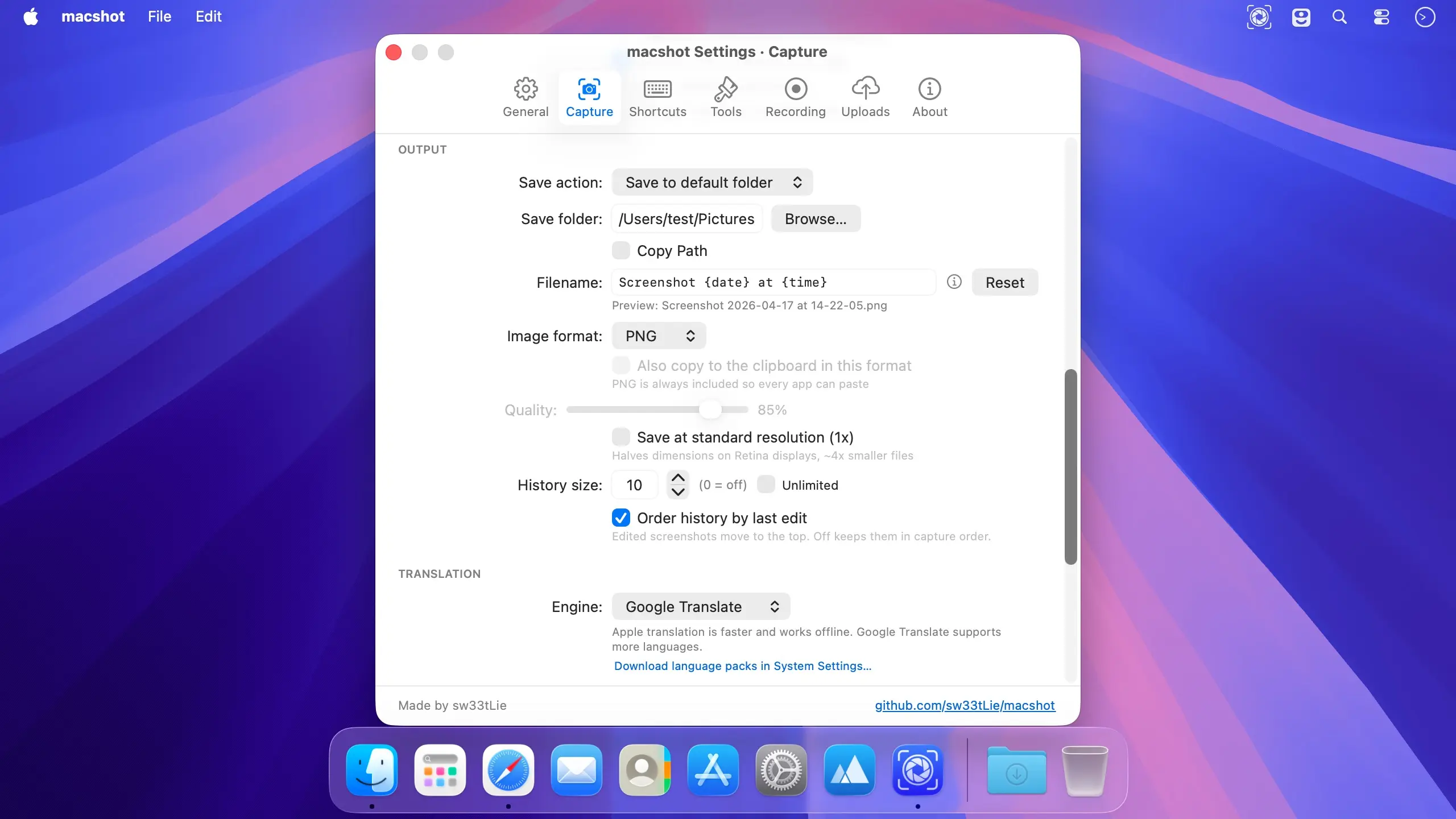
macshot 安静驻留在菜单栏,资源占用极低。纯 Swift + AppKit 编写,无 Web 视图、无 Electron、无后台进程。界面支持 40 种语言,涵盖简体中文、繁体中文、日本語、한국어、Deutsch、Français、Español、Italiano、Português、العربية、हिन्दी 等,并自动匹配系统语言偏好。
立即下载 macshot,将截图、标注、录屏与分享,真正融合进一个专注、高效、值得信赖的原生 Mac 应用。
What's New
Version 4.4.0
Before you update
- macshot has a new developer signature, so macOS may ask you to allow Screen Recording again, and Accessibility or Input Monitoring if you use them.
- If macshot looks enabled in System Settings but capture fails, remove it with the minus button (−) and add it back from Applications with the plus button (+). Your settings, history and recordings are kept.
New
- Studio, a redesigned video editor: a sidebar for background, pointer, zoom, keystrokes, camera and captions; a multi-lane timeline with thumbnails, waveform and snapping; undo/redo; and autosaved projects.
- Editable pointer and Auto Zoom: restyle, resize, smooth or hide the cursor and its click effects after recording. Auto Zoom generates zooms from your clicks and typing that follow the pointer.
- Backgrounds and framing: use gradients, macOS wallpapers, colors or your own image, with padding, rounded corners, shadow and aspect ratio presets.
- Webcam as its own track: move and resize it while recording, then change its shape, size and position afterwards.
- Captions and keystroke labels: transcribed on your Mac and exportable as SRT.
- Record GIF from the menu or with its own hotkey. Press the hotkey again to stop.
- Every emoji in the stamp tool, with search by name.
- Filename tokens and date folders: use
{app},{yyyy},{MM},{dd}and more to organize files into subfolders. - Press R on the capture screen to bring back the last area.
- Smaller additions: open the Editor right after selecting; copy screenshots in your image format as well as PNG; use date folders for S3 uploads; and open videos in macshot from Finder’s “Open With” menu.
Improved
- Much faster capture on multiple displays: down from 4.2 seconds to 0.2 seconds on four displays.
- Scroll capture rebuilt: translucent navbars, sticky sidebars, cookie banners and pinned boxes appear once instead of repeating. Videos stay whole, mouse wheels no longer lose content, and ⌘C or Return finishes the capture.
- macOS 27: OCR no longer hangs, and the capture and record menu items keep their icons.
- Exported MP4s start playing before they have fully downloaded, and recordings play in Telegram and FFmpeg-based players.
- The text tool’s icon is a plain “T” in every language.
Fixed
- Recordings with system audio stopping with “Audio encoding could not keep up.”
- OCR garbling Chinese, Japanese and other non-Latin text on lines that also contain English.
- A trackpad double-tap drag copying the capture instead of drawing.
- Captures confirming themselves when another app sent ⌘C after a drag.
- Screenshots appearing twice in clipboard managers.
- Global hotkeys silently doing nothing when two actions shared a shortcut.
- Capture OCR doing nothing after right-click or F or R selection.
- macshot missing from the Screen Recording list on first launch.
- macshot freezing for seconds when confirming a capture with a slow audio device.
- Microphone recordings failing after a restart because a stale default microphone had been saved.