UTM Virtual Machines 5.0.9 macOS 轻量级全功能虚拟机与系统模拟工具
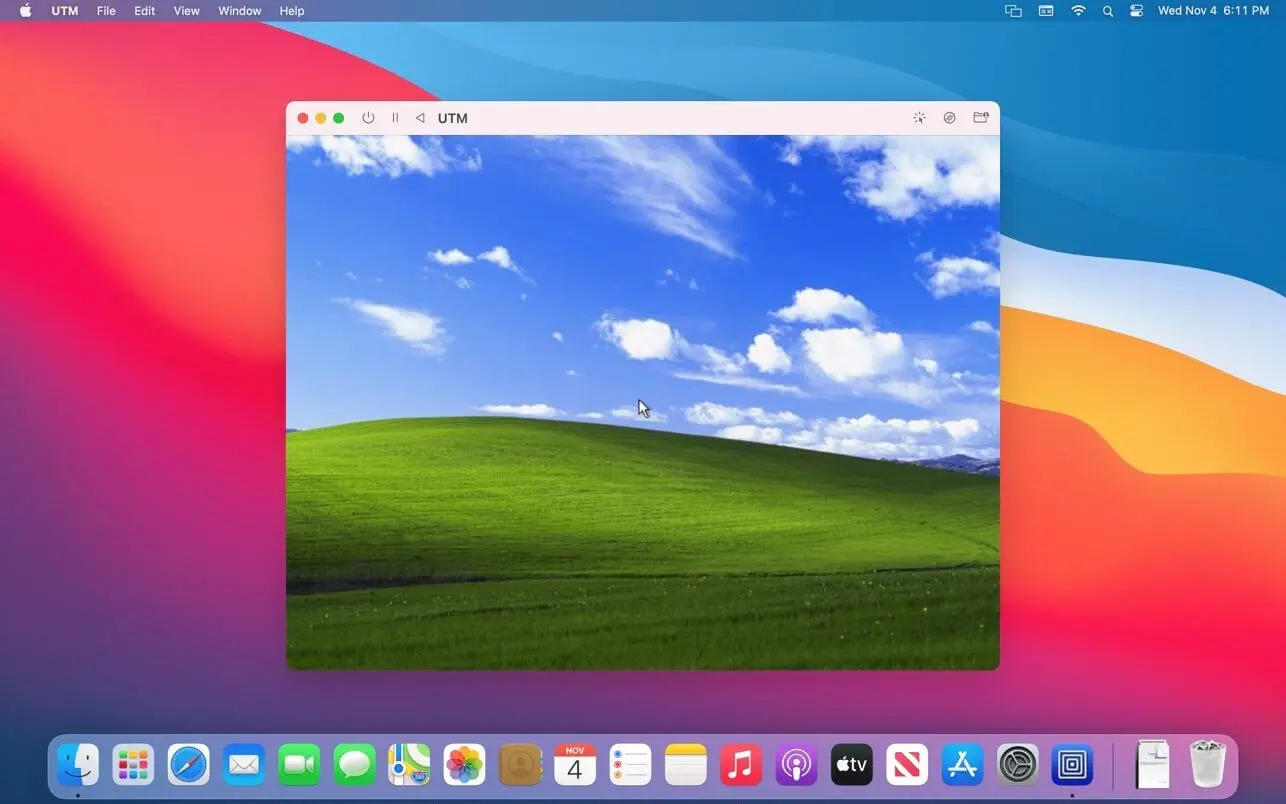
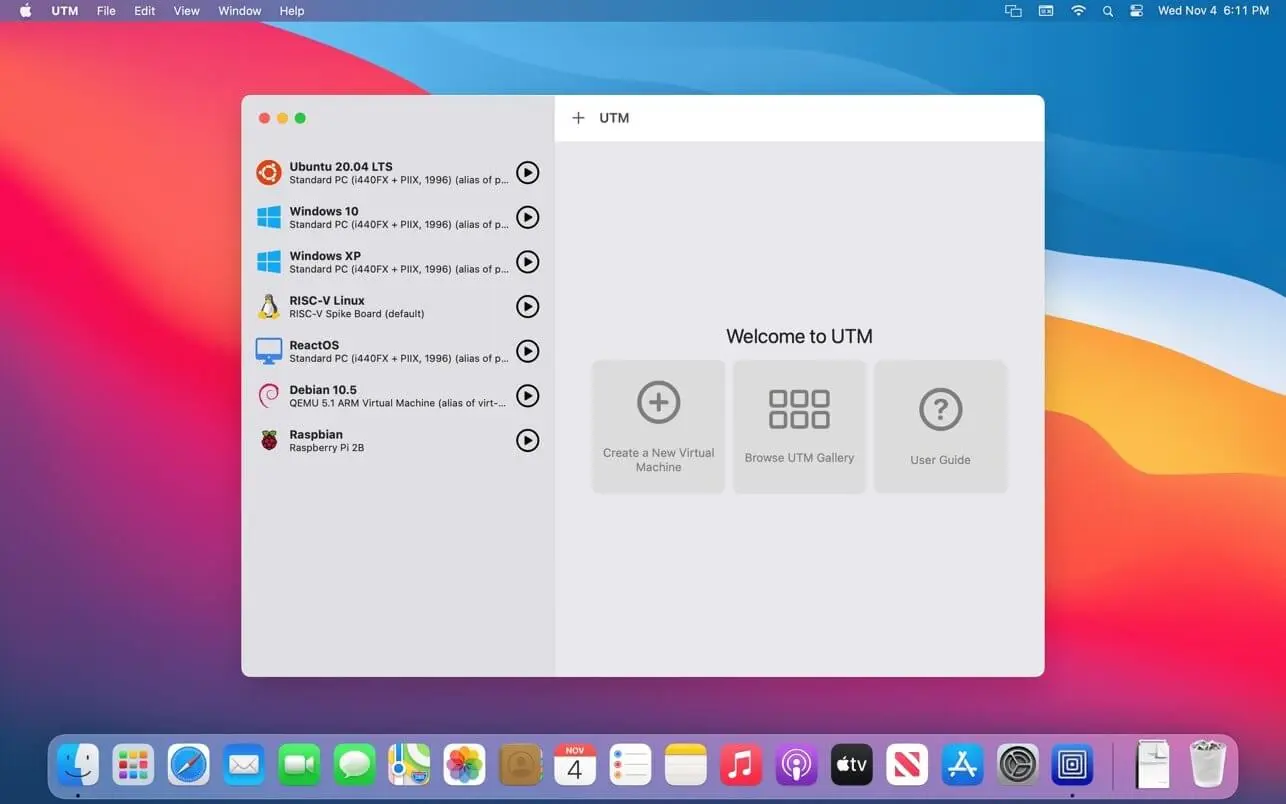
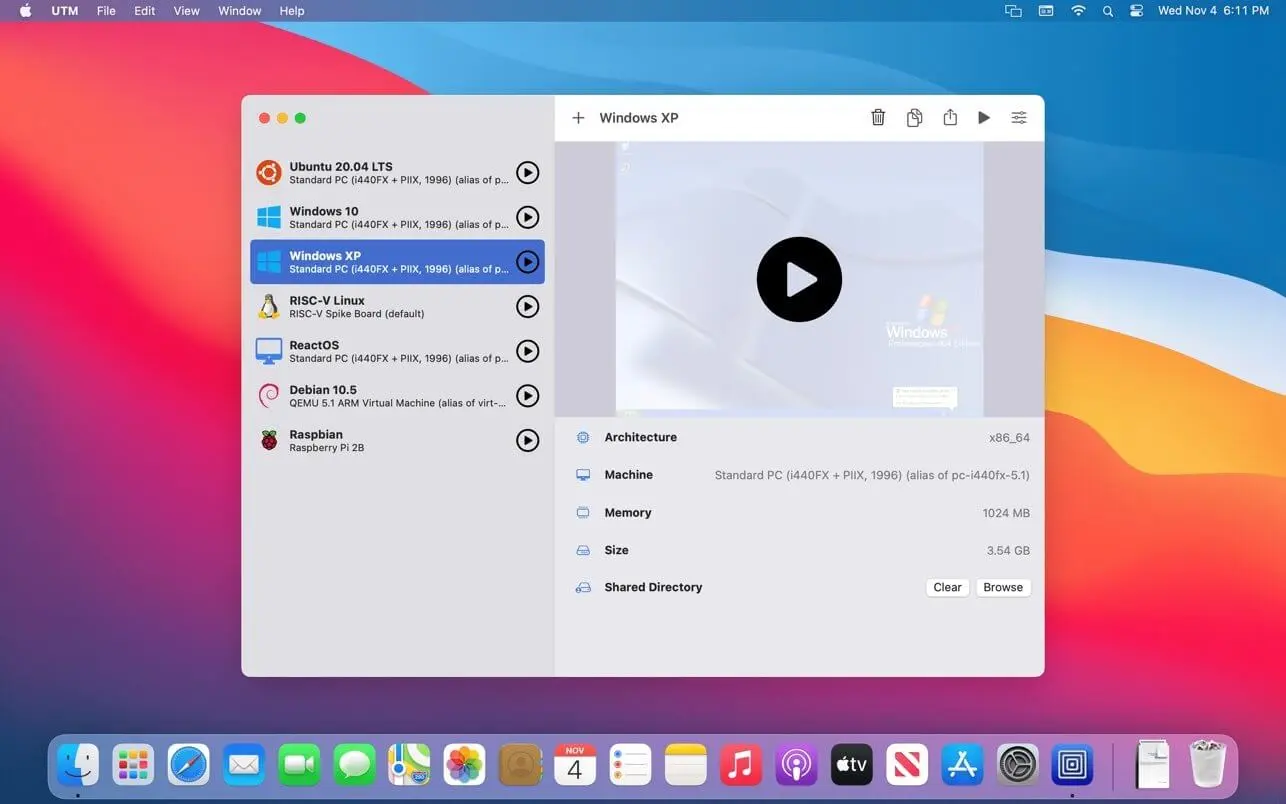
UTM 专为 Mac 打造,集操作系统虚拟化与跨架构模拟于一体,让你在当前 macOS 环境中无缝运行 Windows® 11、Ubuntu® 或另一套 macOS,性能逼近原生体验。即便是较老的操作系统,如 Windows® 7 和 Windows® XP,也能通过底层模拟技术稳定运行,兼容性广泛。所有操作均在基于 QEMU 系统模拟器构建的安全沙盒环境中完成,确保宿主机数据与虚拟机内可能存在的病毒、恶意软件完全隔离。
原生适配 macOS,深度优化 Apple 生态
UTM 从零开发,专为 macOS 设计,深度融合 Apple 最新系统能力,全面支持 Apple Silicon(M 系列芯片)与 Intel 架构 Mac。在 Apple Silicon 设备上,ARM64 架构系统(如 Windows® for ARM、Ubuntu® ARM)可实现全虚拟化,运行流畅高效;而面向 x86/x64 架构的系统(如 Windows® 7、Windows® XP、Ubuntu® Linux)则通过模拟方式运行,性能略有受限。在 Intel Mac 上,这些 x86/x64 系统则能享受全虚拟化带来的高性能体验。此外,UTM 还支持在虚拟环境中安装并运行 macOS 12 及更高版本,并可通过 Rosetta 技术,在 Linux 虚拟机中运行 Intel 架构应用程序。
- ARM64 全虚拟化:在搭载 M 系列芯片的 Mac 上,以接近原生速度运行 Windows® for ARM、Ubuntu® ARM 等 ARM64 操作系统。
- 多架构兼容支持:Windows® 7、Windows® XP、Ubuntu® Linux 等 x86/x64 系统,可在 Apple Silicon 上模拟运行,或在 Intel Mac 上全虚拟化运行。
- macOS 官方兼容虚拟化:支持 macOS 12 及更新版本作为客户机操作系统运行(需遵守 Apple 许可协议)。
- Rosetta 跨架构桥接:借助 Rosetta 技术,在 Linux 虚拟机中直接运行原生 Intel 应用程序。
- 超广谱处理器模拟:内置 30+ 种 QEMU 支持的 CPU 架构模拟,涵盖 i386、x64、ARM32、ARM64、MIPS、PowerPC、RISC-V 等,满足开发者与极客用户的深度测试与学习需求。
- 系统级沙盒防护:依托 macOS 原生 Sandbox 机制,自动隔离虚拟机中潜在的恶意行为,切实保障主机数据安全。
- 灵活显示方案:支持图形界面、纯终端控制台及无头(headless)模式,同时兼容多显示器输出。
- 直连 USB 外设:可将 U 盘、摄像头、串口设备等 USB 硬件直接挂载至虚拟机使用。
- 实验性 GPU 加速:Linux 虚拟机支持 OpenGL + Vulkan 图形加速;Windows® 虚拟机支持 DirectX® 渲染,部分 Windows® 游戏亦可流畅运行于 Mac 平台。
- 多样化网络连接:提供桥接网络(Bridged)与共享网络(Shared/NAT)两种主流联网模式,灵活适配不同场景。
- 外置存储友好:支持将虚拟机文件存放在移动硬盘、SSD 等外部存储设备中,并直接从中启动运行。
- 快照式状态管理:一键保存/回滚虚拟机任意历史状态,调试与测试更高效可靠。
- 零门槛创建配置:可视化操作界面直观易懂,无需记忆复杂 QEMU 命令参数,新手也能快速上手搭建专属虚拟环境。
立即下载 UTM,把你需要的操作系统“装进”你的 Mac,即开即用,自由切换。
What's New
UTM 5.0 is our biggest update yet, with modern 3D graphics for Windows and Linux, snapshots, and much more. Version 5.0.9 adds smoother displays, more reliable USB and a long list of fixes.
New in 5.0.9
- Smoother displays: Virtual machines now follow your display's refresh rate, so motion is fluid at up to 120 Hz on ProMotion displays.
- More reliable USB: Fast 10 Gbps external SSDs can now be shared with a virtual machine, and disconnecting a drive no longer freezes UTM. Drives are safely unmounted from macOS before they are handed to a virtual machine, and saved devices reconnect when you plug them back in.
- Windows 3D graphics: Fixed games hanging at startup, in-game videos stalling, crashes when Windows restarts or shuts down, and wrong colors in fullscreen programs. Re-install the Windows guest tools to get the latest driver.
- Intel Macs: Windows 3D acceleration works again, and Intel virtual machines run faster with steadier sound.
- Apple Virtualization: Linux guests have sound output again, clones get their own network addresses, and UTM tells you when a macOS install fails because the disk is full.
- Notes: The notes of a virtual machine can now be formatted with Markdown.
- Classic systems: Fixed sound and restarting in Mac OS 9, and PowerPC virtual machines that would not start with the default settings.
- Automation: New scripting commands capture the screen, install the guest tools and send keyboard and mouse input to Apple virtual machines. The utmctl tool now reports failures correctly.
- Security: Fixed memory corruption issues in the isolated rendering process, and a crash that a guest could cause through the guest agent.
- Many more fixes for settings, keyboard and mouse input, saved states, sound and crashes.
New in 5.0
- DirectX for Windows: Modern accelerated graphics for Windows 11, with DirectX 11 and DirectX 12, is available in UTM for the first time. The driver is still experimental and game compatibility is limited.
- Vulkan 1.3 for Linux: Linux guests can now use Vulkan 1.3, and OpenGL 4.1 with the new Apple Core OpenGL backend.
- Snapshots: Save your virtual machine at any point and go back to it later from the new Snapshots tab. Apple Virtualization snapshots need macOS 27.
- Apple Virtualization on macOS 27: Pass USB devices through to your virtual machine, turn on Secure Boot for Linux, run a virtual machine without saving changes, and let virtual machines talk to each other with new networking modes.
- Faster display: A reworked renderer with lower latency, and the display now runs at your screen's maximum refresh rate.
- Full screen: Use the area beside the camera housing, and Hot Corners are turned off while a virtual machine is in full screen.
- Terminal: A faster renderer and a find bar (Command-F).
- Settings: Shut down all running virtual machines gracefully when you quit, swap the Command and Option keys, and see the full QEMU command line.
- Sound: Input and output can be enabled separately for Apple virtual machines, so Bluetooth headphones no longer switch to headset mode.
Good to Know
- Shut down all virtual machines before you update. Suspended virtual machines may not resume afterwards.
- To use the new Windows graphics driver, we recommend a fresh install of Windows 11.
- UTM now requires macOS 12 or later.