
RightFont 10.2.1 macOS 专业字体管理工具,支持创意设计全流程协作
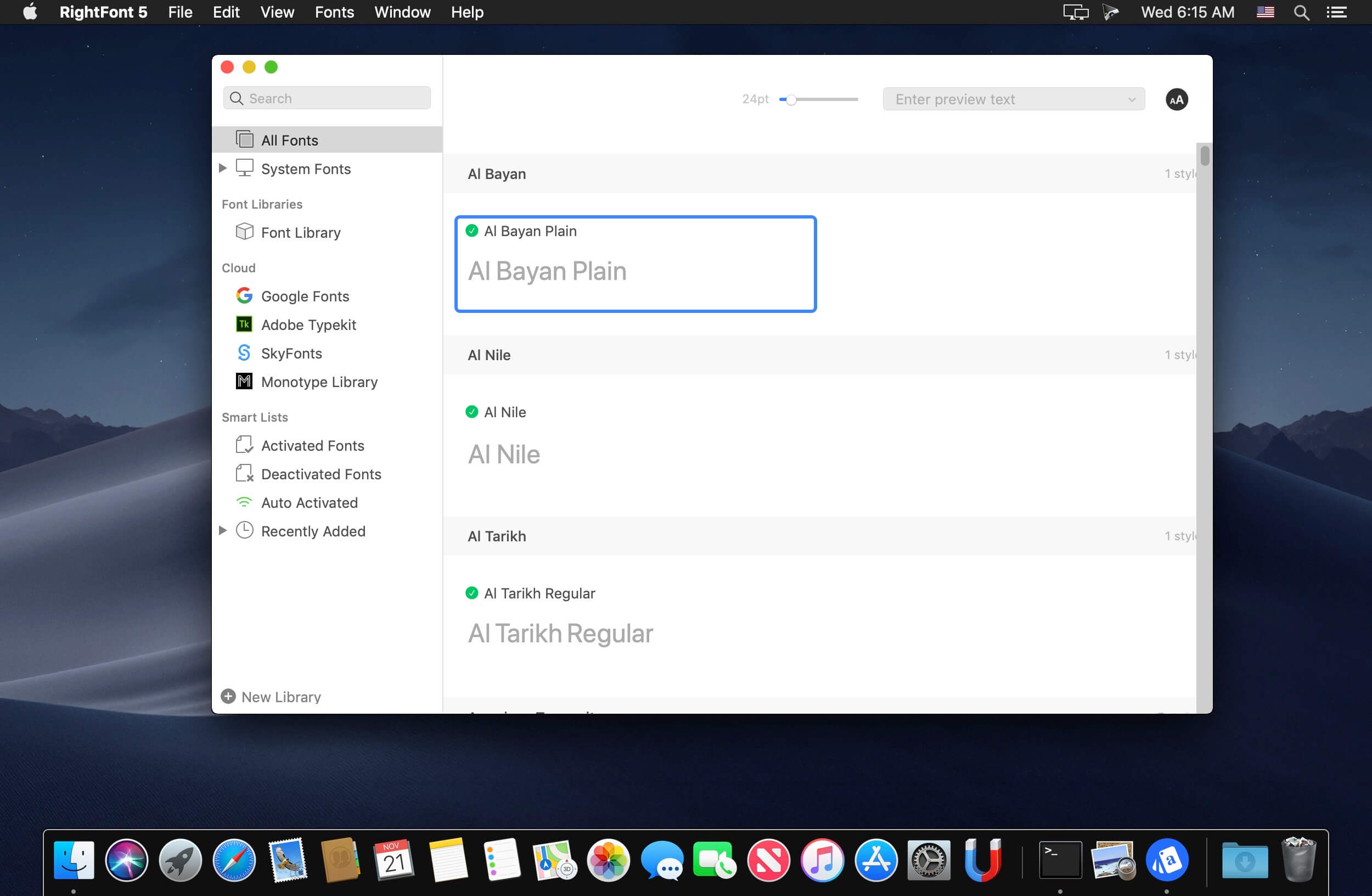
RightFont 是一款专为 macOS 打造的智能字体管理中心,助你高效预览、分类、同步与调用字体——无论是 Adobe Creative Cloud 全家桶(Photoshop、Illustrator、InDesign、After Effects 等),还是 Sketch 等主流设计工具,均可无缝接入。
- 一键呼出菜单栏浮窗,随时随地管理字体,无需切换窗口
- 单击即可将常用字体设为「星标」,高频字体秒级调用
- 自由创建并分组管理个性化字体清单,按项目、风格或客户分类更清晰
- 深度集成 Adobe CC 与 Sketch:字体直接出现在软件字体列表中,所见即所得
- 边输入边响应的智能搜索,毫秒级定位目标字体
- 实时调整预览文字内容、字号与行距,直观对比效果,大幅提升选字效率
- 多维筛选能力拉满:按字体类型(无衬线、衬线、手写体等)、字宽、字重精细过滤;Google Fonts 与 Adobe Fonts(原 Typekit)自动归类,一目了然
- 零门槛联动设计工作流:在 Photoshop 或 Sketch 中双击文本图层,即可从 RightFont 快速切换字体,全程不跳出当前界面
全新界面重构
RightFont 5 起全面重绘交互逻辑,在极简操作与强大功能间取得精准平衡,让设计师与团队真正实现「所想即所得」的字体协同体验。
专属字体库上线
备受期待的「字体库」功能正式加入 RightFont 5:所有字体与清单可集中存入自定义字体库,支持任意路径存放,轻松共享、迁移或备份,团队协作更省心。
深度适配 macOS Mojave
全面兼容 macOS Mojave 系统,原生支持深色模式、Touch Bar 快捷操作、彩色 SVG 字体渲染等多项新特性。
性能飞跃式提升
RightFont 5 在字体导入与渲染环节实现质的突破,速度较 4.0 版本提升达 2 倍,海量字体加载也流畅如初。


What's New
Version 10.2.1
More reliable font imports, improved tag management, and fixes for Adobe Illustrator, QuarkXPress, and macOS 27.
Improved
- Clearer import progress, including a finalization stage and a count of unsupported files in the completion notification.
- Subtags can now be dragged back to the main Tags section.
Fixed
- Font imports now honor the Skip duplicate fonts setting and prioritize OTF and TTF files over web fonts when skipping duplicates.
- Fixed imports targeting the wrong library or set when names match, and font-set membership being lost after reloading a library.
- Fixed saving tag hierarchies, editing newly created tags, and duplicate names when renaming tags.
- Fixed Smart Filters incorrectly interpreting text entered in filter conditions.
- Fixed font selections being lost when changing preview text, font size, or view.
- Fixed Adobe Illustrator repeatedly relaunching after quitting when Auto Activation was enabled.
- Fixed font scanning changing the view in QuarkXPress and duplicate entries in its missing-font list.
- Fixed Inspector toolbar flickering, header spacing, and separator alignment on macOS 27.
- Improved stability when importing fonts, assigning tags, and dragging icon glyphs.





