
Application Wizard 4.8.0 macOS 一站式应用与文件快速调度工具
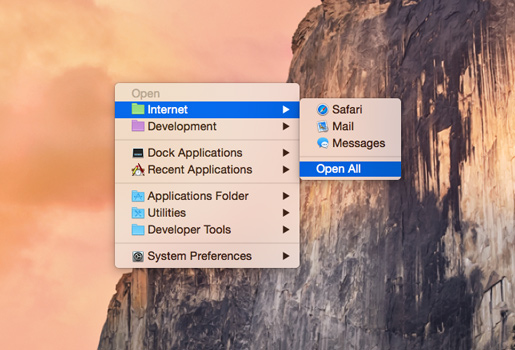
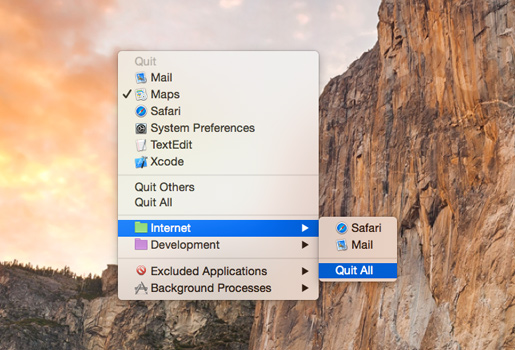
Application Wizard 是 macOS 上的高效启动与管理助手,助你秒级调用应用程序、文档、文件夹及外接磁盘。无论是快速启动、切换聚焦,还是彻底退出应用,亦或一键执行 AppleScript 脚本,它都能轻松胜任;开启单应用模式后,还能显著净化桌面空间,让工作界面更清爽专注。
统一访问文件,智能管理你的数字工作区
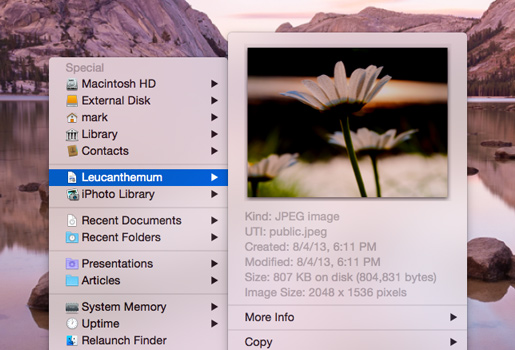
自由浏览本地卷宗与常用文件夹,即时打开其中内容;便捷挂载或弹出各类磁盘设备;实时查看系统内存占用情况。同时支持快速唤出最近打开的文档与通讯录联系人,内建预览引擎可直接查看图片、音频、视频及各类文档,还支持深度查阅文件属性与元数据信息。
- 应用快捷控制:一键启动、激活或退出任意已安装应用。
- AppleScript 深度集成:直接运行本地或自定义 AppleScript 脚本,自动化任务更随心。
- 单应用纯净模式:启用后自动隐藏其他窗口,专注当前任务,大幅降低视觉干扰。
- 卷宗与收藏夹导航:直达硬盘分区与高频访问文件夹,快速展开并操作其中项目。
- 磁盘即插即管:轻松完成磁盘挂载、卸载(弹出)等常规操作。
- 近期内容直达:快速回溯最近使用的文档与联系人,省去层层查找之苦。
- 所见即所得预览:无需打开原程序,即可预览图像、音乐、影片及 PDF/文稿等常见格式,并随时查看详细属性与元数据。
- 内存状态一目了然:实时监测内存使用率,辅助判断系统负载。
立即在你的 Mac 上体验 Application Wizard 的高效与简洁。
What's New
Version 4.8
- The incompatibilities with macOS 27 Golden Gate have been solved.
- Contact lists and cards in the Contacts submenu have been fully revised to match the design of Contacts on macOS 27 and 26. In addition to that, displayed dates (birthdays, lunar birthdays, anniversaries) and URLs are now always correctly formatted.
The Intel badge that appears in the Open menu when you press the Control key to force a Universal application to open using Rosetta on - Apple Silicon Macs has a new look and is now displayed to the left of the application icon instead of replacing it. This change also fixes a problem which was affecting the Open menu when icons were not shown: repeatedly pressing Control to add and remove the badge caused the menu item to be indented more and more.
- A bug that caused icons to remain visible in the submenus of the System Settings menu despite the “Show icons” option in the Menus pane of Application Wizard Settings (macOS 13 or later) or Application Wizard Preferences (macOS 12) was deselected, has been fixed.
- A bug that caused the selection in the “Automatically terminated applications” pop-up menu of the Menus pane of Application Wizard Settings (macOS 13 or later) or Application Wizard Preferences (macOS 12) not to be updated after a backup was imported, has been fixed.
- Some other minor improvements and fixes have been introduced.
- Minimum required system version is now macOS 12.





