ACDSee Photo Studio 27.0.0 macOS 专业级AI照片管理与无损编辑套件
ACDSee Photo Studio for Mac 是一款面向摄影师与视觉工作者的全能型照片管理与RAW图像处理工具。它将强大的数字资产浏览能力、非破坏性编辑引擎与前沿AI功能深度融合——既能高效整理海量图库,又能全程保护原始文件不受改动;更通过智能识别、生成式编辑与视觉搜索等技术,让找图、修图、创图一气呵成,真正实现“一站式”Mac影像工作流。
用AI驱动创意生成与精准编辑
只需输入文字描述、选择预设风格模板,或拖入参考图来定义人物特征、画面氛围与构图逻辑,系统即可在当前工作流中即时生成全新图像;而「生成式编辑」则反向操作:告诉软件你想要的效果(比如“让背景更虚化”“添加晨雾感”),或提供样图作为视觉指引,AI便会自动重构画面——全程无需手动涂抹、不依赖画笔。该功能直接集成于「管理」模式,边浏览边修复,所见即所得,效率跃升。
以图搜图,告别关键词依赖
AI图像相似度分析在后台持续运行,无需人工打标或输入关键词,只要你在文件夹中浏览,系统就在默默比对每张照片的视觉特征。任意选中一张图,AI反向图像搜索即刻返回全库中所有视觉高度相关的影像;「智能分组」工具更可跨单个文件夹、多个目录乃至搜索结果集,按视觉相似性自动聚类——重复废片、遗漏佳作、风格相近的系列作品,一键浮现。叠加AI智能打标功能,海量图库也能秒级聚焦目标。
极速浏览与高效筛选
- ACDSee标签页:单窗口并行打开多个文件夹,像网页浏览器一样自由切换;已开启的标签页支持跨会话记忆,重启后依旧保留。
- 首页工作台:快速进入常用功能——保存过的高级搜索、一键筛选(如“最近修改”“今日导入”)、批量任务(去重、归档、导入)全部触手可及。
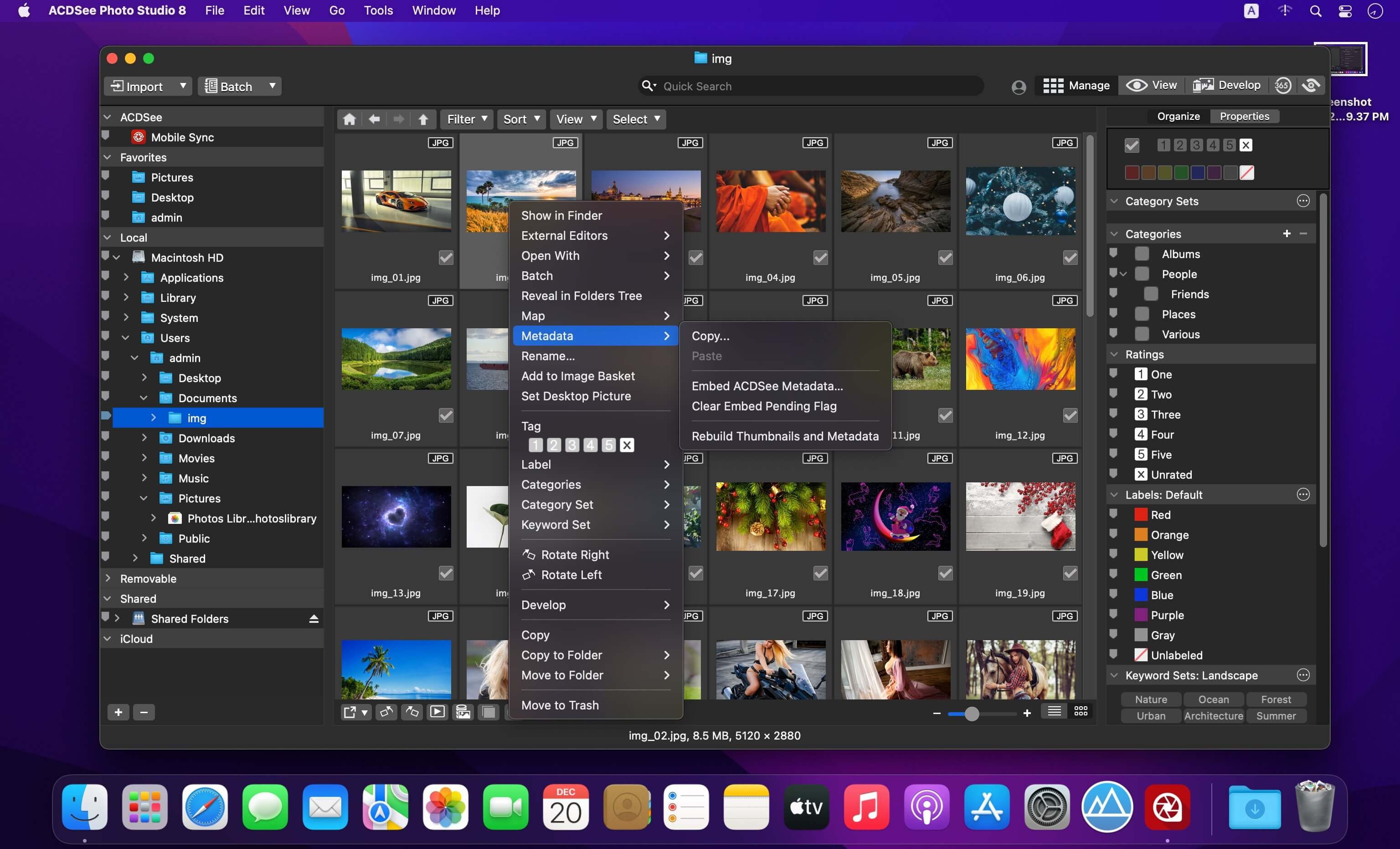
- 拒收标记:审片时实时标注眨眼、模糊、构图失误等不合格照片;后续可集中调出所有拒收项,批量清理,省时省力。
- 后台活动中心:人脸识别、关键词扫描、相似度分析、AI图像生成等多项任务并行处理,进度实时可视,不卡顿、不打断你的创作节奏。
毫厘级非破坏性调色与局部精修
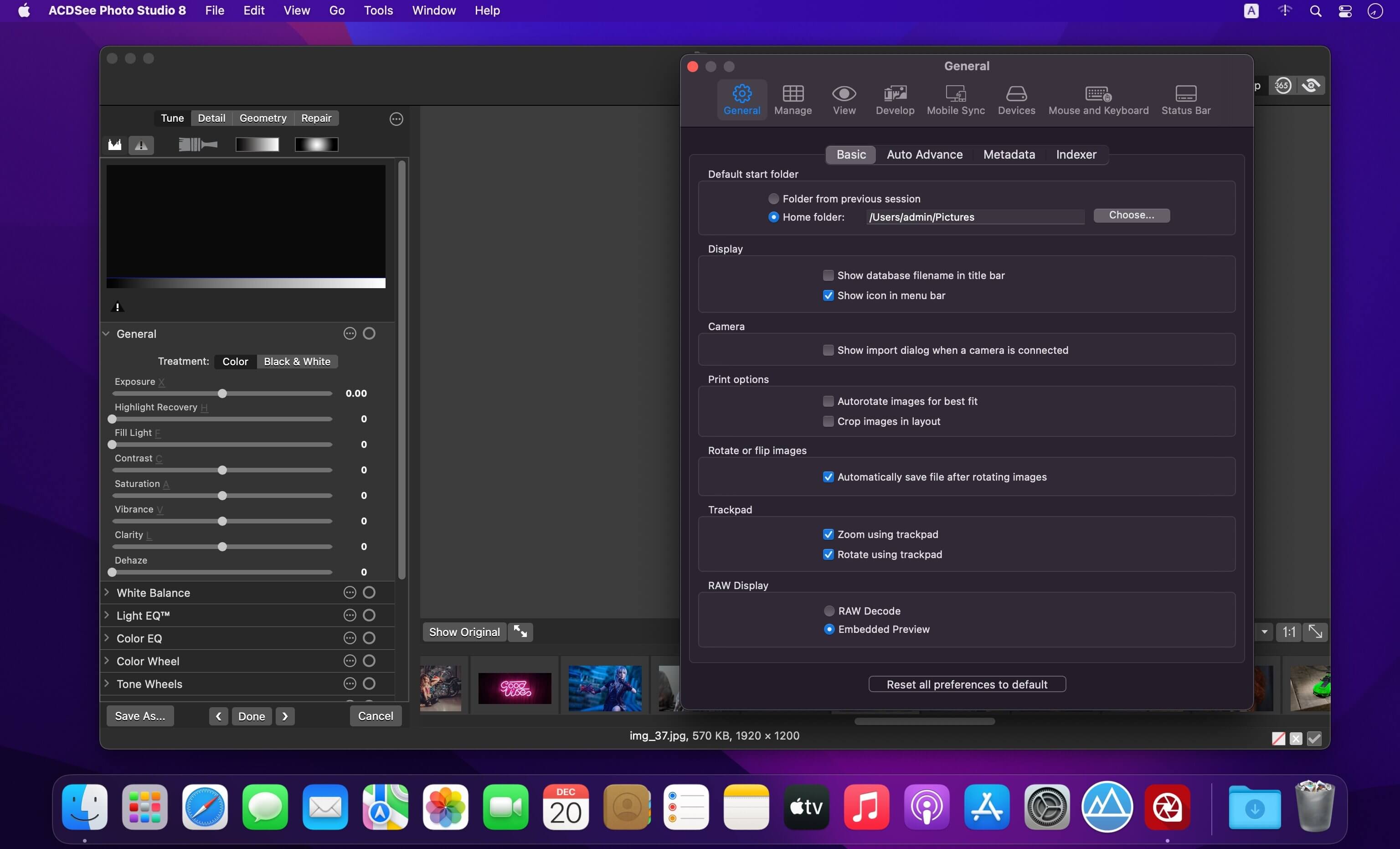
「开发」模式下的「前后对比滑块」将画面一分为二,左侧显示原始图像,右侧呈现编辑效果,拖动滑块即可逐帧比对每一处调整的真实影响。色彩范围与亮度范围蒙版支持按色相区间或明度阈值智能选区——例如仅选取阴天天空的灰调区域、树叶中某一种绿色、人像高光部分,实现真正意义上的像素级控制。所有编辑均为非破坏性操作,原始文件始终安全无损。
它适合谁?
婚礼摄影师可用「拒收标记」快速筛片,并随时对照原图验证每一步调色是否精准;档案管理员面对多年积压的未整理素材,能借助视觉聚类与示例搜索,绕过混乱的命名与缺失的元数据,直击核心影像;平面设计师则可在不切换应用的前提下,从一句文案生成背景图,再用AI微调细节,无缝融入设计流程。
Mac平台同类替代方案推荐
- Adobe Lightroom Classic:基于图库的RAW处理方案,深度绑定Adobe创意云生态。
- Capture One:主打影棚级联机拍摄与极致色彩科学,适合对色彩一致性要求严苛的专业工作室。
- Photo Mechanic:以超高速读取、筛选与元数据批注见长,专为新闻摄影、体育赛事等高强度拍摄场景优化。

What's New
Version 27.0
New Features
- AI Image Generation: Start from a text prompt, choose a preset visual effect, or bring in reference images for character, style, and composition
- Generative Edit: Describe a change in your own words, or use reference images to guide the look
- AI Reverse Image Search: As you browse your folders, AI Image Similarity quietly compares your photos by how they look, with no tagging, no keywords, no setup. Then select any image and let AI Reverse Image Search find every visually related shot
- Group By AI Image Similarity: Group By now includes Group By AI Image Similarity, clustering visually related photos
- Reject Tag: Mark blinks, blurs, and duds with the new Reject Tag as you review
- ACDSee Tabs: Simplify your digital asset management by effortlessly navigating files, searches, and more
- ACDSee Home Page: Launch into any project with frequently used search presets such as Recently Modified or Recently Added, and buttons for common tasks such as importing files and performing database maintenance
- Before and After Slider in Develop mode: Compare edits by dragging the vertical bar to see the original image on the left and your adjustments on the right
- Color Range Masks: Apply masks that depend on color values in Develop mode
- Luminance Range Masks: Apply masks that depend on luminance/light values in Develop mode
Improvements
- Activity Manager: Keep an eye on important background tasks, like generating images, AI Face Detection, or scanning for AI Keywords
- Updated Interface: A revised, more modern interface gives ACDSee Photo Studio for Mac 27 a more contemporary feel while keeping everything where you expect it
Bug Fixes
- Fixed an issue where AI Keywords and Face Detection could leak a small amount of memory when running continuously on many files
- Fixed an issue where the scrollbar could cut off thumbnails slightly in the Filmstrip
- Fixed an issue where the Percentage value could be reset while typing in Batch Resize or AI Super Resolution