
SoundSource 6.1.2 macOS 专业级系统音频控制中心

只需轻点菜单栏,即可秒级完成麦克风、扬声器、耳机及音效设备的音量调节与路由配置。支持输入设备软监听——让任意麦克风或音频源的声音实时回传至你指定的输出设备,边录边听毫无延迟。SoundSource 将 macOS 最核心的音频管理能力,浓缩成指尖可触的一站式控制面板。
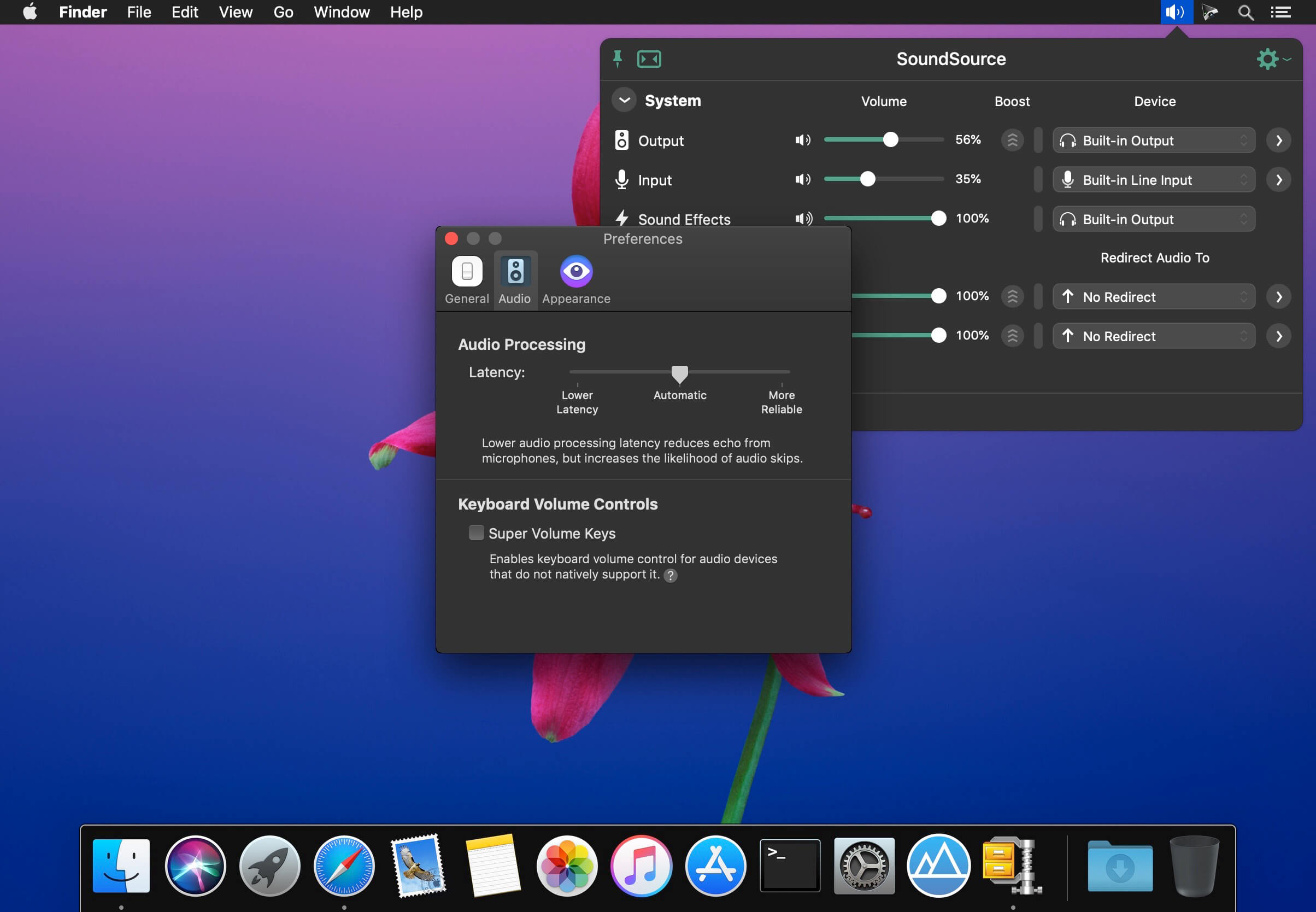
系统级设备即调即用
无需跳转系统设置,在菜单栏中直接切换并微调输出、输入与声音效果三大音频通路的设备选择与参数。
应用级音频独立调控
为每个运行中的程序单独设定音量比例,还可自由分配其音频流至不同物理输出(如将 Zoom 送入耳机、Spotify 推向客厅音响)。
深度音效增强能力
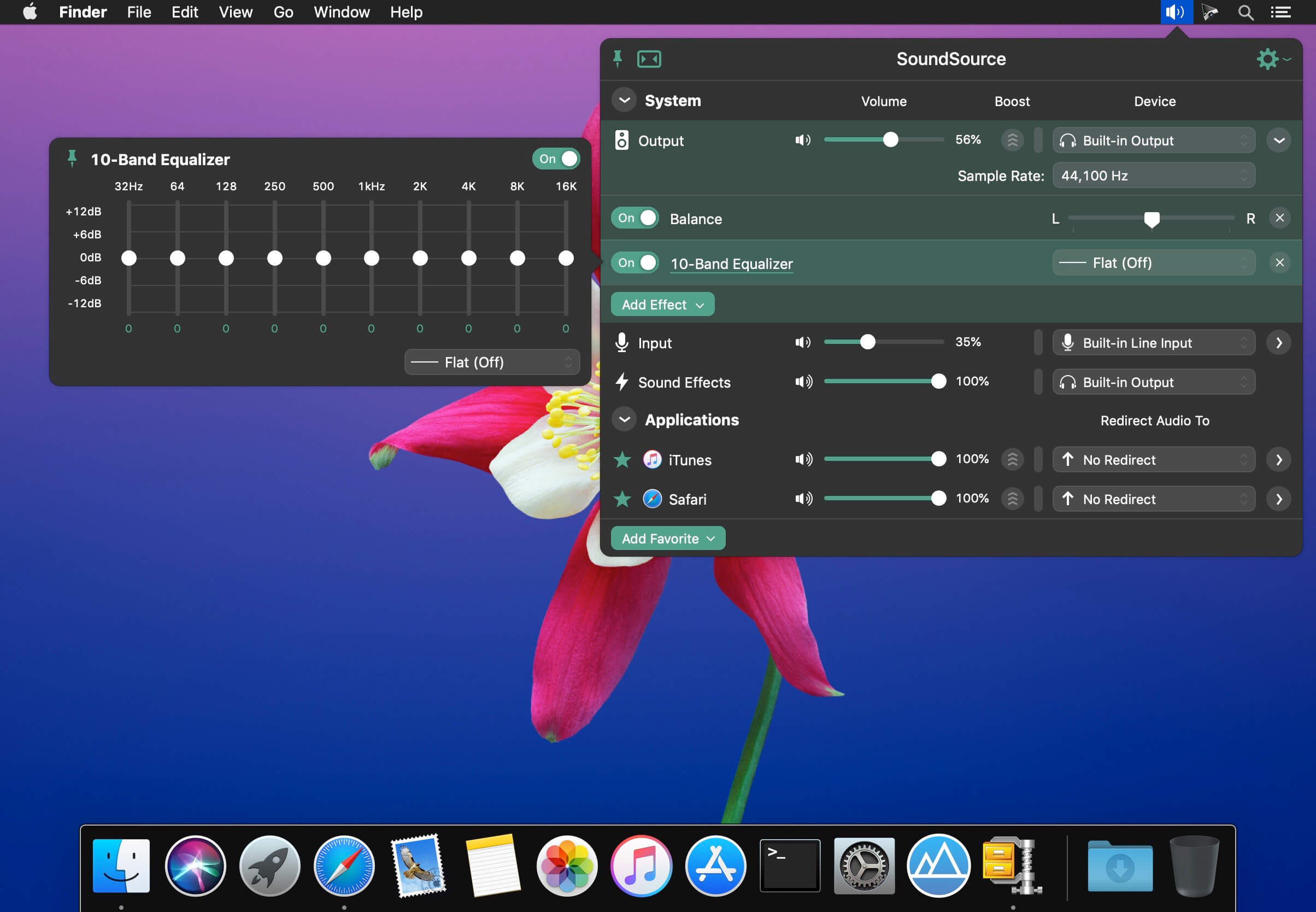
内置高保真10段均衡器与专业级 Audio Unit 插件支持,无论是人声通话、游戏音效还是视频配乐,都能一键优化听感。
核心功能亮点
- 逐应用音量精细调节
统一界面管理所有应用音量:可放大会议软件语音、压低后台提示音,或彻底静音某款工具,操作直观无死角。 - 逐应用音频输出定向分流
精准掌控每路声音去向——比如把音乐播放器输出锁定到外接Hi-Fi音箱,而浏览器通知音仍走MacBook自带扬声器,互不干扰。 - 逐应用专属音效处理
为不同App加载定制化音效:用内置10段EQ优化Zoom通话清晰度,再为游戏客户端加载AU插件强化空间定位感。 - 全局音频硬件参数直控
快速调整系统输出/输入/音效三类设备的音量、输入增益、左右声道平衡,甚至直接切换采样率(44.1kHz / 48kHz / 96kHz等)。 - 全系统级音效统一封装
启用全局EQ或AU插件后,所有应用程序音频自动经过统一音效链处理,让笔记本小喇叭也能呈现饱满均衡的声场表现。 - 全能音量快捷键重定义
突破HDMI/DisplayPort等接口对Mac键盘音量键的兼容限制——无论连接电视、显示器还是USB-C扩展坞,音量调节始终响应自如。 - 菜单栏常驻极速入口
图标常驻右上角菜单栏,单击即唤出全部控制;更支持自定义全局热键(如 ⌘+⌥+S),盲操也能秒开。 - 悬浮窗口随心驻留
高频调节用户可将主窗口设为“始终置顶”,它将轻盈悬浮于桌面任意位置,拖拽即用,不遮挡工作内容。 - 智能耳机EQ适配引擎
全新Headphone EQ基于海量耳机型号声学模型训练而成,自动匹配你手头的AirPods、Bose、Sony等数千款耳机特性,释放原厂未调校的隐藏潜力。 - Magic Boost 2 智能扩声技术
第二代智能增益算法专为小尺寸发声单元优化,显著提升低频厚度与整体响度,让MacBook扬声器、便携蓝牙音箱也能迸发沉浸式声场。 - 极简紧凑视图模式
常规界面已足够精炼,若追求极致效率,开启Compact View后仅保留关键控件,界面宽度压缩至最小,不占视野。 - 实时音频电平可视化
可选在菜单栏添加动态电平表——实时监控输出设备负载、麦克风拾音强度,以及各活跃应用的音频输出状态,一目了然。

What's New
Version 6.1.2:
- Preliminary Support for MacOS 27 (Golden Gate) Betas. SoundSource no longer warns on launch when run on MacOS 27 (Golden Gate). There are no known issues on Golden Gate at present.
- Do note that Apple’s betas remain in flux. We always encourage users to stick with official (non-beta) OS releases for the best experience.
- Several AirPlay Enhancements. Several improvements have been made to SoundSource’s AirPlay streaming.
- SoundSource now reliably auto-connects to AirPlay devices when sending audio to them.
- Output Groups and AirPlay devices now correctly re-establish themselves after a restart of coreaudiod.
- Synchronization between AirPlay devices has been tightened, correcting audible drift that could occur when streaming to multiple outputs for extended periods of time.
- A “UID already exists” error which could occur when connecting to AirPlay devices has been corrected.
- The last-used volume for AirPlay devices is now restored upon connecting.
- Processing of silence has been greatly optimized, so average CPU usage is greatly reduced.
- SoundSource’s Shortcuts will once again be shown within Apple’s “Shortcuts” app, without requiring a system restart to appear. This fixes a regression introduced in SoundSource 6.1.0.
- SoundSource now works correctly with the Mixed In Key “SE” Audio Unit plugin.
- Multiple sources will no longer appear in SoundSource for the same process. This avoids issues where audio could be doubled.
- When previewing media with Quick Look in the Finder, audio is no longer incorrectly doubled (and thus un-mutable).
- Improvements have been made to avoid audio from Loopback virtual devices being muted for as long as 10 seconds after the device is no longer being captured by another application.
- A rare crash that could bring down SoundSource while it was running in the background has been fixed.
- Interface elements which could appear blurry on non-retina displays should now be crisp.
- Effect popovers now retain their position when opened via the “Open/Close Effect Window” shortcut.
- Fresh instances of Audio Unit effects are once again displayed at their initial default size. This fixes a regression introduced in SoundSource 6.1.1.
- SoundSource will no longer incorrectly appear over the menu bar when “Automatically hide and show the menu bar” is enabled in System Settings.
- The “Local Network Accession” permission will no longer incorrectly cycle between enabled and denied.
- SoundSource’s icon has been updated to support the system-wide Dark icon style on MacOS 26 and higher.





